
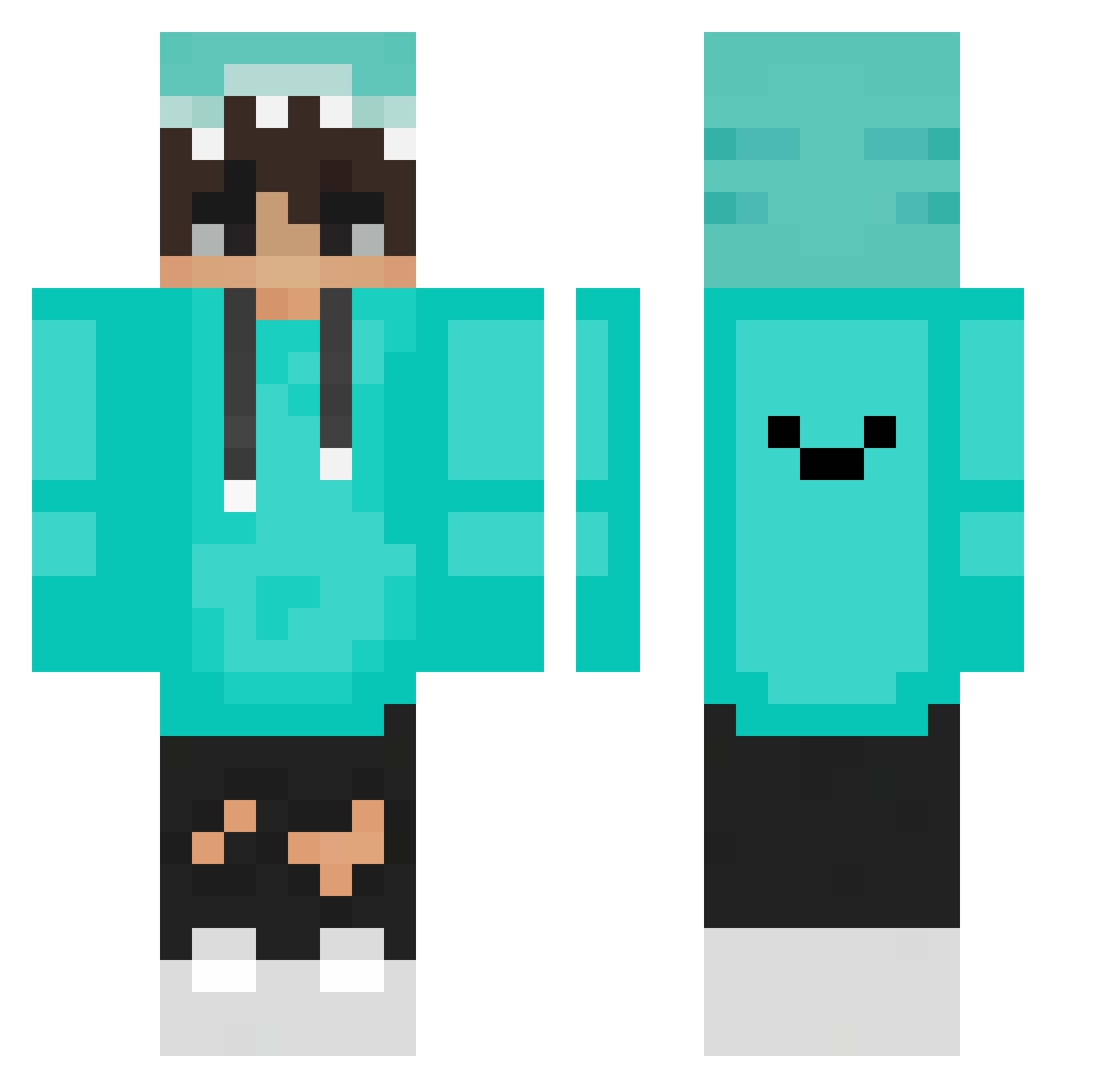
Current Minecraft skin of the player Mister_4100, loaded from the official Mojang API. Rotate the 3D model with your mouse or finger, then download the skin as a PNG file and use it in Minecraft: Bedrock Edition or Java Edition for free. When Mister_4100 changes their skin, this page updates automatically and the old skin stays in the history below.
Other players with this skin (90)
The same skin was seen on these players. Open a nickname to see their current skin and skin history.
 DeadReallyDead Delfin0Alejandr0 _circular_ Dawidowyy cvrt9598 YarweX 0427 ViniZapp The_Portu01 gkaratzias HANJUN0309 Le0X_Aaron WizardChain6493 Eboiller Weywey930127 ZFCStar YuCheonShin mandam69 wedgedg bumfire77 sat1248 Kaynaaa 07Saulo10 loopang77 Tricetan TheoCDiamond CATTUCK Jwackey _Em1l_ Szymon624 arahan45 UB0325 Neptune159357 r3st1ck COLA_007 Cholachat Jaden_SG123 noraneko82 TW_Creeper0105 Xsot_DropDead HiiragiAoi_1294 Bralius Naughty__ wassan00 PlayForElo MisiekVPK ThinhMCVN Wonder_J20 KayneSmalley Loxhy LequitBernii Tanuki893 aiLixLix DavidSL_ Sbaelu CyansX Majorr44 Zujie_0819 charle_is_cool _yuhe_
How to install the Mister_4100 skin
- Press the Download button above to save the skin as a PNG file.
- Minecraft: Bedrock Edition (PE): open the Dressing Room from the main menu (or tap your character → Edit Character), go to Classic Skins → Owned, press the + (new skin) button, choose the downloaded PNG and pick the Classic (Steve) model. Works on PC and mobile; consoles cannot import custom skins.
- Minecraft: Java Edition: open the Minecraft Launcher, go to the Skins tab, click New Skin, load the PNG, pick the Classic (Steve) model and press Save & Use. You can also upload it at minecraft.net → Profile → Change Skin.
The skin does not show up after import - what should I do?
Restart Minecraft and open the Dressing Room again - imported skins sometimes appear only after a restart. Also make sure you selected the imported skin and picked the Classic (Steve) model.
Which model should I choose, Classic or Slim?
This skin is designed for the Classic (Steve) model. If you pick the wrong model, the arms of the skin will look stretched or squeezed.
Is the skin of Mister_4100 free to download?
Yes. Press Download, save the PNG file and use it in Minecraft: Bedrock Edition or Java Edition - no payment or registration needed. The skin also works on multiplayer servers and Realms.
More skins
Looking for more? Go back to all Minecraft skins and check the top skins of the week, month and all time, or find any player's skin by nickname.