
MisterMildew - Minecraft Skins & Skin History
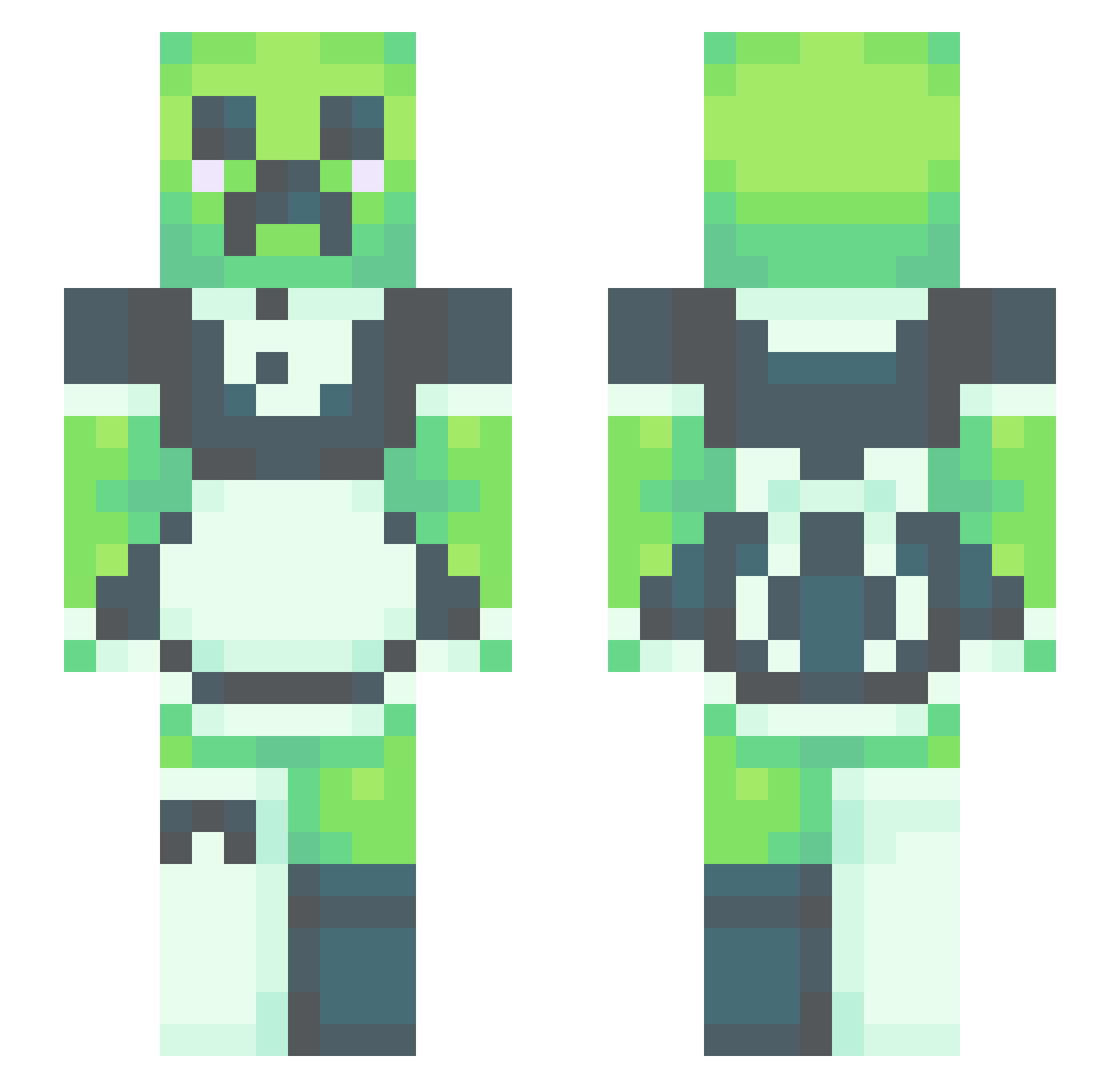
Current Minecraft skin of the player MisterMildew, loaded from the official Mojang API. Rotate the 3D model with your mouse or finger, then download the skin as a PNG file and use it in Minecraft: Bedrock Edition or Java Edition for free. When MisterMildew changes their skin, this page updates automatically and the old skin stays in the history below.
Other players with this skin (412)
MisterMildew was the 185th player we have seen with this skin, first spotted on 01.09.2026. The same skin was seen on these players. Open a nickname to see their current skin and skin history.
 Z4IN GoblinBishh oooobiii P4wgologist kappidaan DennisCarlen Abiebs Magnus_4 Lugers Mati_ElMejorPibe KriDust Yumi_F chr0matix Sweven777 maybe2002 Taxlooser GummyBear1230 Stekhus SmilingDisaster GSan2400 cASSie_pop Certified_Chonky Cumena Villamil25 Crims0nangel Pluto6842 salamandercraft LigeiaW dannstacks Peachy988 BubbleTheKing Meg_McMegaladon Tacopie09 Kxdence815 TheGr8Octopie FourDabloons vegetal77777777 SeraphimWings_ MiniTitan69 KolerScream Gay_l0rd S1llyCr33p3r_68
 Ozone183 winnhehehe TheeToeTickler TMBlackBolt CHlMK3N silentsoftie Merilitte The_Legend_2722 Seanale Starashu LucaTony21 AnnzxD SmallWood69 ______tree______ theelakees Tophatlord Gingerbeere PlazmaFly
More Maid Minecraft skins
How to install the MisterMildew skin
- Press the Download button above to save the skin as a PNG file.
- Minecraft: Bedrock Edition (PE): open the Dressing Room from the main menu (or tap your character → Edit Character), go to Classic Skins → Owned, press the + (new skin) button, choose the downloaded PNG and pick the Slim (Alex) model. Works on PC and mobile; consoles cannot import custom skins.
- Minecraft: Java Edition: open the Minecraft Launcher, go to the Skins tab, click New Skin, load the PNG, pick the Slim (Alex) model and press Save & Use. You can also upload it at minecraft.net → Profile → Change Skin.
The skin does not show up after import - what should I do?
Restart Minecraft and open the Dressing Room again - imported skins sometimes appear only after a restart. Also make sure you selected the imported skin and picked the Slim (Alex) model.
Which model should I choose, Classic or Slim?
This skin is designed for the Slim (Alex) model. If you pick the wrong model, the arms of the skin will look stretched or squeezed.
Is the skin of MisterMildew free to download?
Yes. Press Download, save the PNG file and use it in Minecraft: Bedrock Edition or Java Edition - no payment or registration needed. The skin also works on multiplayer servers and Realms.
More skins
Looking for more? Go back to all Minecraft skins and check the top skins of the week, month and all time, or find any player's skin by nickname.