
MisterJonathan - Minecraft Skins & Skin History
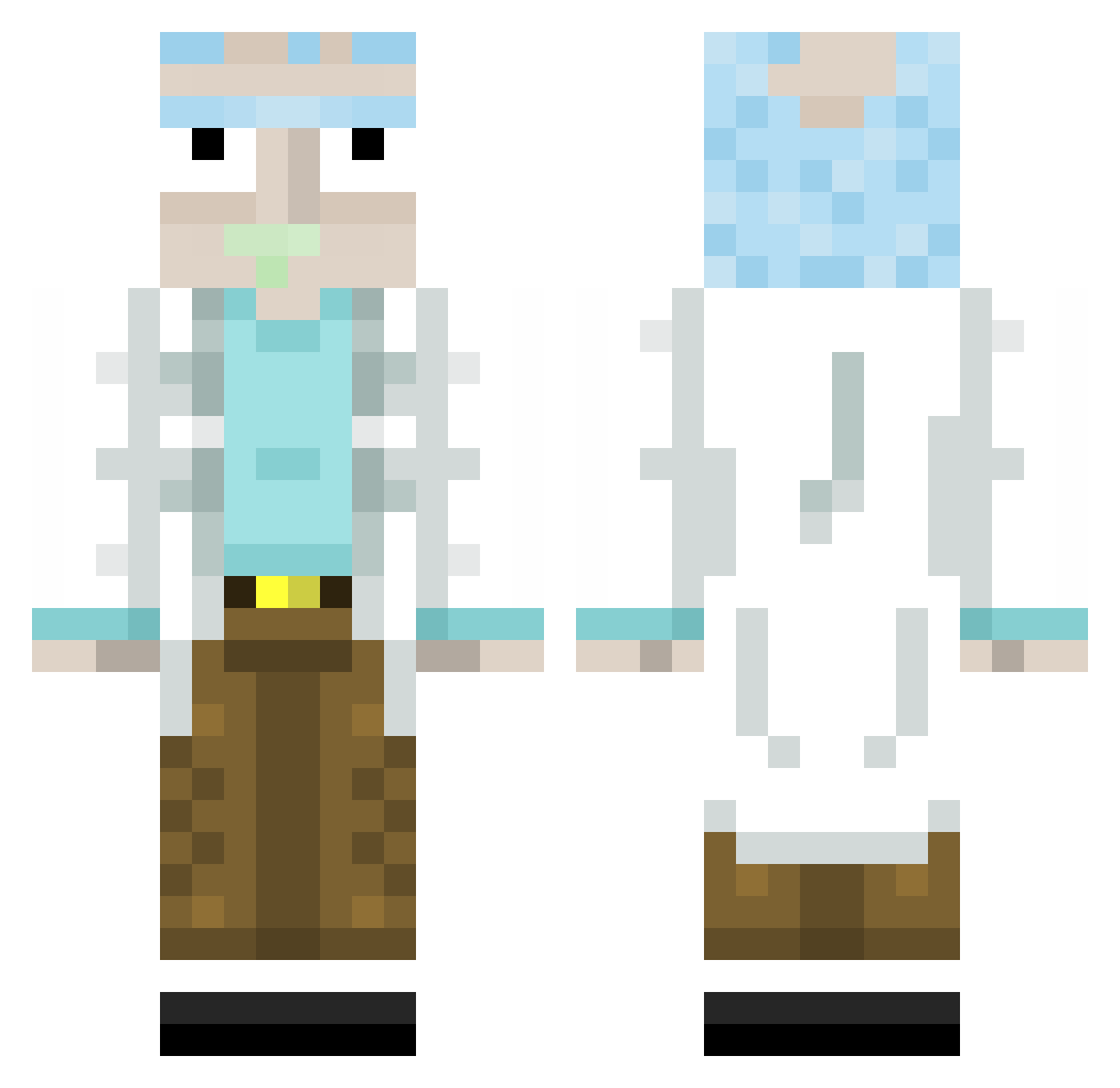
Current Minecraft skin of the player MisterJonathan, loaded from the official Mojang API. Rotate the 3D model with your mouse or finger, then download the skin as a PNG file and use it in Minecraft: Bedrock Edition or Java Edition for free. When MisterJonathan changes their skin, this page updates automatically and the old skin stays in the history below.
Other players with this skin (313)
MisterJonathan was the 41st player we have seen with this skin, first spotted on 08.08.2026. The same skin was seen on these players. Open a nickname to see their current skin and skin history.
 ChilPhil Diablo_RUS Rh43g4r 42t0m Paultastisch bMadsen theVerstappen Digoyoquesi ItsBilour blair18 S3dLyF Maslo123001 MrPepino12 Gee51699 LaSauceYakitori Bingwawaa Kahtsen griezi7 DypSnow Meech94 Superal999 Cardinal_Mist tucarpintero OWhatDeBomba Tony00169 gavyngavyn BattlGod Knechrekt Lukator5 Annanasskop Nico17n Kielinng MeowCat1207 Le_cintre Upcrom kornii33 DewastatorDupska rathurr chaosc3rax FRoZy420 tzi_swwst_0602 joliserbet manrukus Its_Rafo RYVERbe UMUTMERT IronK22 1122erere 2l88 Flashrezept bhdyx
 papa_mobile Arges00 Clarash_ local989 konbari Acoplex jordan240896 LeBrows lemoniadaser
More Rick Sanchez Minecraft skins
See all 214 Rick Sanchez skins
How to install the MisterJonathan skin
- Press the Download button above to save the skin as a PNG file.
- Minecraft: Bedrock Edition (PE): open the Dressing Room from the main menu (or tap your character → Edit Character), go to Classic Skins → Owned, press the + (new skin) button, choose the downloaded PNG and pick the Classic (Steve) model. Works on PC and mobile; consoles cannot import custom skins.
- Minecraft: Java Edition: open the Minecraft Launcher, go to the Skins tab, click New Skin, load the PNG, pick the Classic (Steve) model and press Save & Use. You can also upload it at minecraft.net → Profile → Change Skin.
The skin does not show up after import - what should I do?
Restart Minecraft and open the Dressing Room again - imported skins sometimes appear only after a restart. Also make sure you selected the imported skin and picked the Classic (Steve) model.
Which model should I choose, Classic or Slim?
This skin is designed for the Classic (Steve) model. If you pick the wrong model, the arms of the skin will look stretched or squeezed.
Is the skin of MisterJonathan free to download?
Yes. Press Download, save the PNG file and use it in Minecraft: Bedrock Edition or Java Edition - no payment or registration needed. The skin also works on multiplayer servers and Realms.
More skins
Looking for more? Go back to all Minecraft skins and check the top skins of the week, month and all time, or find any player's skin by nickname.