
Miniwolf2o - Minecraft Skins & Skin History
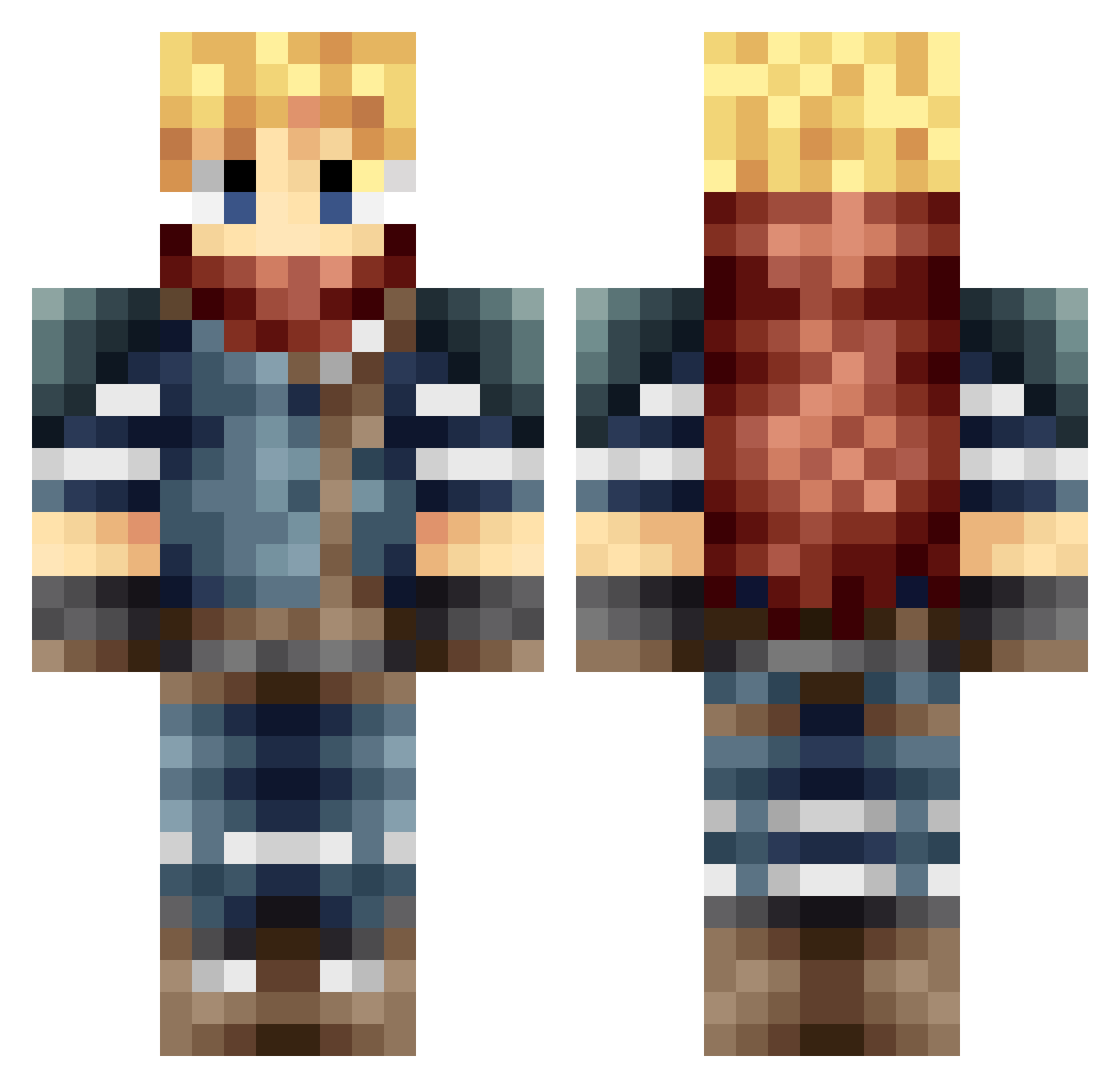
Current Minecraft skin of the player Miniwolf2o, loaded from the official Mojang API. Rotate the 3D model with your mouse or finger, then download the skin as a PNG file and use it in Minecraft: Bedrock Edition or Java Edition for free. When Miniwolf2o changes their skin, this page updates automatically and the old skin stays in the history below.
Other players with this skin (166)
Miniwolf2o was the 145th player we have seen with this skin, first spotted on 18.10.2026. The same skin was seen on these players. Open a nickname to see their current skin and skin history.
 SeagullC Cadinkisson1 Ho0drip vava481 Riukumon85 dklwdx yunze63 louwok themarty96 Xehanort63 FreedomL903 BladesOfShakuras Harvey642 Jofret_7 RSMW Oni324 GenesisXX cosher Asterite frighithebest vejax Carbon_Capy hnnspls LightlyToasty NeverLucky_666 joe_nj sp3c1alk Vermagnus Prates1972 neravaar tyrrantking Just_Lynx BACK_Lin Stupid_Catboy Zigaa NeverRelmer Rubberducky186 VenusGospel Felwinti metallictuxedo49 ArkeusUltors Nocte_Mortis Iceprince3781 Beto0707 L1ghtGreen KillaBee12 coddavs Napdje Li_Jii Dannyontherize X_Cloud95 Kloud3y Soul_EX3 Lazertrip91 kaaaasus Calzipher xFaust_ Shakunie R1ebb Sokushi45
More Traveler Minecraft skins
How to install the Miniwolf2o skin
- Press the Download button above to save the skin as a PNG file.
- Minecraft: Bedrock Edition (PE): open the Dressing Room from the main menu (or tap your character → Edit Character), go to Classic Skins → Owned, press the + (new skin) button, choose the downloaded PNG and pick the Classic (Steve) model. Works on PC and mobile; consoles cannot import custom skins.
- Minecraft: Java Edition: open the Minecraft Launcher, go to the Skins tab, click New Skin, load the PNG, pick the Classic (Steve) model and press Save & Use. You can also upload it at minecraft.net → Profile → Change Skin.
The skin does not show up after import - what should I do?
Restart Minecraft and open the Dressing Room again - imported skins sometimes appear only after a restart. Also make sure you selected the imported skin and picked the Classic (Steve) model.
Which model should I choose, Classic or Slim?
This skin is designed for the Classic (Steve) model. If you pick the wrong model, the arms of the skin will look stretched or squeezed.
Is the skin of Miniwolf2o free to download?
Yes. Press Download, save the PNG file and use it in Minecraft: Bedrock Edition or Java Edition - no payment or registration needed. The skin also works on multiplayer servers and Realms.
More skins
Looking for more? Go back to all Minecraft skins and check the top skins of the week, month and all time, or find any player's skin by nickname.