
MineSurfeur - Minecraft Skins & Skin History
Current Minecraft skin of the player MineSurfeur, loaded from the official Mojang API. Rotate the 3D model with your mouse or finger, then download the skin as a PNG file and use it in Minecraft: Bedrock Edition or Java Edition for free. When MineSurfeur changes their skin, this page updates automatically and the old skin stays in the history below.
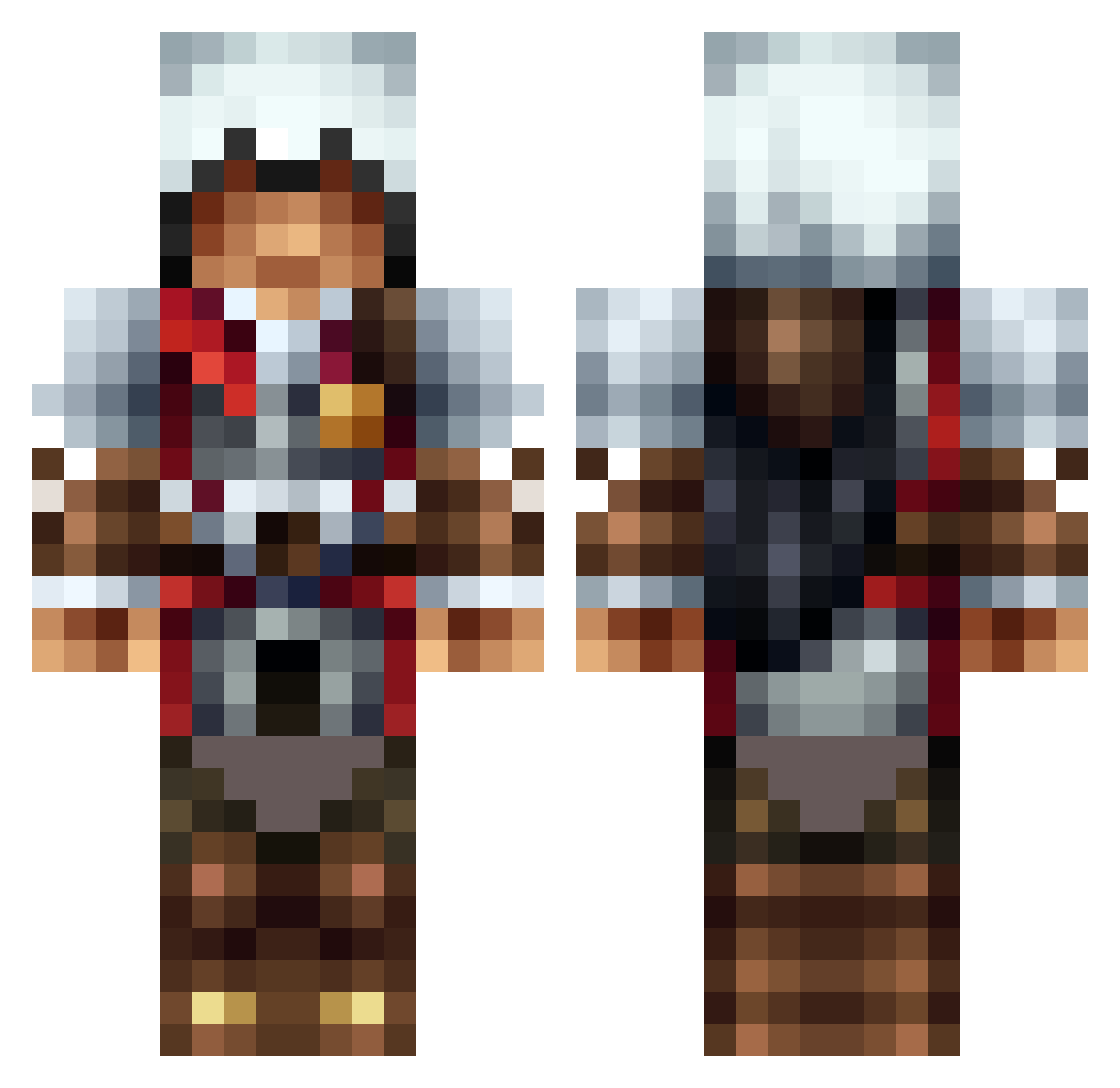
Other players with this skin (1313)
MineSurfeur was the 419th player we have seen with this skin, first spotted on 29.08.2026. The same skin was seen on these players. Open a nickname to see their current skin and skin history.
 Amarthl theaveragejoe11 NonO34bg RECKLESS_HOBO Rebellionn nivodh Wolfskralle jayjay1873 iKJ dustin9928 Shenk5 zazman7777 xXR2KXx lFrostboyl HeroOfDungeons DaniiiTs Jrwagner2 JensenHealy15 hchri30 bllopez13 evanrowe Tman200155 PTOTE stekelegel STEPHCURRY379 fondiz2 maximus8181 arno64160 Sternenpower stealthgunner99 Luddegameing Babounou OTGDrip pinquin93 osprey99 ShadyManOG Foresaken54 Kyle_Girga_14 UniversalReaper Rikkity NaristarCraft XxShadowSul787xX KingGorgeous BiteoftheWolf ImSteinberg MrInkompetenz zeltar30 Harley_Quinnn RaptorMaster22 AgentDoof jamiecian supernight32 ShawnTheGreat vrv34 windwalker HBB36 straeger11 WetBurrito martinkletter SciFiLady
More Altair Minecraft skins
How to install the MineSurfeur skin
- Press the Download button above to save the skin as a PNG file.
- Minecraft: Bedrock Edition (PE): open the Dressing Room from the main menu (or tap your character → Edit Character), go to Classic Skins → Owned, press the + (new skin) button, choose the downloaded PNG and pick the Classic (Steve) model. Works on PC and mobile; consoles cannot import custom skins.
- Minecraft: Java Edition: open the Minecraft Launcher, go to the Skins tab, click New Skin, load the PNG, pick the Classic (Steve) model and press Save & Use. You can also upload it at minecraft.net → Profile → Change Skin.
The skin does not show up after import - what should I do?
Restart Minecraft and open the Dressing Room again - imported skins sometimes appear only after a restart. Also make sure you selected the imported skin and picked the Classic (Steve) model.
Which model should I choose, Classic or Slim?
This skin is designed for the Classic (Steve) model. If you pick the wrong model, the arms of the skin will look stretched or squeezed.
Is the skin of MineSurfeur free to download?
Yes. Press Download, save the PNG file and use it in Minecraft: Bedrock Edition or Java Edition - no payment or registration needed. The skin also works on multiplayer servers and Realms.
More skins
Looking for more? Go back to all Minecraft skins and check the top skins of the week, month and all time, or find any player's skin by nickname.