
Mine19071 - Minecraft Skins & Skin History
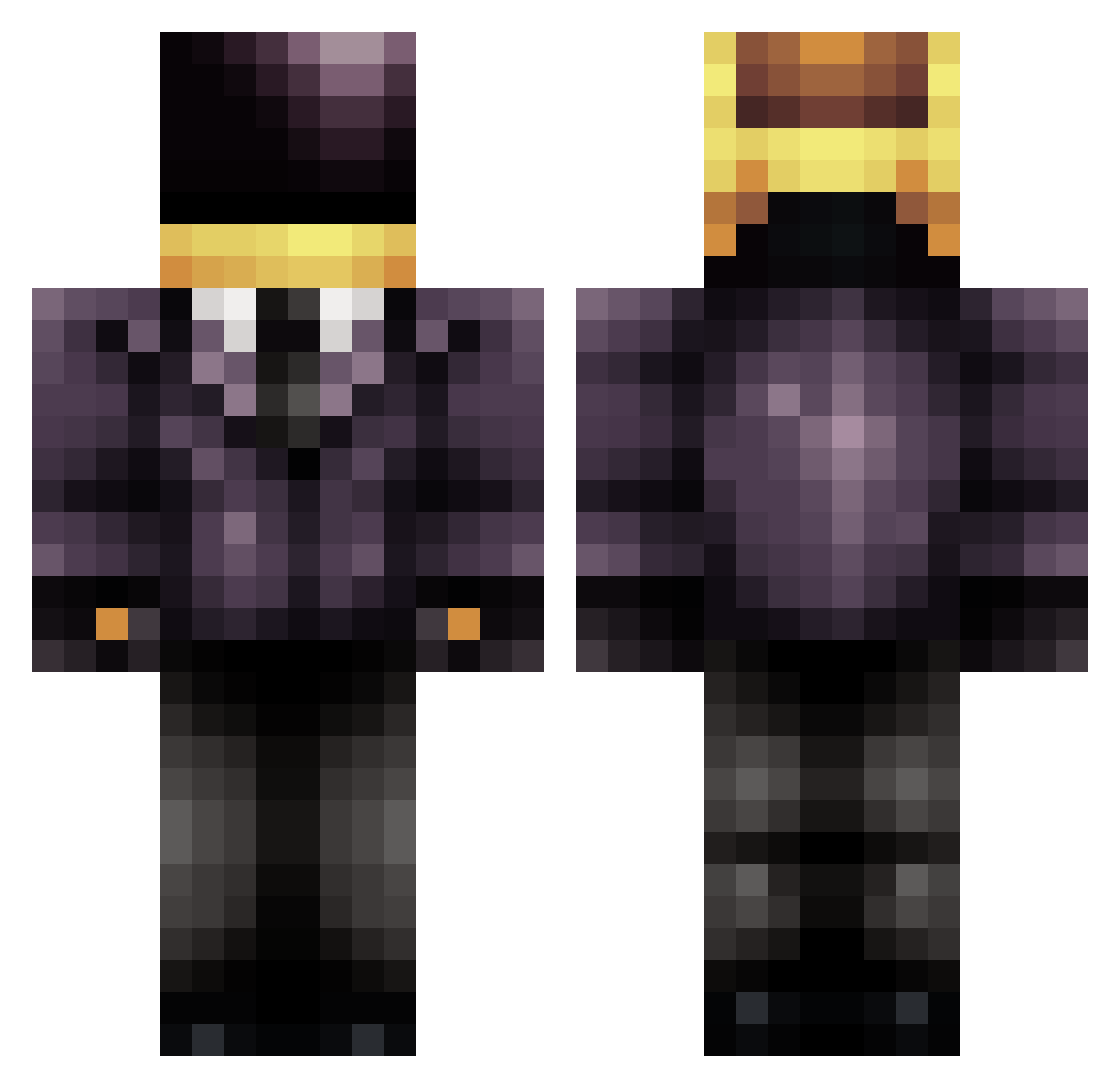
Current Minecraft skin of the player Mine19071, loaded from the official Mojang API. Rotate the 3D model with your mouse or finger, then download the skin as a PNG file and use it in Minecraft: Bedrock Edition or Java Edition for free. When Mine19071 changes their skin, this page updates automatically and the old skin stays in the history below.
Other players with this skin (709)
Mine19071 was the 524th player we have seen with this skin, first spotted on 11.10.2026. The same skin was seen on these players. Open a nickname to see their current skin and skin history.
 MRxVENOM SillyLlama pandorasbox101 surveycorps123 ACEOFSPADES9001 sicorax22 tr1p_w1re Gh0stface_Killah BakedMonsterr Jumping_Jax minetarded planii masacur cody_cool xSKULLxCRUSHERxx anthony5234 Bobby_Flay zmill3223 mrdeco1998 Ouro_ bonalls Xenneos Andres498 ohquared MrScre4m GoldMedalChamp6 tommytank132 MiNeCrAFt_666 Retire Pipouline bone168 Naftolemak Jibes_ 09BboyAssassin09 RoseRing aezlo Duckquack_ Rejectabear BingoRox Fushigi01 grymstr CiaranRam superstorm6 Mrlizzard123 MinecraftGalaxy5 MineOrGrind Bronzechaos Rockstar749 ODMADNESS thegirguy Shloogorg SpelkSaker OverlandPark MR_LEMONADE EliTheG0d AidanHal technopunch Volrath23 GreyeI Kills2020
More Daft Punk Minecraft skins
How to install the Mine19071 skin
- Press the Download button above to save the skin as a PNG file.
- Minecraft: Bedrock Edition (PE): open the Dressing Room from the main menu (or tap your character → Edit Character), go to Classic Skins → Owned, press the + (new skin) button, choose the downloaded PNG and pick the Classic (Steve) model. Works on PC and mobile; consoles cannot import custom skins.
- Minecraft: Java Edition: open the Minecraft Launcher, go to the Skins tab, click New Skin, load the PNG, pick the Classic (Steve) model and press Save & Use. You can also upload it at minecraft.net → Profile → Change Skin.
The skin does not show up after import - what should I do?
Restart Minecraft and open the Dressing Room again - imported skins sometimes appear only after a restart. Also make sure you selected the imported skin and picked the Classic (Steve) model.
Which model should I choose, Classic or Slim?
This skin is designed for the Classic (Steve) model. If you pick the wrong model, the arms of the skin will look stretched or squeezed.
Is the skin of Mine19071 free to download?
Yes. Press Download, save the PNG file and use it in Minecraft: Bedrock Edition or Java Edition - no payment or registration needed. The skin also works on multiplayer servers and Realms.
More skins
Looking for more? Go back to all Minecraft skins and check the top skins of the week, month and all time, or find any player's skin by nickname.