
MilkVee - Minecraft Skins & Skin History
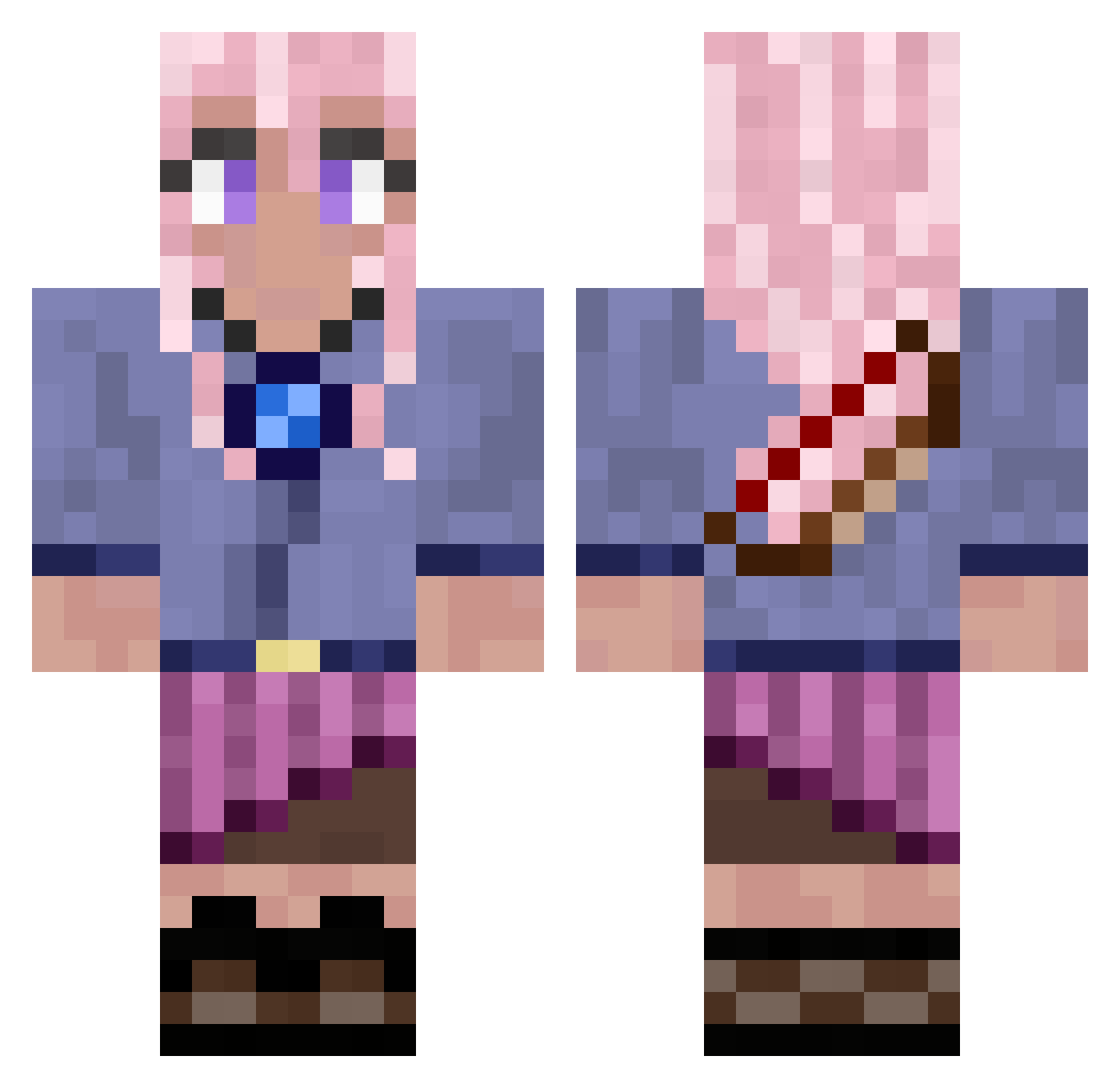
Current Minecraft skin of the player MilkVee, loaded from the official Mojang API. Rotate the 3D model with your mouse or finger, then download the skin as a PNG file and use it in Minecraft: Bedrock Edition or Java Edition for free. When MilkVee changes their skin, this page updates automatically and the old skin stays in the history below.
Other players with this skin (680)
MilkVee was the 77th player we have seen with this skin, first spotted on 04.08.2026. The same skin was seen on these players. Open a nickname to see their current skin and skin history.
 ZyMari PaisleighPlumpin vwiolet kisssmyas bubbajudge Frida1081 Marijedb CherryBerryOwO Gennar014 PhoebeTheKitty finality01 Matthy0_0 SternRubin
 Dawnmigs Yumesthic TheOneIs
 AnonyymiPelaaja GL_Raptor Andreawd ArcadiaRCH AlbertRoblox Rixrax23 IsabellJ Csemaa ENIQ08 SaltyImposter Eleveniks YalikeJahzz Hows1234 Spoon_Spoon_ Amelie20066 CaliGirl42 MysticRiver_ opscene nightlyeternals
 noodpro64 hyang8727 o0Easytarget SettledTech lizziemonthe Ayjuki Gladius1492 ReactiveKate Banakashi Lilcso1112 Ectasyy BeIIa_ CrazyPsyker yxalina ergoXYZ iamtarkan VickiDA XTPSRT vaportrails2112 HazardousFrk Doc_Maple_ SonGoku691 msmith9937 EAServerStinks cualquiera
More Kyoko Kirigiri Minecraft skins
See all 55 Kyoko Kirigiri skins
How to install the MilkVee skin
- Press the Download button above to save the skin as a PNG file.
- Minecraft: Bedrock Edition (PE): open the Dressing Room from the main menu (or tap your character → Edit Character), go to Classic Skins → Owned, press the + (new skin) button, choose the downloaded PNG and pick the Classic (Steve) model. Works on PC and mobile; consoles cannot import custom skins.
- Minecraft: Java Edition: open the Minecraft Launcher, go to the Skins tab, click New Skin, load the PNG, pick the Classic (Steve) model and press Save & Use. You can also upload it at minecraft.net → Profile → Change Skin.
The skin does not show up after import - what should I do?
Restart Minecraft and open the Dressing Room again - imported skins sometimes appear only after a restart. Also make sure you selected the imported skin and picked the Classic (Steve) model.
Which model should I choose, Classic or Slim?
This skin is designed for the Classic (Steve) model. If you pick the wrong model, the arms of the skin will look stretched or squeezed.
Is the skin of MilkVee free to download?
Yes. Press Download, save the PNG file and use it in Minecraft: Bedrock Edition or Java Edition - no payment or registration needed. The skin also works on multiplayer servers and Realms.
More skins
Looking for more? Go back to all Minecraft skins and check the top skins of the week, month and all time, or find any player's skin by nickname.