
MileSatch - Minecraft Skins & Skin History
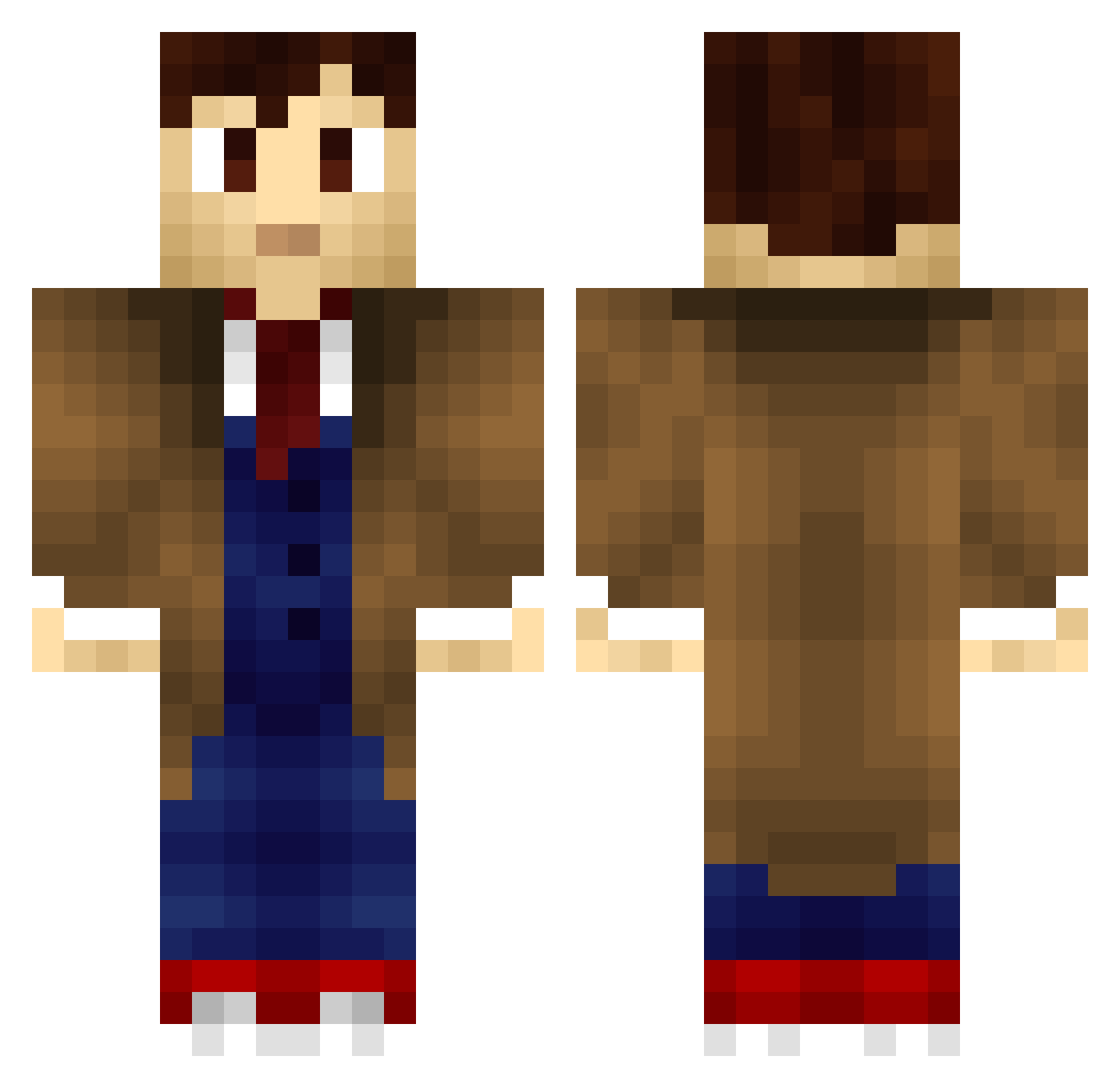
Current Minecraft skin of the player MileSatch, loaded from the official Mojang API. Rotate the 3D model with your mouse or finger, then download the skin as a PNG file and use it in Minecraft: Bedrock Edition or Java Edition for free. When MileSatch changes their skin, this page updates automatically and the old skin stays in the history below.
Other players with this skin (705)
MileSatch was the 586th player we have seen with this skin, first spotted on 15.10.2026. The same skin was seen on these players. Open a nickname to see their current skin and skin history.
 Lotus_x simplesean99 LP_Fan01 AsCapsule IAMBETTER2 Lythnz dreamquest09 madenglishman Hamzad007 JavaScript4u Walzkon Daellot LawReacher metallicaholic5 AlphaNitemare graylights zombieslayermg Major91 marleydavis Secretkiller94 Anagros UnbilledFlame50 ThePhoenix67 Morixm Timmy_Jones382 Reecon1999 labelmeblonde Mr_Ventura 4ndhalf Darkasthme dustyboy_86 kryptalon Helluuu YumChickens DoomParadox GrantTKing Fezzes_R_Cool Doctor890 Goosester Wolfphyre isaacwisdom gasslee Jyue Kupocraft Adam0wnz DeadOneDown et88 ItsKy1e SuitUpGuy LapisCraft Yultie Ragessyn Yudexia Faoran Renegades_SMG Clachouse DSMVET chetspider silverarrow8 Airforce159
More Timelord Minecraft skins
How to install the MileSatch skin
- Press the Download button above to save the skin as a PNG file.
- Minecraft: Bedrock Edition (PE): open the Dressing Room from the main menu (or tap your character → Edit Character), go to Classic Skins → Owned, press the + (new skin) button, choose the downloaded PNG and pick the Classic (Steve) model. Works on PC and mobile; consoles cannot import custom skins.
- Minecraft: Java Edition: open the Minecraft Launcher, go to the Skins tab, click New Skin, load the PNG, pick the Classic (Steve) model and press Save & Use. You can also upload it at minecraft.net → Profile → Change Skin.
The skin does not show up after import - what should I do?
Restart Minecraft and open the Dressing Room again - imported skins sometimes appear only after a restart. Also make sure you selected the imported skin and picked the Classic (Steve) model.
Which model should I choose, Classic or Slim?
This skin is designed for the Classic (Steve) model. If you pick the wrong model, the arms of the skin will look stretched or squeezed.
Is the skin of MileSatch free to download?
Yes. Press Download, save the PNG file and use it in Minecraft: Bedrock Edition or Java Edition - no payment or registration needed. The skin also works on multiplayer servers and Realms.
More skins
Looking for more? Go back to all Minecraft skins and check the top skins of the week, month and all time, or find any player's skin by nickname.