
Miku_xyz - Minecraft Skins & Skin History
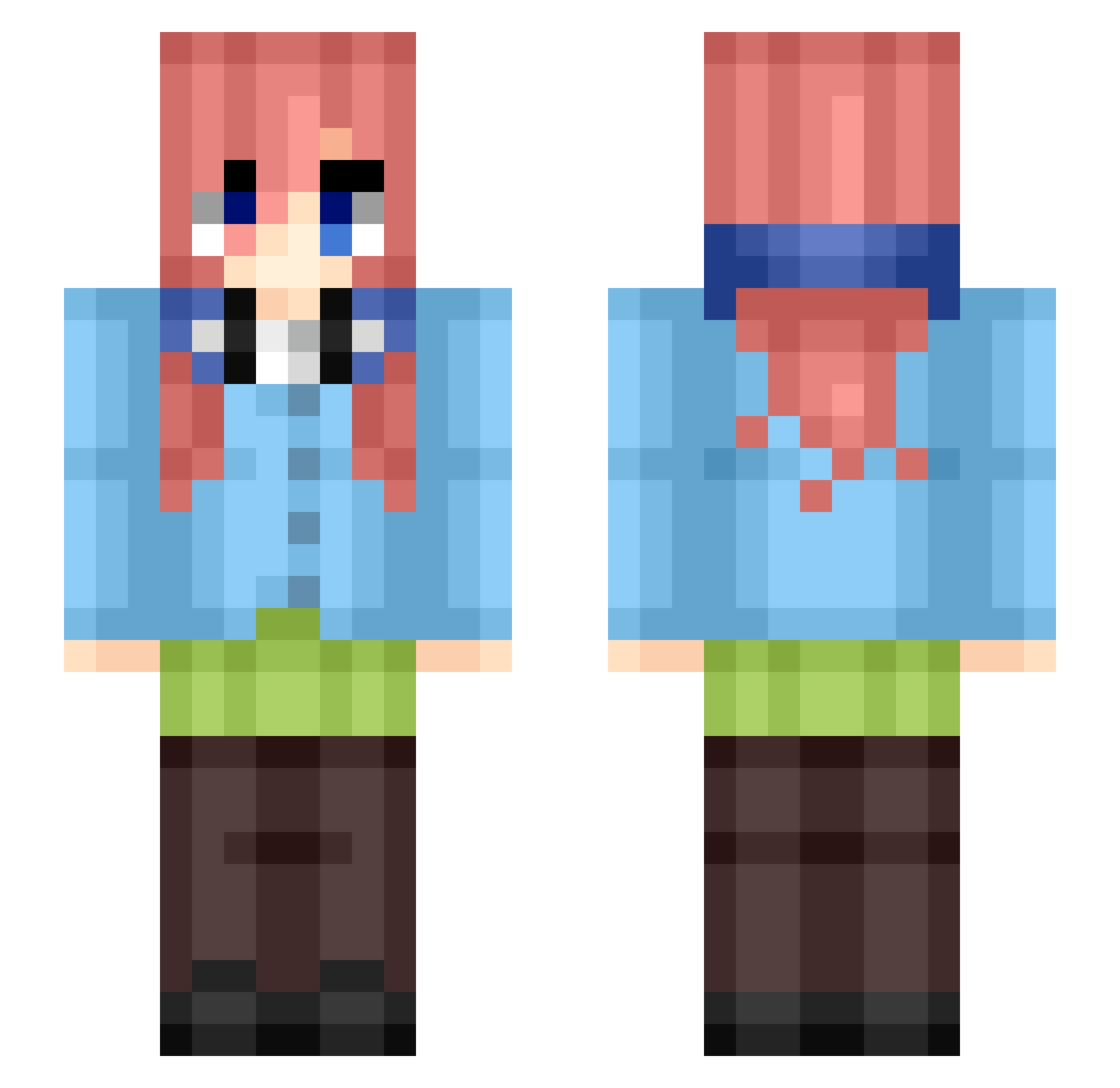
Current Minecraft skin of the player Miku_xyz, loaded from the official Mojang API. Rotate the 3D model with your mouse or finger, then download the skin as a PNG file and use it in Minecraft: Bedrock Edition or Java Edition for free. When Miku_xyz changes their skin, this page updates automatically and the old skin stays in the history below.
Other players with this skin (433)
Miku_xyz was the 205th player we have seen with this skin, first spotted on 12.09.2026. The same skin was seen on these players. Open a nickname to see their current skin and skin history.
 Ed4_09 Miku__saiko tsegse WillyReal ItsRomeo_v2 JeloWon87 joserrapos DruffDevil97 aykudd Yorichii_Tsugaru DerKlappi Dfdue Maoswal JacobBuur emi4417 Covardia fakepex__ IonMarcelistu Viktor_bum12 Kmphcii yuv2310 ThatMarble EGIRLMIKU NkMiku Hadrien2002 MaxwellPro2 Manuefer Mikutt P4rzl1503 ariel251 W0LF1N3 GlassFish42 Sceon InmortalGT Quintessial_miku Minako_0 ItsCxmic Ayada69 ManteauOlive454 KOD_xRinBaka Hangor Neurxns chantikwz boberek777 santidav YesSad yaqtb Gyro_MK Blanc_DemonWolfK Mystical_Airfly o3dw HunterChildren B100PERR ZeddZki RyuuJC
 Feaanii_ rubenm08 dianziyan1337 Ouwerr Itz_Lumino
More Miku Nakano Minecraft skins
How to install the Miku_xyz skin
- Press the Download button above to save the skin as a PNG file.
- Minecraft: Bedrock Edition (PE): open the Dressing Room from the main menu (or tap your character → Edit Character), go to Classic Skins → Owned, press the + (new skin) button, choose the downloaded PNG and pick the Slim (Alex) model. Works on PC and mobile; consoles cannot import custom skins.
- Minecraft: Java Edition: open the Minecraft Launcher, go to the Skins tab, click New Skin, load the PNG, pick the Slim (Alex) model and press Save & Use. You can also upload it at minecraft.net → Profile → Change Skin.
The skin does not show up after import - what should I do?
Restart Minecraft and open the Dressing Room again - imported skins sometimes appear only after a restart. Also make sure you selected the imported skin and picked the Slim (Alex) model.
Which model should I choose, Classic or Slim?
This skin is designed for the Slim (Alex) model. If you pick the wrong model, the arms of the skin will look stretched or squeezed.
Is the skin of Miku_xyz free to download?
Yes. Press Download, save the PNG file and use it in Minecraft: Bedrock Edition or Java Edition - no payment or registration needed. The skin also works on multiplayer servers and Realms.
More skins
Looking for more? Go back to all Minecraft skins and check the top skins of the week, month and all time, or find any player's skin by nickname.