
Mikrolen - Minecraft Skins & Skin History
Current Minecraft skin of the player Mikrolen, loaded from the official Mojang API. Rotate the 3D model with your mouse or finger, then download the skin as a PNG file and use it in Minecraft: Bedrock Edition or Java Edition for free. When Mikrolen changes their skin, this page updates automatically and the old skin stays in the history below.
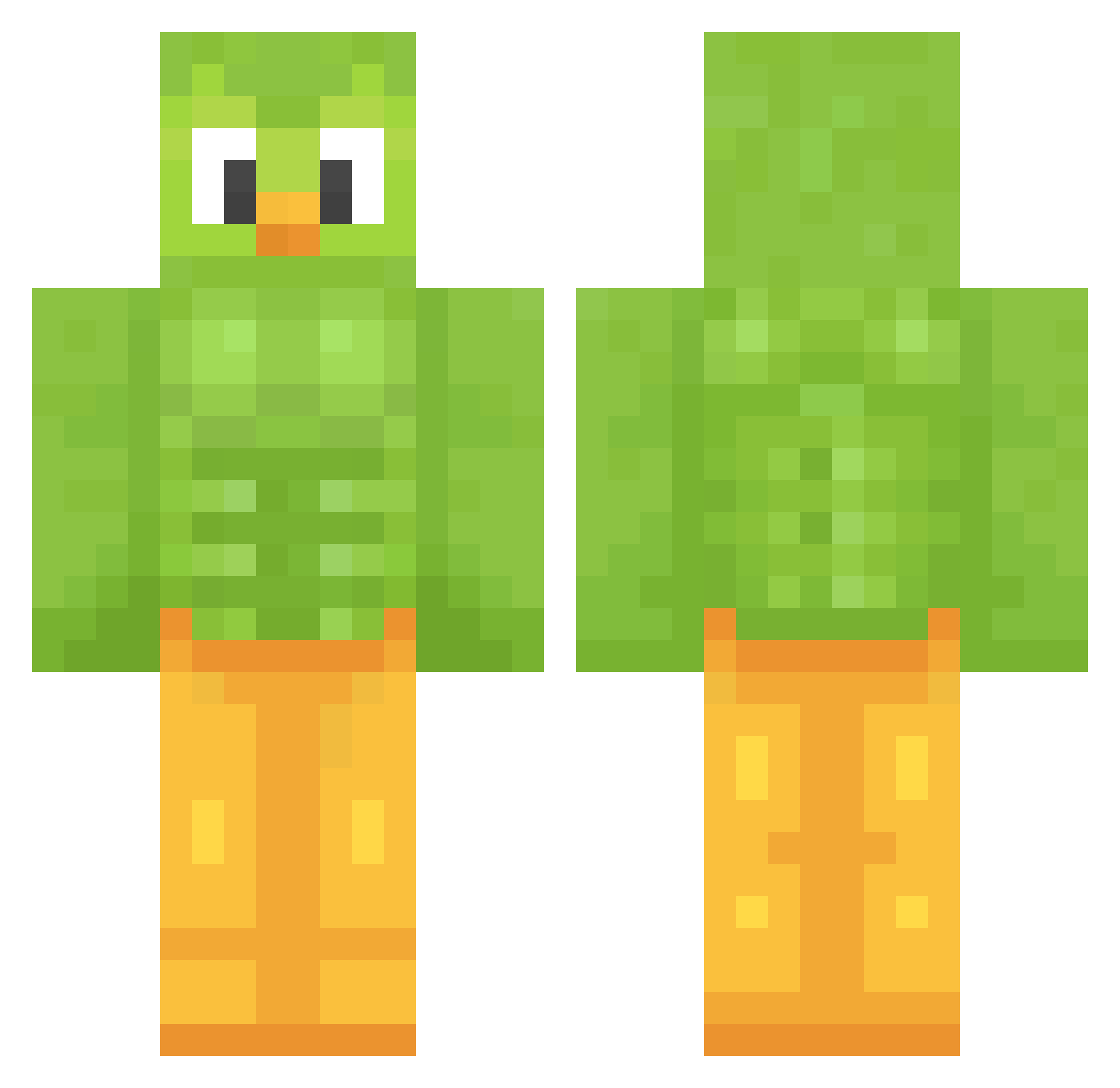
Other players with this skin (1208)
Mikrolen was the 223rd player we have seen with this skin, first spotted on 11.08.2026. The same skin was seen on these players. Open a nickname to see their current skin and skin history.
 pakosr nayapanda Valentincc matmet08 Kydozzo FlawlesKitty2 Jonasty___ Ma_Ly mich200806 onixca Skipo31 Lissy1909 marie_gugi Rijuco162009
 flying_and_sad Musilom BlackPanPan Ragee1337 Pardanight Lexi0409 agarg MosheSaksonia Bestaimee
 JayyParm eatakame SwyRuka jamsock goodboi205 qanob Minachoco30 JoeBiden1109 Thrator AlbyTalla Aristig6 epixm Darkknight1890 AlanaCroy
 kuridan18 Rowdey Manatee10235 clarkddc Bakrach nanntekottai1 chamsae__ Cheshirecat666 Levy1007 Agent_Steven_0 CrisPWonJun ChlorineDrinker1 Jkline99 cowboyshroom SadOmar
 duckface127 BLESSEDard dalyan28 Karin_x7 LoLPaWeR2810 SailorJane lulu3203 babomarin
More Duo Minecraft skins
How to install the Mikrolen skin
- Press the Download button above to save the skin as a PNG file.
- Minecraft: Bedrock Edition (PE): open the Dressing Room from the main menu (or tap your character → Edit Character), go to Classic Skins → Owned, press the + (new skin) button, choose the downloaded PNG and pick the Classic (Steve) model. Works on PC and mobile; consoles cannot import custom skins.
- Minecraft: Java Edition: open the Minecraft Launcher, go to the Skins tab, click New Skin, load the PNG, pick the Classic (Steve) model and press Save & Use. You can also upload it at minecraft.net → Profile → Change Skin.
The skin does not show up after import - what should I do?
Restart Minecraft and open the Dressing Room again - imported skins sometimes appear only after a restart. Also make sure you selected the imported skin and picked the Classic (Steve) model.
Which model should I choose, Classic or Slim?
This skin is designed for the Classic (Steve) model. If you pick the wrong model, the arms of the skin will look stretched or squeezed.
Is the skin of Mikrolen free to download?
Yes. Press Download, save the PNG file and use it in Minecraft: Bedrock Edition or Java Edition - no payment or registration needed. The skin also works on multiplayer servers and Realms.
More skins
Looking for more? Go back to all Minecraft skins and check the top skins of the week, month and all time, or find any player's skin by nickname.