
Mika_klz - Minecraft Skins & Skin History
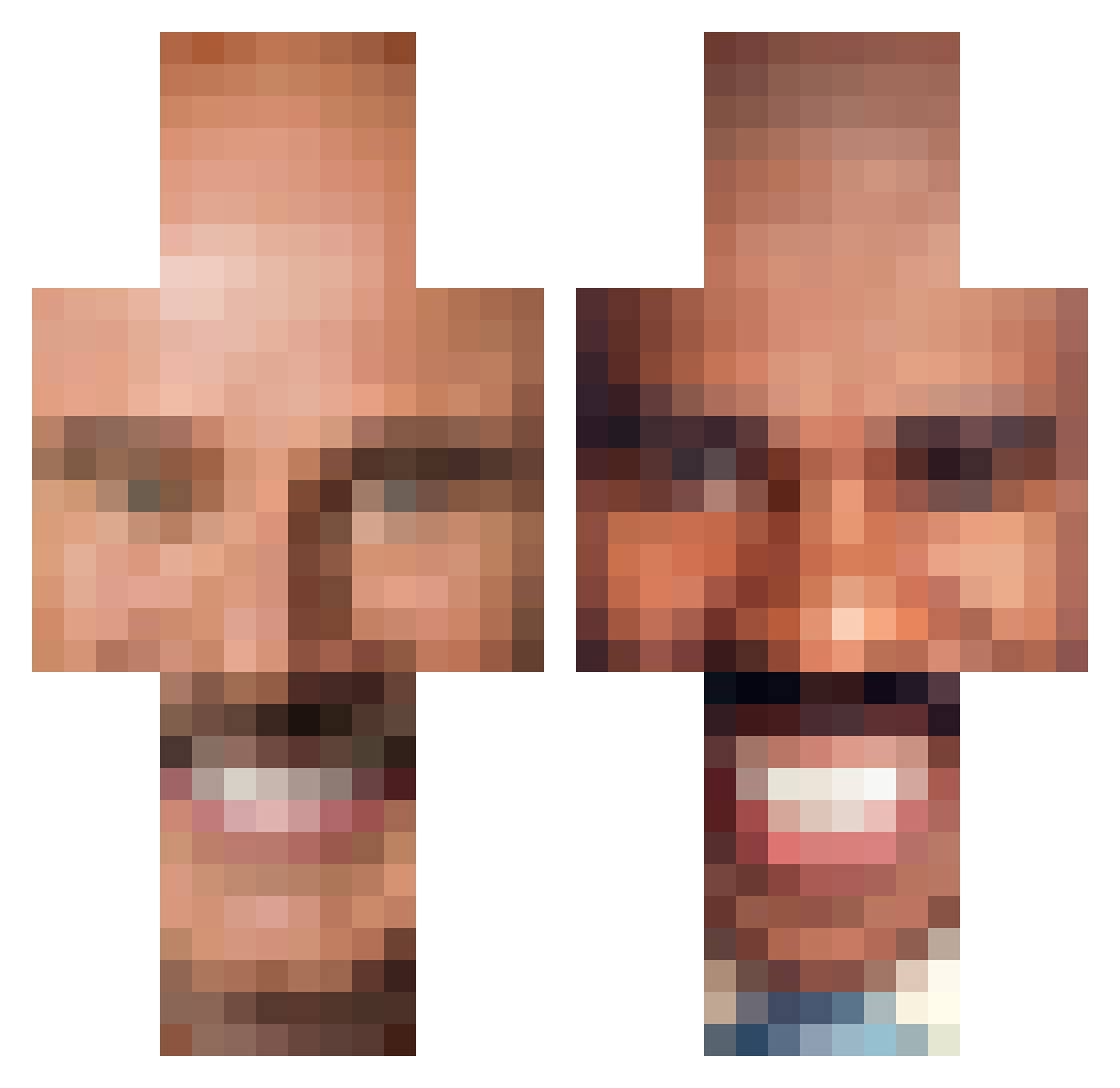
Current Minecraft skin of the player Mika_klz, loaded from the official Mojang API. Rotate the 3D model with your mouse or finger, then download the skin as a PNG file and use it in Minecraft: Bedrock Edition or Java Edition for free. When Mika_klz changes their skin, this page updates automatically and the old skin stays in the history below.
Other players with this skin (250)
Mika_klz was the 68th player we have seen with this skin, first spotted on 15.08.2026. The same skin was seen on these players. Open a nickname to see their current skin and skin history.
 not_gay_miata
 TheSticknation SamCadetFTW BeefbagBapkins lidzbiz
 Hemi141 ToadofChaos Ryhams Sneapeterdelux THC_Enthusiast69 3rny10 Jactus9605 mauheen totalingcorgi98 very_big_jo Pinez1 eggyote MkyroH Liquify FIZZYFIZZZ Tymon5254 fjomje lmacias Maximus_Crafter1 SoullessKekys jsberg3 hjkvk DameJidlo AHMAD7A Riddlingewe9545 Raoul617 thebigbrilly Stepdad_Brett chomperaa KidGamer04 DaddyLeoTK Dongmuncher dinomike1 jackwaggon8342 michaeldaddy51 sofawashere monkeych0w Snubbull_ lil_snakey kevioli_ravioli PotatoBetterWork MoonPenguin_ ArschBear Jaygi9 KokainRowdy Blackbiospark bren2003 C4espr Cyrone21 AyeSell onlytostos HeyImMatl P4N04 SixUnit JunkBoy76
More Steve Harvey Minecraft skins
How to install the Mika_klz skin
- Press the Download button above to save the skin as a PNG file.
- Minecraft: Bedrock Edition (PE): open the Dressing Room from the main menu (or tap your character → Edit Character), go to Classic Skins → Owned, press the + (new skin) button, choose the downloaded PNG and pick the Classic (Steve) model. Works on PC and mobile; consoles cannot import custom skins.
- Minecraft: Java Edition: open the Minecraft Launcher, go to the Skins tab, click New Skin, load the PNG, pick the Classic (Steve) model and press Save & Use. You can also upload it at minecraft.net → Profile → Change Skin.
The skin does not show up after import - what should I do?
Restart Minecraft and open the Dressing Room again - imported skins sometimes appear only after a restart. Also make sure you selected the imported skin and picked the Classic (Steve) model.
Which model should I choose, Classic or Slim?
This skin is designed for the Classic (Steve) model. If you pick the wrong model, the arms of the skin will look stretched or squeezed.
Is the skin of Mika_klz free to download?
Yes. Press Download, save the PNG file and use it in Minecraft: Bedrock Edition or Java Edition - no payment or registration needed. The skin also works on multiplayer servers and Realms.
More skins
Looking for more? Go back to all Minecraft skins and check the top skins of the week, month and all time, or find any player's skin by nickname.