
Mighoel - Minecraft Skins & Skin History
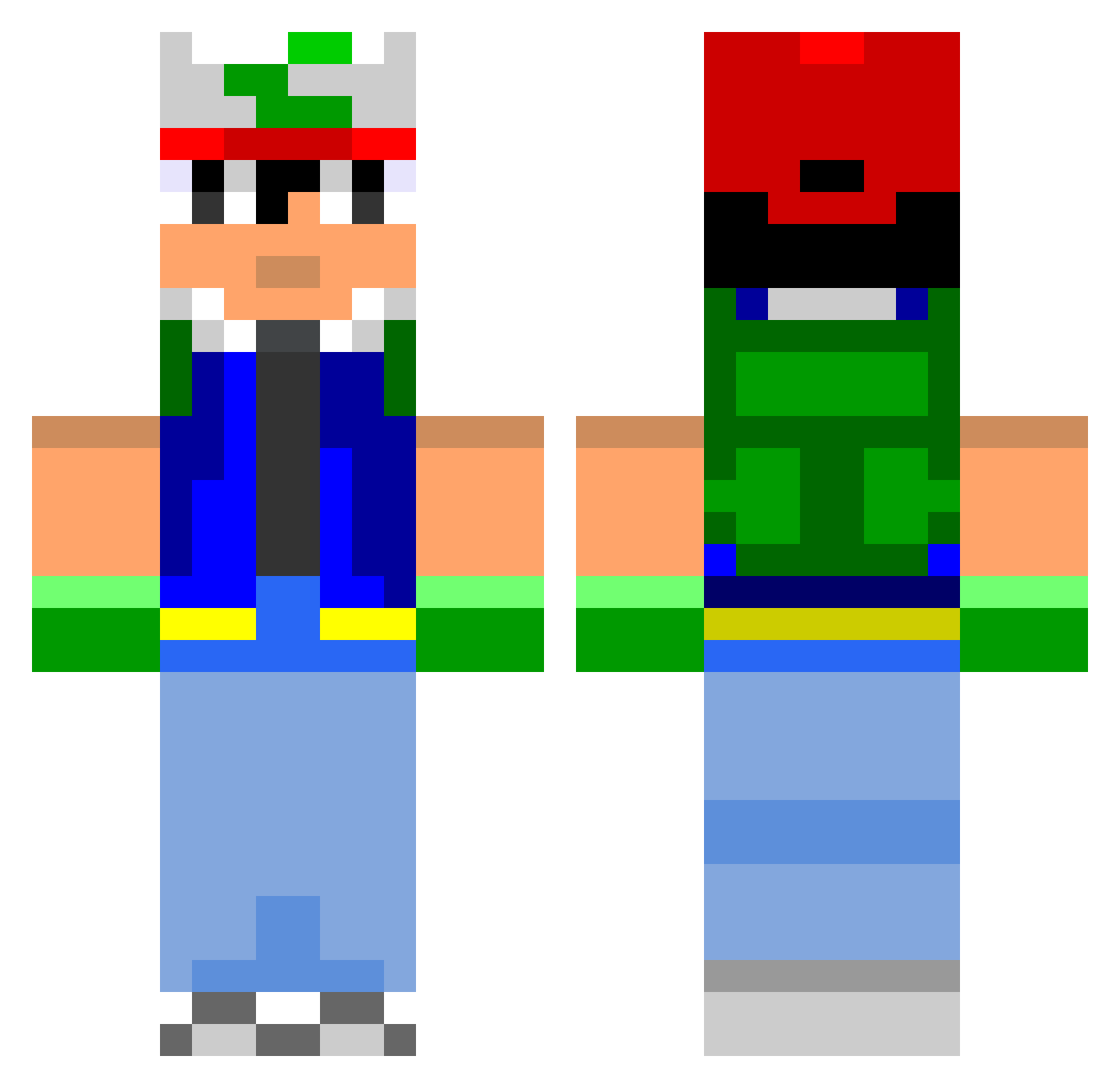
Current Minecraft skin of the player Mighoel, loaded from the official Mojang API. Rotate the 3D model with your mouse or finger, then download the skin as a PNG file and use it in Minecraft: Bedrock Edition or Java Edition for free. When Mighoel changes their skin, this page updates automatically and the old skin stays in the history below.
Other players with this skin (804)
Mighoel was the 699th player we have seen with this skin, first spotted on 22.10.2026. The same skin was seen on these players. Open a nickname to see their current skin and skin history.
 skippingelephant alphillyboy Frog0792 Andraste1 Carel1am sktrboy IriePete BoOnJaBe Bellyguru habberstein crossboyyy Euphonatron juju76330 halfpint91 The_Herm Peizax HitoTech Teaguey222 j1a1c1o1b1 Matholete Novacross outlax Swagtor kerzapo DjParagon Passwordss buildaboss2 hardlad0110 minecraftkid31 BruceBuffer De4dL0x drunkhippo kbaarts bensted stap1er MakeMeASandvich KurosakiTheRave BouddhaFab wellster1 RobertoDiaz pokexmaster Banista CosmosDeity Shenanigames japawa emilt253 JackMackO Sparth09 Rentide TheLongestCat hugoboche SudoTurtle Raejh Gamecocks01 johnwetzz Senor_Electro pussyba Feffa123 MoufleBucket KMRF
More Ash Ketchum Minecraft skins
How to install the Mighoel skin
- Press the Download button above to save the skin as a PNG file.
- Minecraft: Bedrock Edition (PE): open the Dressing Room from the main menu (or tap your character → Edit Character), go to Classic Skins → Owned, press the + (new skin) button, choose the downloaded PNG and pick the Classic (Steve) model. Works on PC and mobile; consoles cannot import custom skins.
- Minecraft: Java Edition: open the Minecraft Launcher, go to the Skins tab, click New Skin, load the PNG, pick the Classic (Steve) model and press Save & Use. You can also upload it at minecraft.net → Profile → Change Skin.
The skin does not show up after import - what should I do?
Restart Minecraft and open the Dressing Room again - imported skins sometimes appear only after a restart. Also make sure you selected the imported skin and picked the Classic (Steve) model.
Which model should I choose, Classic or Slim?
This skin is designed for the Classic (Steve) model. If you pick the wrong model, the arms of the skin will look stretched or squeezed.
Is the skin of Mighoel free to download?
Yes. Press Download, save the PNG file and use it in Minecraft: Bedrock Edition or Java Edition - no payment or registration needed. The skin also works on multiplayer servers and Realms.
More skins
Looking for more? Go back to all Minecraft skins and check the top skins of the week, month and all time, or find any player's skin by nickname.