
Michaeljt123 - Minecraft Skins & Skin History
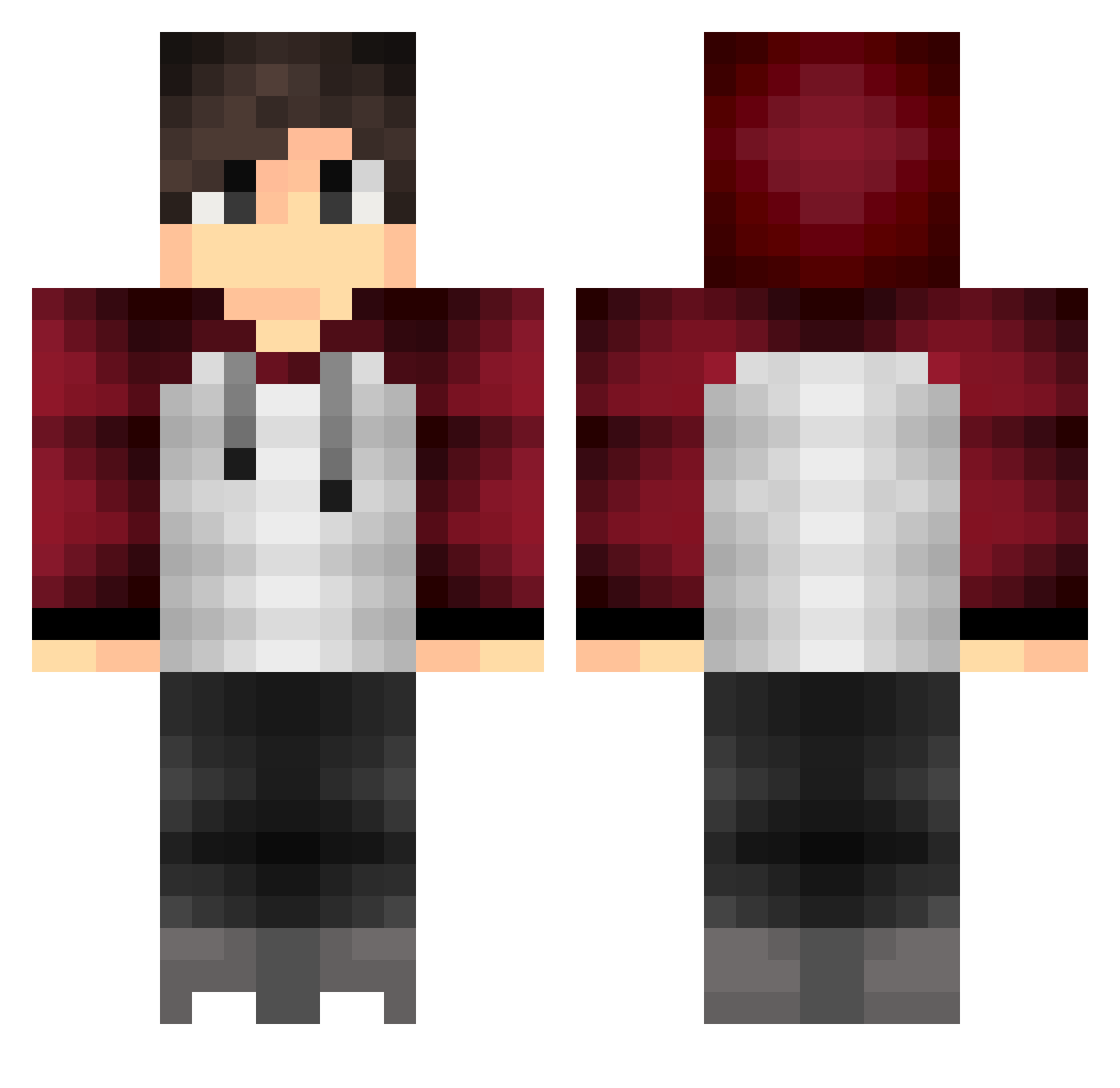
Current Minecraft skin of the player Michaeljt123, loaded from the official Mojang API. Rotate the 3D model with your mouse or finger, then download the skin as a PNG file and use it in Minecraft: Bedrock Edition or Java Edition for free. When Michaeljt123 changes their skin, this page updates automatically and the old skin stays in the history below.
Other players with this skin (424)
Michaeljt123 was the 335th player we have seen with this skin, first spotted on 22.10.2026. The same skin was seen on these players. Open a nickname to see their current skin and skin history.
 krayzy_yt SoupPolizei AndreasM123 PiZZaxD12345 SkillJoy_ miguelfell JellePoort12 Vetlus_ Jakerman2007 Her_Nerdy_Lion Es25193 DJsocool287 ZVEDA2005 SWEDENKILLERXx MasonCraft0516 lucas5021 Luckyshotz93 haddock1203 Jesusc1997 _pippi_ MOSMOSterTVZall kcbowdk mic0072 xXMihalPvPXx Baavy_ TradingIsMyLife5 xRyleee Talismancer Jiimbo_Shrimp TristanTayler Einfach_TimoYT Ingreda AmQr_ MOAGLIE ProGamer505 Phenoxx P3ltzy Jonasver123 GOIR djellson Hugeez_PvP ketnet2005 MyfixLP Fussball04 CinemaxKilla DuVetGabbe aka_slendy wellegang Flav38 cambden Interm1ssion derSanitoeter Moist420 Ferreus_21 MCICEGAMER ALBARIKHI15 superman_swe MasterSune TheNotSpyGuy Dicsku
How to install the Michaeljt123 skin
- Press the Download button above to save the skin as a PNG file.
- Minecraft: Bedrock Edition (PE): open the Dressing Room from the main menu (or tap your character → Edit Character), go to Classic Skins → Owned, press the + (new skin) button, choose the downloaded PNG and pick the Classic (Steve) model. Works on PC and mobile; consoles cannot import custom skins.
- Minecraft: Java Edition: open the Minecraft Launcher, go to the Skins tab, click New Skin, load the PNG, pick the Classic (Steve) model and press Save & Use. You can also upload it at minecraft.net → Profile → Change Skin.
The skin does not show up after import - what should I do?
Restart Minecraft and open the Dressing Room again - imported skins sometimes appear only after a restart. Also make sure you selected the imported skin and picked the Classic (Steve) model.
Which model should I choose, Classic or Slim?
This skin is designed for the Classic (Steve) model. If you pick the wrong model, the arms of the skin will look stretched or squeezed.
Is the skin of Michaeljt123 free to download?
Yes. Press Download, save the PNG file and use it in Minecraft: Bedrock Edition or Java Edition - no payment or registration needed. The skin also works on multiplayer servers and Realms.
More skins
Looking for more? Go back to all Minecraft skins and check the top skins of the week, month and all time, or find any player's skin by nickname.