
Michael_Jordan99 - Minecraft Skins & Skin History
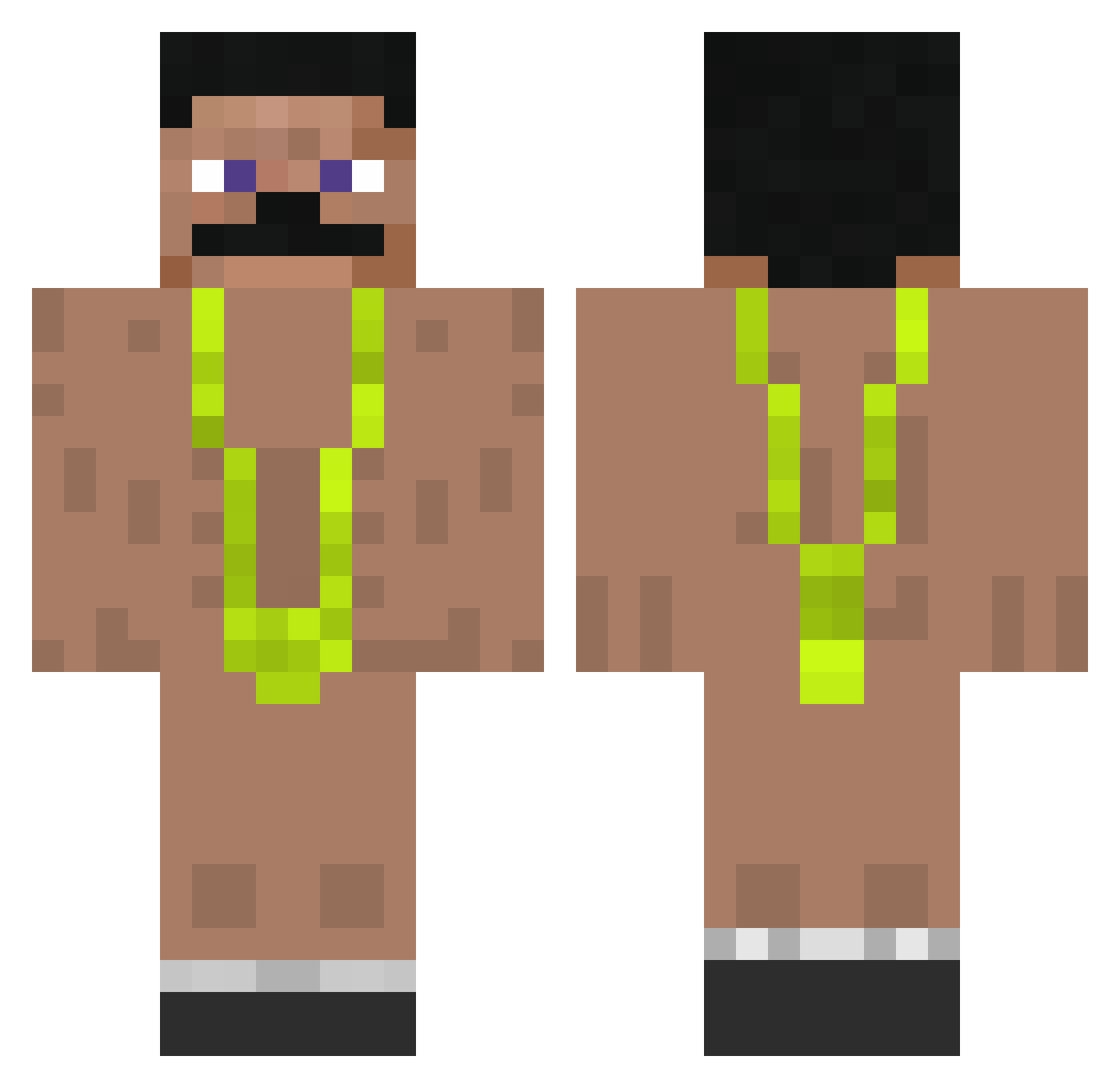
Current Minecraft skin of the player Michael_Jordan99, loaded from the official Mojang API. Rotate the 3D model with your mouse or finger, then download the skin as a PNG file and use it in Minecraft: Bedrock Edition or Java Edition for free. When Michael_Jordan99 changes their skin, this page updates automatically and the old skin stays in the history below.
Other players with this skin (78)
Michael_Jordan99 was the 56th player we have seen with this skin, first spotted on 05.10.2026. The same skin was seen on these players. Open a nickname to see their current skin and skin history.
 TalhaClapptYou Ryuung SzeryPL ackeau Michu_2077 KiqF Heidennnnn FrRyZe Mizukaya MiltonHeladas Heisenberg1478 IhrSeidLecker stonerjackson Rekkye iloven1ga Daffier2card FluffnStuff 24Hours_ AtDemo KDa3 remi300700 RohOliveira Nitzan127 lucalemure Superkalleanka16 Dannynur Daddy_Ruci Pexizzs gothessa Erik011989 sttapey Skinny2Quoi Nicolas1406 Ynimfn_ Delta08GER Jammes007 IsmaHWS Striae Percy5529 Diversionary ItzzD4w1d3k NoFerL bernardomfb kartofel1555 Uplook
 angelo_natal Himbeerwatte JurekScooter PalmziCS sknowe _tall_ginger MattesMagZuege Gratiskatze98 GlizzyGuzzzler chicknnugz zerr3f SemihAsln Vitalwasser amogus_giftcard Abulph
More Mankini Minecraft skins
How to install the Michael_Jordan99 skin
- Press the Download button above to save the skin as a PNG file.
- Minecraft: Bedrock Edition (PE): open the Dressing Room from the main menu (or tap your character → Edit Character), go to Classic Skins → Owned, press the + (new skin) button, choose the downloaded PNG and pick the Classic (Steve) model. Works on PC and mobile; consoles cannot import custom skins.
- Minecraft: Java Edition: open the Minecraft Launcher, go to the Skins tab, click New Skin, load the PNG, pick the Classic (Steve) model and press Save & Use. You can also upload it at minecraft.net → Profile → Change Skin.
The skin does not show up after import - what should I do?
Restart Minecraft and open the Dressing Room again - imported skins sometimes appear only after a restart. Also make sure you selected the imported skin and picked the Classic (Steve) model.
Which model should I choose, Classic or Slim?
This skin is designed for the Classic (Steve) model. If you pick the wrong model, the arms of the skin will look stretched or squeezed.
Is the skin of Michael_Jordan99 free to download?
Yes. Press Download, save the PNG file and use it in Minecraft: Bedrock Edition or Java Edition - no payment or registration needed. The skin also works on multiplayer servers and Realms.
More skins
Looking for more? Go back to all Minecraft skins and check the top skins of the week, month and all time, or find any player's skin by nickname.