
MiaMalkovafan - Minecraft Skins & Skin History
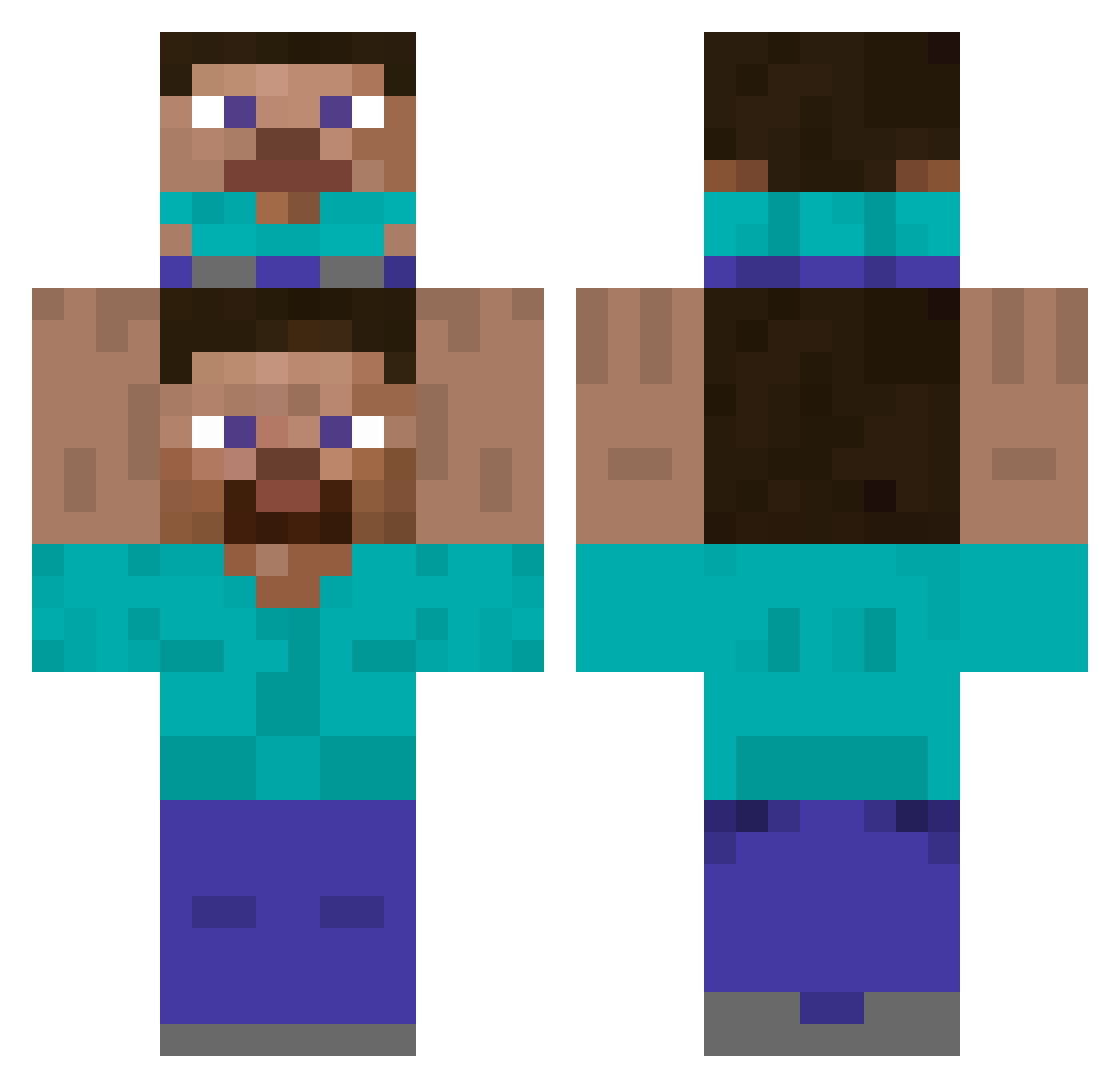
Current Minecraft skin of the player MiaMalkovafan, loaded from the official Mojang API. Rotate the 3D model with your mouse or finger, then download the skin as a PNG file and use it in Minecraft: Bedrock Edition or Java Edition for free. When MiaMalkovafan changes their skin, this page updates automatically and the old skin stays in the history below.
Other players with this skin (441)
MiaMalkovafan was the 65th player we have seen with this skin, first spotted on 05.08.2026. The same skin was seen on these players. Open a nickname to see their current skin and skin history.
 LLGGB su134 takasi___ Th3D34th Suchutki02 Detrokan AboudTime
 hazalben OwlDragon211 duftbaum1325 Littlechickenpo MLGPauly _3698_ hyuk012 333366669999 Hyrlost _sa6e Wayne0525 bigg919 worldking20 mynameisbeomseog zhath1 Jogebye666 mangosaet OGYCFYY LucaVernascher venusaah Huzaifa00 mango9705 totototo1423 Hotdog2308 OKANZRF ikun_xiameng aelveoli Khalester Imsunnyfan MarcoAMG10 geneosimeone Lightningeagle12 00JIJIININDER pochn_ Assassin637 DeThurs NietTheYeet
 kkulsoondae Kamin27051 seosy781 thieskie Hana_777 ByteWolf PorkStorage woodwings ISTIKE15 Ykretz ARUPEZIO_A Lyfera Sp0okyChills Chetos_935 subaru74s hsu_0429
How to install the MiaMalkovafan skin
- Press the Download button above to save the skin as a PNG file.
- Minecraft: Bedrock Edition (PE): open the Dressing Room from the main menu (or tap your character → Edit Character), go to Classic Skins → Owned, press the + (new skin) button, choose the downloaded PNG and pick the Classic (Steve) model. Works on PC and mobile; consoles cannot import custom skins.
- Minecraft: Java Edition: open the Minecraft Launcher, go to the Skins tab, click New Skin, load the PNG, pick the Classic (Steve) model and press Save & Use. You can also upload it at minecraft.net → Profile → Change Skin.
The skin does not show up after import - what should I do?
Restart Minecraft and open the Dressing Room again - imported skins sometimes appear only after a restart. Also make sure you selected the imported skin and picked the Classic (Steve) model.
Which model should I choose, Classic or Slim?
This skin is designed for the Classic (Steve) model. If you pick the wrong model, the arms of the skin will look stretched or squeezed.
Is the skin of MiaMalkovafan free to download?
Yes. Press Download, save the PNG file and use it in Minecraft: Bedrock Edition or Java Edition - no payment or registration needed. The skin also works on multiplayer servers and Realms.
More skins
Looking for more? Go back to all Minecraft skins and check the top skins of the week, month and all time, or find any player's skin by nickname.