
MiaAkuma - Minecraft Skins & Skin History
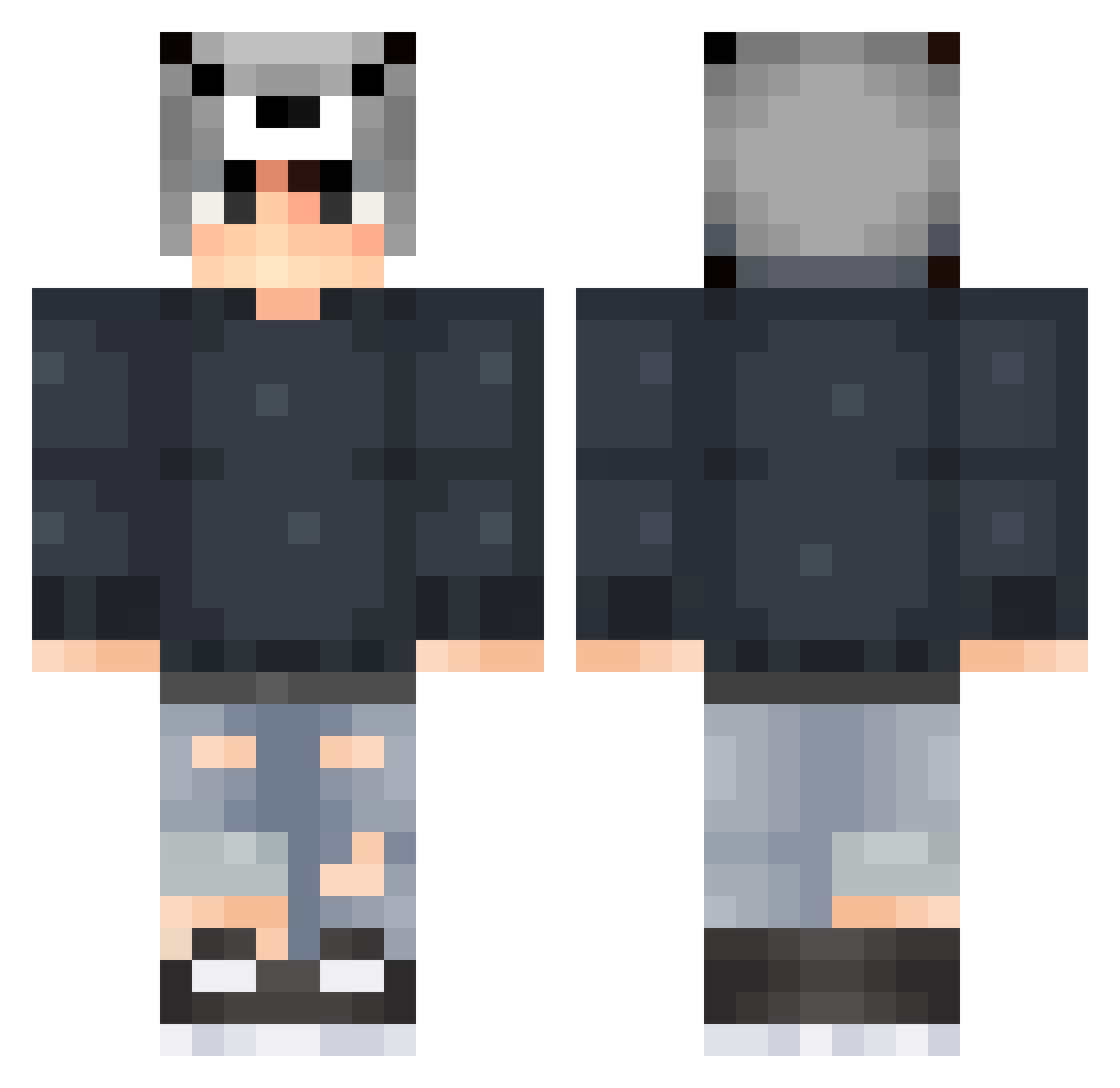
Current Minecraft skin of the player MiaAkuma, loaded from the official Mojang API. Rotate the 3D model with your mouse or finger, then download the skin as a PNG file and use it in Minecraft: Bedrock Edition or Java Edition for free. When MiaAkuma changes their skin, this page updates automatically and the old skin stays in the history below.
Other players with this skin (119)
MiaAkuma was the 83rd player we have seen with this skin, first spotted on 04.10.2026. The same skin was seen on these players. Open a nickname to see their current skin and skin history.
 BigWinki Coala_Esfomeado Snorkas WilkyBlitz Teabo7 RegretRecords LolyFrosty Athexe Damiaa rony12334 Yosj Jun_Yao PLAYGAMENOOB ehdgns93 LanSiChen Chriszx winboy07 zewos LuckyDuckylol meenwiiz Triela11 Jun__1207 Batatinhaaaaa HERLIE kimheosoo shine404 Artyom_6 anregu95 Easpi tealyy Elky6541 iRayMack Dshuo ESC_Original Burak2201 Musiqbook Weekendbeach Neeyn Paxuor Mrlightfight Schieberjunge Pres7ige_ Rascion1981 Meanjun_gochu FearDevil Michaelk3 Logical111 repuL teaseerm wjr_ Airfoxx Xiaodaigou UmCaraSuspeito N0ahzZz SaMiigZz Justin13xX TiroDuet Palaceman seauMar Helba_
More Wolf Hat Minecraft skins
How to install the MiaAkuma skin
- Press the Download button above to save the skin as a PNG file.
- Minecraft: Bedrock Edition (PE): open the Dressing Room from the main menu (or tap your character → Edit Character), go to Classic Skins → Owned, press the + (new skin) button, choose the downloaded PNG and pick the Classic (Steve) model. Works on PC and mobile; consoles cannot import custom skins.
- Minecraft: Java Edition: open the Minecraft Launcher, go to the Skins tab, click New Skin, load the PNG, pick the Classic (Steve) model and press Save & Use. You can also upload it at minecraft.net → Profile → Change Skin.
The skin does not show up after import - what should I do?
Restart Minecraft and open the Dressing Room again - imported skins sometimes appear only after a restart. Also make sure you selected the imported skin and picked the Classic (Steve) model.
Which model should I choose, Classic or Slim?
This skin is designed for the Classic (Steve) model. If you pick the wrong model, the arms of the skin will look stretched or squeezed.
Is the skin of MiaAkuma free to download?
Yes. Press Download, save the PNG file and use it in Minecraft: Bedrock Edition or Java Edition - no payment or registration needed. The skin also works on multiplayer servers and Realms.
More skins
Looking for more? Go back to all Minecraft skins and check the top skins of the week, month and all time, or find any player's skin by nickname.