
Mi_LiChun - Minecraft Skins & Skin History
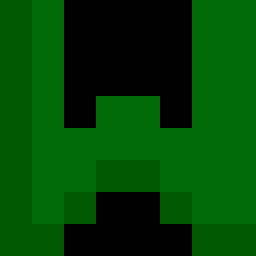
Current Minecraft skin of the player Mi_LiChun, loaded from the official Mojang API. Rotate the 3D model with your mouse or finger, then download the skin as a PNG file and use it in Minecraft: Bedrock Edition or Java Edition for free. When Mi_LiChun changes their skin, this page updates automatically and the old skin stays in the history below.

Other players with this skin (11571)
Mi_LiChun was the 1697th player we have seen with this skin, first spotted on 08.08.2026. The same skin was seen on these players. Open a nickname to see their current skin and skin history.
 carsan88 Volgar_ Roboter5055 Khmelo Exluz
 Strongest_Gamer Xuanberto Ultra_Frosty Gastrocnemius Timessake HABBE AtratAura67 Oretnez Sadballs1G InLaidCamp amccb nikatouras vad3chka vachinaslayerr36 Cascal eogur1108 Pepidej gunnery dongwoo10 Zzhanik Esenti_ 0uqnhd7nhlzpa1pq Visayan
 2007goat rAinda_dumble StefanM128
 AInTrain
 lance0601 LiyaRi4885 Shaqxiel Gmexx REDFIRE292 SachunnGI Trymendous eEwol 22731 bolec69 PlCNIC Casperboi12 kaszkojad Kavusan
 WHELST
 MikiKing654 Fgamer2013 Gr1mmyx f3ghebah BigDBo Cuppas
 pokemonpro36 RtWeird Tambala Bigrouv thealieen DBSWNSTJ ampullaria
How to install the Mi_LiChun skin
- Press the Download button above to save the skin as a PNG file.
- Minecraft: Bedrock Edition (PE): open the Dressing Room from the main menu (or tap your character → Edit Character), go to Classic Skins → Owned, press the + (new skin) button, choose the downloaded PNG and pick the Classic (Steve) model. Works on PC and mobile; consoles cannot import custom skins.
- Minecraft: Java Edition: open the Minecraft Launcher, go to the Skins tab, click New Skin, load the PNG, pick the Classic (Steve) model and press Save & Use. You can also upload it at minecraft.net → Profile → Change Skin.
The skin does not show up after import - what should I do?
Restart Minecraft and open the Dressing Room again - imported skins sometimes appear only after a restart. Also make sure you selected the imported skin and picked the Classic (Steve) model.
Which model should I choose, Classic or Slim?
This skin is designed for the Classic (Steve) model. If you pick the wrong model, the arms of the skin will look stretched or squeezed.
Is the skin of Mi_LiChun free to download?
Yes. Press Download, save the PNG file and use it in Minecraft: Bedrock Edition or Java Edition - no payment or registration needed. The skin also works on multiplayer servers and Realms.
More skins
Looking for more? Go back to all Minecraft skins and check the top skins of the week, month and all time, or find any player's skin by nickname.