
MetallicFerret - Minecraft Skins & Skin History
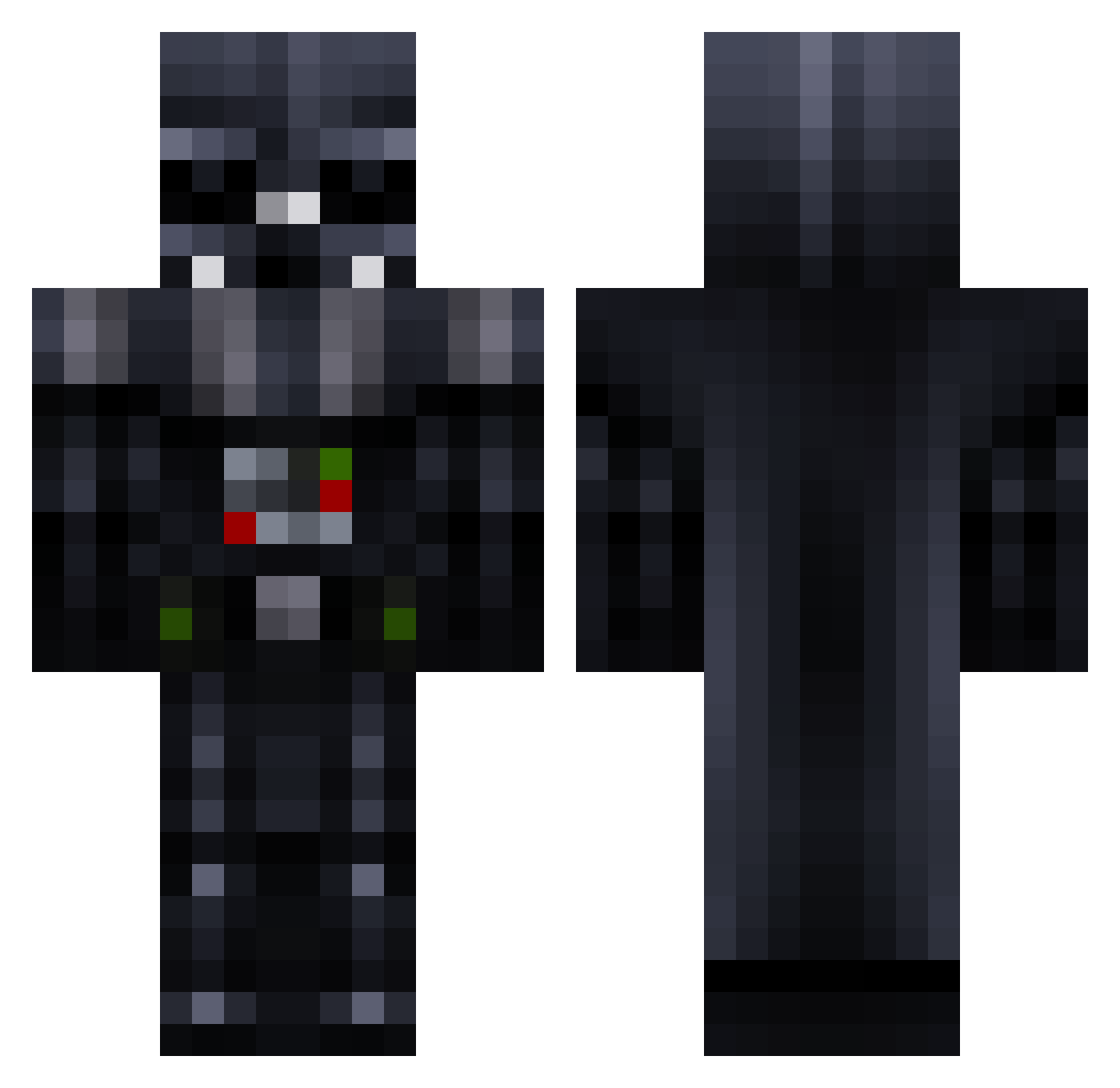
Current Minecraft skin of the player MetallicFerret, loaded from the official Mojang API. Rotate the 3D model with your mouse or finger, then download the skin as a PNG file and use it in Minecraft: Bedrock Edition or Java Edition for free. When MetallicFerret changes their skin, this page updates automatically and the old skin stays in the history below.
Other players with this skin (781)
MetallicFerret was the 213th player we have seen with this skin, first spotted on 25.08.2026. The same skin was seen on these players. Open a nickname to see their current skin and skin history.
 DLK_mads Chunck55 darth__markus carlohc90 Daniel_Lucia McCranium ricknobel bruiserrocks SKYLURKIN HarryStar Halloagain EAlKamali Cypher1990 Lilyungbro rastaangel54 Jagzeppelin Hamfrei spartajak Blackpearlcity hdawg12345 DXV1 DuffyTheDuck Fulkart darth_fede R13VY Mey80 bachmma1 ace_ventura20 Kvamsern Piratskepp ozzika R0CHADO Mulletzzz COBRAx70 whatIFthisISreal PhosPq Sir_Gene_Jelton Novastar1984 Agent101Goo Pete_The_Creeper elephantarms bman9988 kartracer1423 Nesio DankVader_ shluetty mustache_man33 Doncyke MonsterKingLucas eduvader Krabbi112 DonDelaVega rescaro lampnisse Shatzmyself bedrok_123 abrilgio SteekarNxNr1 UltimateNerd DROPDABASS274
More Darth Vader Minecraft skins
How to install the MetallicFerret skin
- Press the Download button above to save the skin as a PNG file.
- Minecraft: Bedrock Edition (PE): open the Dressing Room from the main menu (or tap your character → Edit Character), go to Classic Skins → Owned, press the + (new skin) button, choose the downloaded PNG and pick the Classic (Steve) model. Works on PC and mobile; consoles cannot import custom skins.
- Minecraft: Java Edition: open the Minecraft Launcher, go to the Skins tab, click New Skin, load the PNG, pick the Classic (Steve) model and press Save & Use. You can also upload it at minecraft.net → Profile → Change Skin.
The skin does not show up after import - what should I do?
Restart Minecraft and open the Dressing Room again - imported skins sometimes appear only after a restart. Also make sure you selected the imported skin and picked the Classic (Steve) model.
Which model should I choose, Classic or Slim?
This skin is designed for the Classic (Steve) model. If you pick the wrong model, the arms of the skin will look stretched or squeezed.
Is the skin of MetallicFerret free to download?
Yes. Press Download, save the PNG file and use it in Minecraft: Bedrock Edition or Java Edition - no payment or registration needed. The skin also works on multiplayer servers and Realms.
More skins
Looking for more? Go back to all Minecraft skins and check the top skins of the week, month and all time, or find any player's skin by nickname.