
Merel - Minecraft Skins & Skin History
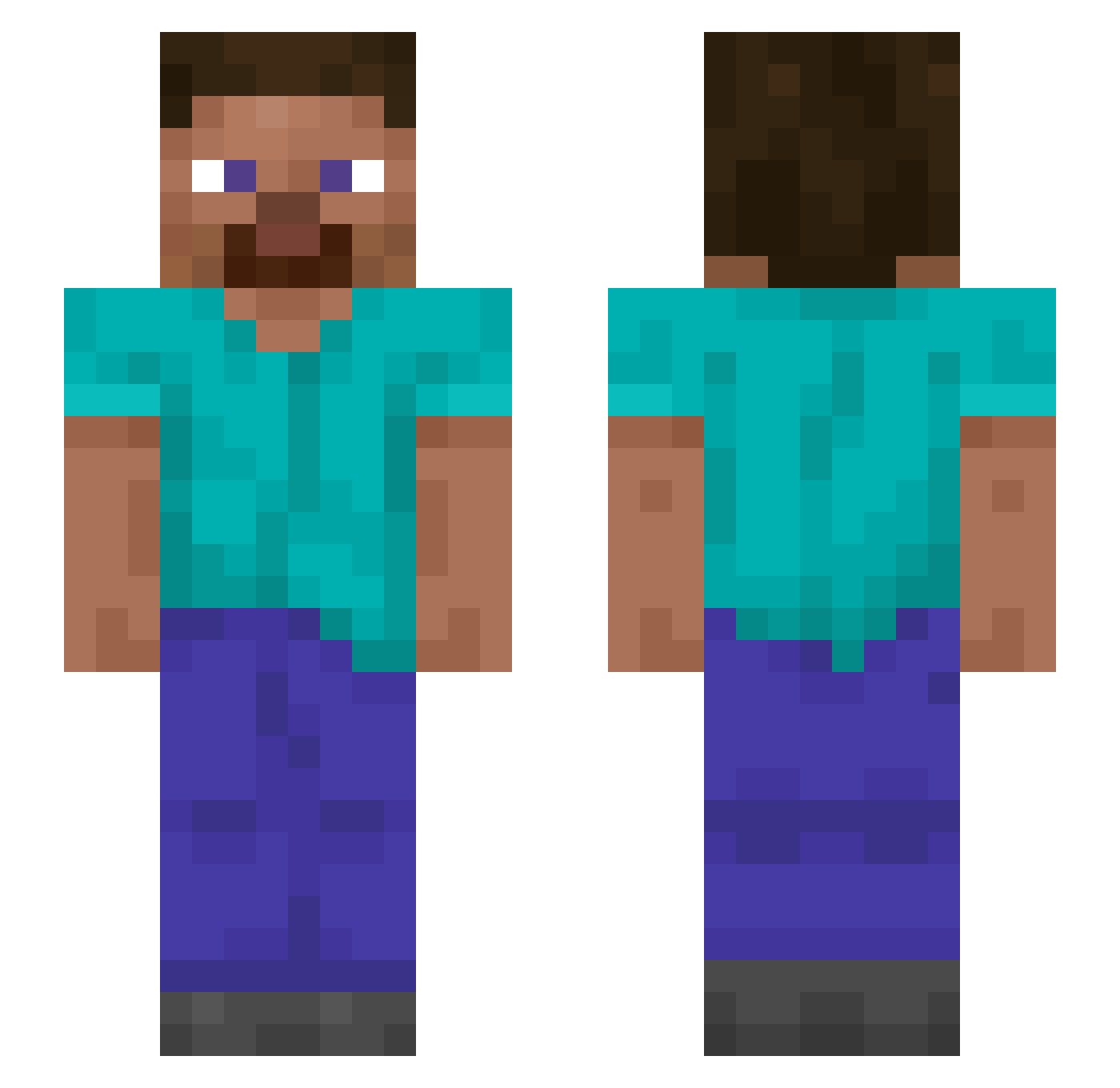
Current Minecraft skin of the player Merel, loaded from the official Mojang API. Rotate the 3D model with your mouse or finger, then download the skin as a PNG file and use it in Minecraft: Bedrock Edition or Java Edition for free. When Merel changes their skin, this page updates automatically and the old skin stays in the history below.
Other players with this skin (1199)
Merel was the 787th player we have seen with this skin, first spotted on 29.09.2026. The same skin was seen on these players. Open a nickname to see their current skin and skin history.
 oundy Bogatyr cometa_9 emtiGG servitors BigComplex rilz91 groszy Loodus_ VermillionHalo Chrouched_ Bob12r Merrymake Naturopath necatialp Grasscut Delroy Zyranakh MagicArmageddon5 PARDAO Judobob5 iAley02 Diegusxd jewishtoilet Ryl4nd Labradeath731 Dampfzocker Laitdemontagne Lucile Olcha_ Thermopolis danmacman al1112 agoringo BassMarker79276 Bewary evaniidae Tunaslide Perezosito light_DTX BickyRoyale Boxi11 Cryo_0 tunu Kadigmaan Turdidae ilikemussic Martaka RefreshedMC20 klklkl556 _Tudor_005 GlotzEul0r Marre69 Dowellie Muzosiek Hallstadhage MZWSY DobreLucaMihai GhostRaze_ Claro
How to install the Merel skin
- Press the Download button above to save the skin as a PNG file.
- Minecraft: Bedrock Edition (PE): open the Dressing Room from the main menu (or tap your character → Edit Character), go to Classic Skins → Owned, press the + (new skin) button, choose the downloaded PNG and pick the Slim (Alex) model. Works on PC and mobile; consoles cannot import custom skins.
- Minecraft: Java Edition: open the Minecraft Launcher, go to the Skins tab, click New Skin, load the PNG, pick the Slim (Alex) model and press Save & Use. You can also upload it at minecraft.net → Profile → Change Skin.
The skin does not show up after import - what should I do?
Restart Minecraft and open the Dressing Room again - imported skins sometimes appear only after a restart. Also make sure you selected the imported skin and picked the Slim (Alex) model.
Which model should I choose, Classic or Slim?
This skin is designed for the Slim (Alex) model. If you pick the wrong model, the arms of the skin will look stretched or squeezed.
Is the skin of Merel free to download?
Yes. Press Download, save the PNG file and use it in Minecraft: Bedrock Edition or Java Edition - no payment or registration needed. The skin also works on multiplayer servers and Realms.
More skins
Looking for more? Go back to all Minecraft skins and check the top skins of the week, month and all time, or find any player's skin by nickname.