
Mephisto15 - Minecraft Skins & Skin History
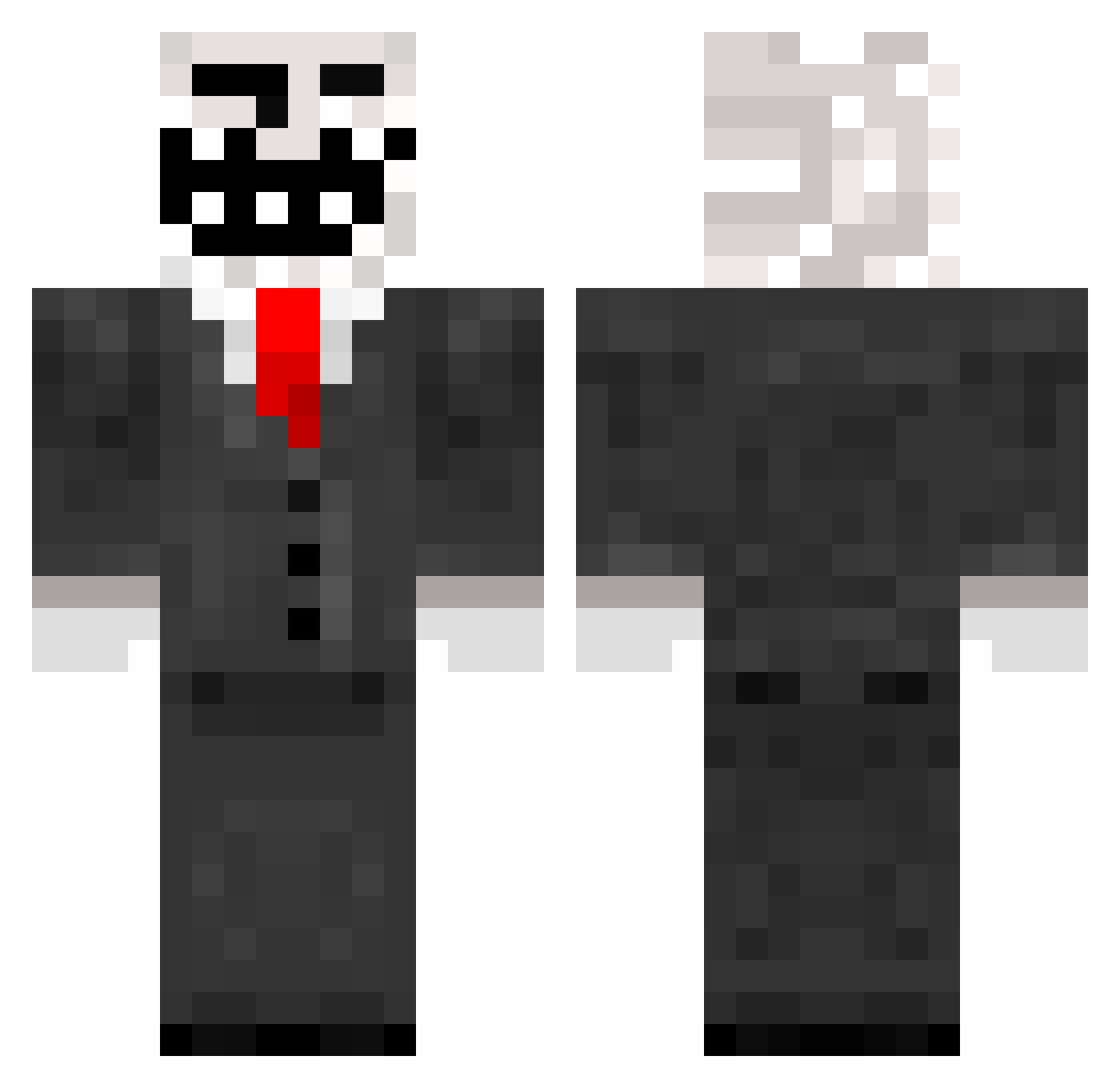
Current Minecraft skin of the player Mephisto15, loaded from the official Mojang API. Rotate the 3D model with your mouse or finger, then download the skin as a PNG file and use it in Minecraft: Bedrock Edition or Java Edition for free. When Mephisto15 changes their skin, this page updates automatically and the old skin stays in the history below.
Other players with this skin (338)
Mephisto15 was the 310th player we have seen with this skin, first spotted on 08.11.2026. The same skin was seen on these players. Open a nickname to see their current skin and skin history.
 Pumapema dericktalbot KillScar GlebYVL koraque zhangxiuqi113 TheGilldedGuy ItsErne FatRatNuts Lemonado wjdtjzhd WarOfLow ahmetiye Maeep MusluKus JoeSveeden Cazzzster DirtyDaveRamsey WhiteDrag2 cereal000 Leonardo80891 Blankw22 Cleclem83 PitDru Underground_59 heapyxyz Lemogra2 R1_Ghost ChopperUP SpooKydoC2 Tsukiguni17 irreligion Esteba100 ribazz21 Yashino55 xRezenx scrug_ KacperEUNE winter2323 Arkan27 HQK222 NoySechs Aldoks143 Fedos2011 Luucac UbikTheCarGuy Pablox21 Haden133 E_0_0_3 ANGELYAM Martin_99 guayanabo anishulinio jongsu8692 maxmotion Alex0774 kygos dragonXheart LOTOFACIL ZuraSh1a_
More Trollface Minecraft skins
How to install the Mephisto15 skin
- Press the Download button above to save the skin as a PNG file.
- Minecraft: Bedrock Edition (PE): open the Dressing Room from the main menu (or tap your character → Edit Character), go to Classic Skins → Owned, press the + (new skin) button, choose the downloaded PNG and pick the Classic (Steve) model. Works on PC and mobile; consoles cannot import custom skins.
- Minecraft: Java Edition: open the Minecraft Launcher, go to the Skins tab, click New Skin, load the PNG, pick the Classic (Steve) model and press Save & Use. You can also upload it at minecraft.net → Profile → Change Skin.
The skin does not show up after import - what should I do?
Restart Minecraft and open the Dressing Room again - imported skins sometimes appear only after a restart. Also make sure you selected the imported skin and picked the Classic (Steve) model.
Which model should I choose, Classic or Slim?
This skin is designed for the Classic (Steve) model. If you pick the wrong model, the arms of the skin will look stretched or squeezed.
Is the skin of Mephisto15 free to download?
Yes. Press Download, save the PNG file and use it in Minecraft: Bedrock Edition or Java Edition - no payment or registration needed. The skin also works on multiplayer servers and Realms.
More skins
Looking for more? Go back to all Minecraft skins and check the top skins of the week, month and all time, or find any player's skin by nickname.