
Meno_rlk - Minecraft Skins & Skin History
Current Minecraft skin of the player Meno_rlk, loaded from the official Mojang API. Rotate the 3D model with your mouse or finger, then download the skin as a PNG file and use it in Minecraft: Bedrock Edition or Java Edition for free. When Meno_rlk changes their skin, this page updates automatically and the old skin stays in the history below.
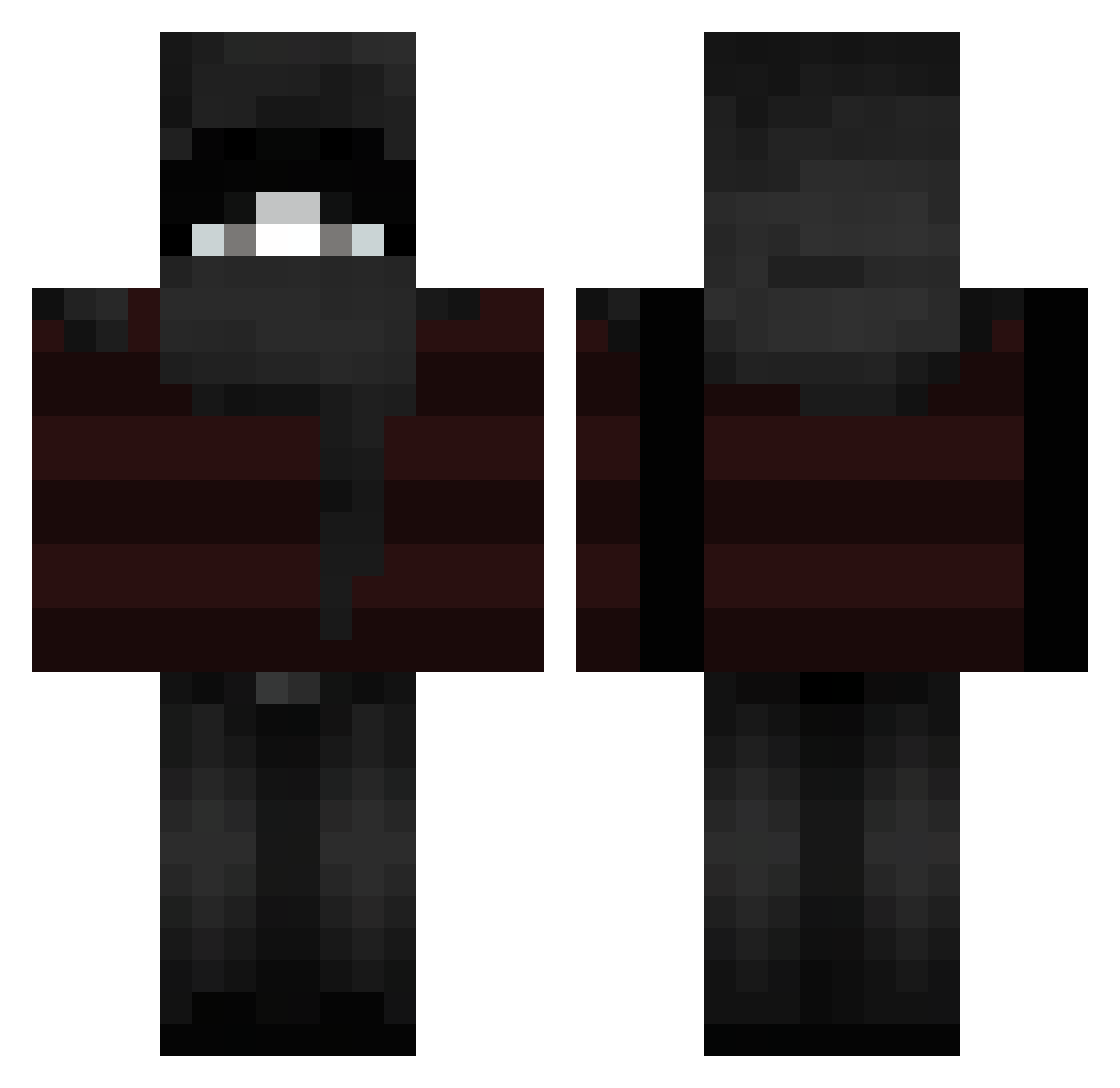
Other players with this skin (119)
Meno_rlk was the 95th player we have seen with this skin, first spotted on 11.10.2026. The same skin was seen on these players. Open a nickname to see their current skin and skin history.
 SkyXLegacy Vchx kubus_sigma J1rachi_ uzty carapAcee kosei707 LivinOnAPrayer drillsession0 Maxipt7 nearless_ JaydasBoy12 SCISSORHANDS3 rcrg1 SRIXYY0110 iPatricioDown_ Youngmoo000 WiertarkaBosch_ tyef ak1ra_24 Nayanq miguelitoew for6xsteen iNeedweedd V1tinnx7 _zxKirito_ hazeldeath FlexyFlazy U5P Octo3570 Lucasproarx rami666 andzn dorkw_ Potato_On_Wheelz notPlayer__ TildTedTowers luksss4 shidoqq h6ni kan607 LAB31 Purp1e_w KaizenXMC MoonSta4 Ace2505 bannizk iSolsticee symxc flowerbigpig PBandJealous420 ZawaZapper persZ saczee001 Lachybruh_69 jnncrtyy Liebbv aknaslol Pax_Ellum
 Kechu1
More Striped Minecraft skins
How to install the Meno_rlk skin
- Press the Download button above to save the skin as a PNG file.
- Minecraft: Bedrock Edition (PE): open the Dressing Room from the main menu (or tap your character → Edit Character), go to Classic Skins → Owned, press the + (new skin) button, choose the downloaded PNG and pick the Classic (Steve) model. Works on PC and mobile; consoles cannot import custom skins.
- Minecraft: Java Edition: open the Minecraft Launcher, go to the Skins tab, click New Skin, load the PNG, pick the Classic (Steve) model and press Save & Use. You can also upload it at minecraft.net → Profile → Change Skin.
The skin does not show up after import - what should I do?
Restart Minecraft and open the Dressing Room again - imported skins sometimes appear only after a restart. Also make sure you selected the imported skin and picked the Classic (Steve) model.
Which model should I choose, Classic or Slim?
This skin is designed for the Classic (Steve) model. If you pick the wrong model, the arms of the skin will look stretched or squeezed.
Is the skin of Meno_rlk free to download?
Yes. Press Download, save the PNG file and use it in Minecraft: Bedrock Edition or Java Edition - no payment or registration needed. The skin also works on multiplayer servers and Realms.
More skins
Looking for more? Go back to all Minecraft skins and check the top skins of the week, month and all time, or find any player's skin by nickname.