
Meng_A - Minecraft Skins & Skin History
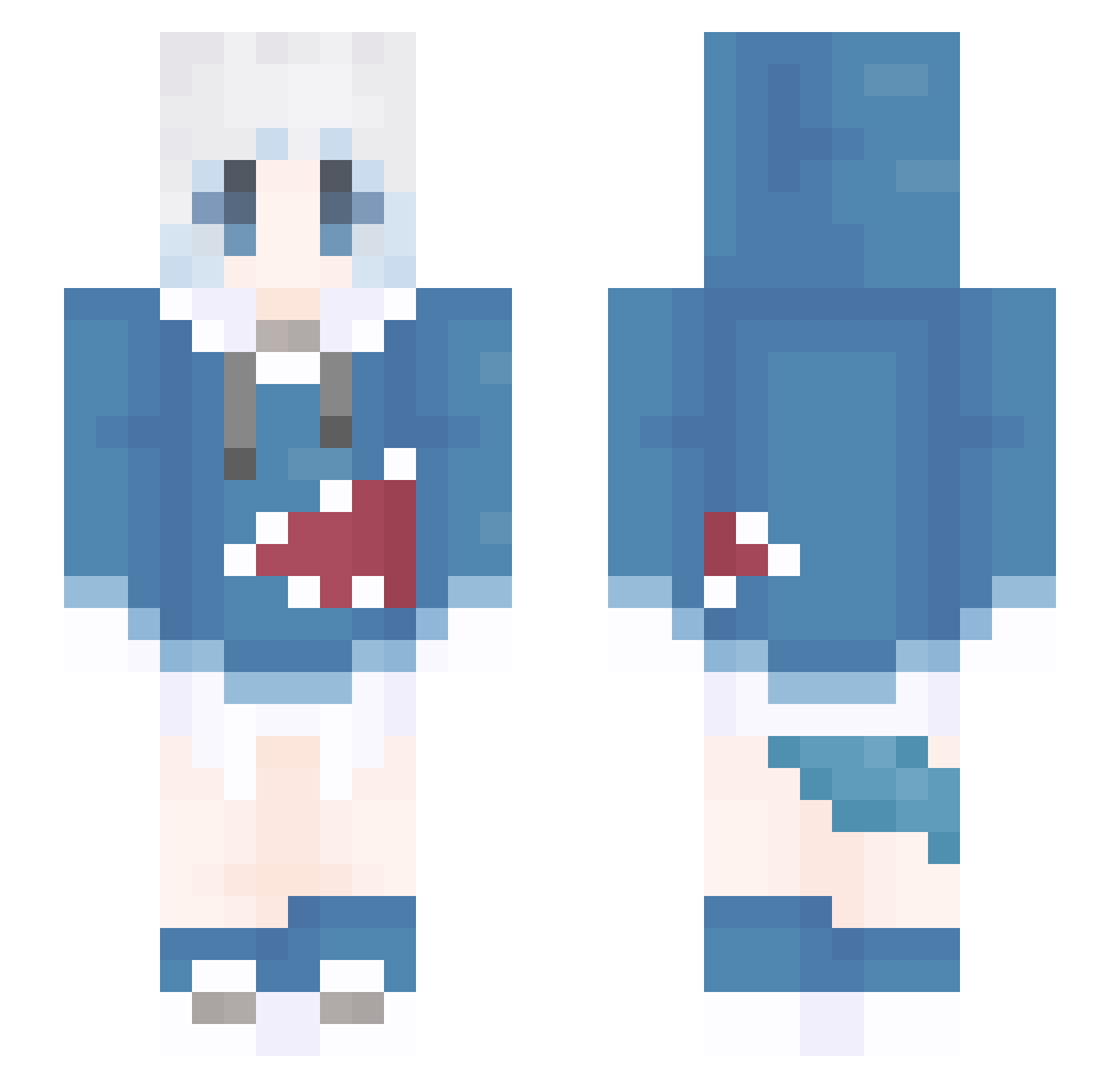
Current Minecraft skin of the player Meng_A, loaded from the official Mojang API. Rotate the 3D model with your mouse or finger, then download the skin as a PNG file and use it in Minecraft: Bedrock Edition or Java Edition for free. When Meng_A changes their skin, this page updates automatically and the old skin stays in the history below.
Other players with this skin (1409)
Meng_A was the 1391st player we have seen with this skin, first spotted on 11.11.2026. The same skin was seen on these players. Open a nickname to see their current skin and skin history.
 picmomo Raiden_112 kk_xiaochen longzhitu sashiminie lqT591 C0LD_Fish987 MYRGET ink2006 Richi935 Aziyue zyc521 linxingyue Spiritxi1 riderXblack NekoChanTW _lament CheeseTrue ktx2423 agonying KFC_V200 G_GSM Power0981 Dokdo_difference Nyenye0305 Black_Shout souu45 ukcho Mr_Masahi LWJDM KeepReal hibiki2827 Rinnylul hoshino333 COATCuO Suisei_322 starmuse YY3360 zeme0 Likoo233 Han1020 Evenvl joe622 EeliaQAQ QWEJNM yulongCc EuyeH Re999999 willb1422 Dream_OvO MeiLannn MIN4399 zztentent CJ_sama MasterYeeeeee RabbitVex Vanta_Bat_ Hatsuoh Arthur_Elizabeth Smol_der
More Gawr Gura Minecraft skins
How to install the Meng_A skin
- Press the Download button above to save the skin as a PNG file.
- Minecraft: Bedrock Edition (PE): open the Dressing Room from the main menu (or tap your character → Edit Character), go to Classic Skins → Owned, press the + (new skin) button, choose the downloaded PNG and pick the Slim (Alex) model. Works on PC and mobile; consoles cannot import custom skins.
- Minecraft: Java Edition: open the Minecraft Launcher, go to the Skins tab, click New Skin, load the PNG, pick the Slim (Alex) model and press Save & Use. You can also upload it at minecraft.net → Profile → Change Skin.
The skin does not show up after import - what should I do?
Restart Minecraft and open the Dressing Room again - imported skins sometimes appear only after a restart. Also make sure you selected the imported skin and picked the Slim (Alex) model.
Which model should I choose, Classic or Slim?
This skin is designed for the Slim (Alex) model. If you pick the wrong model, the arms of the skin will look stretched or squeezed.
Is the skin of Meng_A free to download?
Yes. Press Download, save the PNG file and use it in Minecraft: Bedrock Edition or Java Edition - no payment or registration needed. The skin also works on multiplayer servers and Realms.
More skins
Looking for more? Go back to all Minecraft skins and check the top skins of the week, month and all time, or find any player's skin by nickname.