
Meng0702 - Minecraft Skins & Skin History
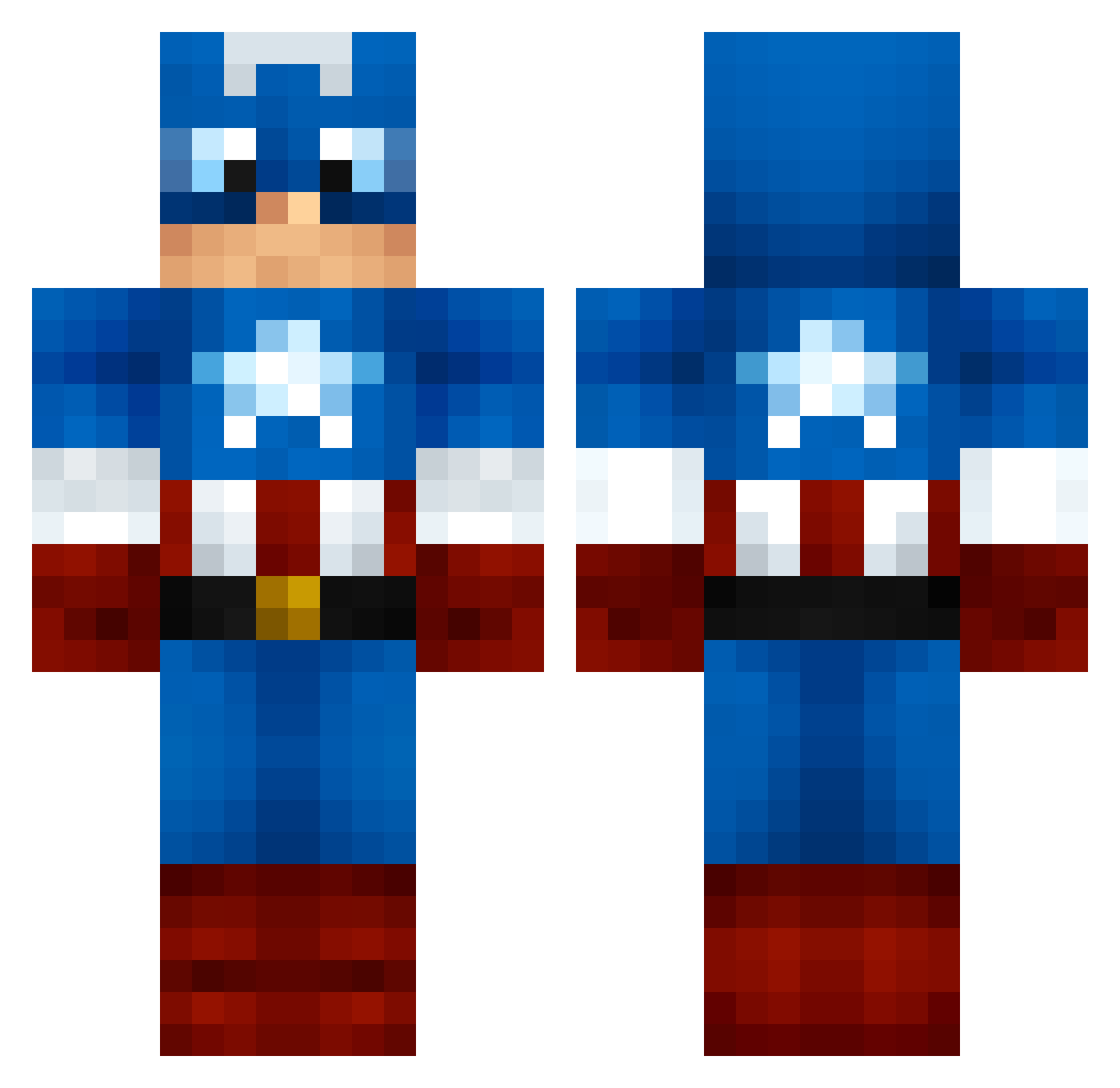
Current Minecraft skin of the player Meng0702, loaded from the official Mojang API. Rotate the 3D model with your mouse or finger, then download the skin as a PNG file and use it in Minecraft: Bedrock Edition or Java Edition for free. When Meng0702 changes their skin, this page updates automatically and the old skin stays in the history below.
Other players with this skin (1000)
Meng0702 was the 232nd player we have seen with this skin, first spotted on 13.08.2026. The same skin was seen on these players. Open a nickname to see their current skin and skin history.
 juankka rfm477 Youself AndresFZM iiMBirchiex thelimit1198 Iceboy455 Str8_hate jaysherman1 Xeen_USA EmilOberg mediplayer aali26 CaptainAmerca WoChiShaBi Ericsdpchelp joakimiscool Darth_Uncle Darkeep DaMoreTalentedJT VIcce836 MugiWara364 CaptainAmerica59 lee061298 _CaptainMiner_ dafrrr wby233 Jetpack6 JuniorMoss RaknRak FishCan BigDaddy0H Kandros81 Jakerz57 FAINT_MOB KaptainMineKraft rogersrule Semaha duyronaldo Seahawks_the12 Voidwar blaster07 Nathounet76280 Brashboy Ghost_players deron05 EastEnders nico_313 danielito9707 Volmar RampageNickson Bazs107 bonsenge TheMcnasty renrentv Vareeide MaudJort Cucuuuu merijn2004 Captainshmmr
More Captain America Minecraft skins
See all 148 Captain America skins
How to install the Meng0702 skin
- Press the Download button above to save the skin as a PNG file.
- Minecraft: Bedrock Edition (PE): open the Dressing Room from the main menu (or tap your character → Edit Character), go to Classic Skins → Owned, press the + (new skin) button, choose the downloaded PNG and pick the Classic (Steve) model. Works on PC and mobile; consoles cannot import custom skins.
- Minecraft: Java Edition: open the Minecraft Launcher, go to the Skins tab, click New Skin, load the PNG, pick the Classic (Steve) model and press Save & Use. You can also upload it at minecraft.net → Profile → Change Skin.
The skin does not show up after import - what should I do?
Restart Minecraft and open the Dressing Room again - imported skins sometimes appear only after a restart. Also make sure you selected the imported skin and picked the Classic (Steve) model.
Which model should I choose, Classic or Slim?
This skin is designed for the Classic (Steve) model. If you pick the wrong model, the arms of the skin will look stretched or squeezed.
Is the skin of Meng0702 free to download?
Yes. Press Download, save the PNG file and use it in Minecraft: Bedrock Edition or Java Edition - no payment or registration needed. The skin also works on multiplayer servers and Realms.
More skins
Looking for more? Go back to all Minecraft skins and check the top skins of the week, month and all time, or find any player's skin by nickname.