
MelvinHannes1997 - Minecraft Skins & Skin History
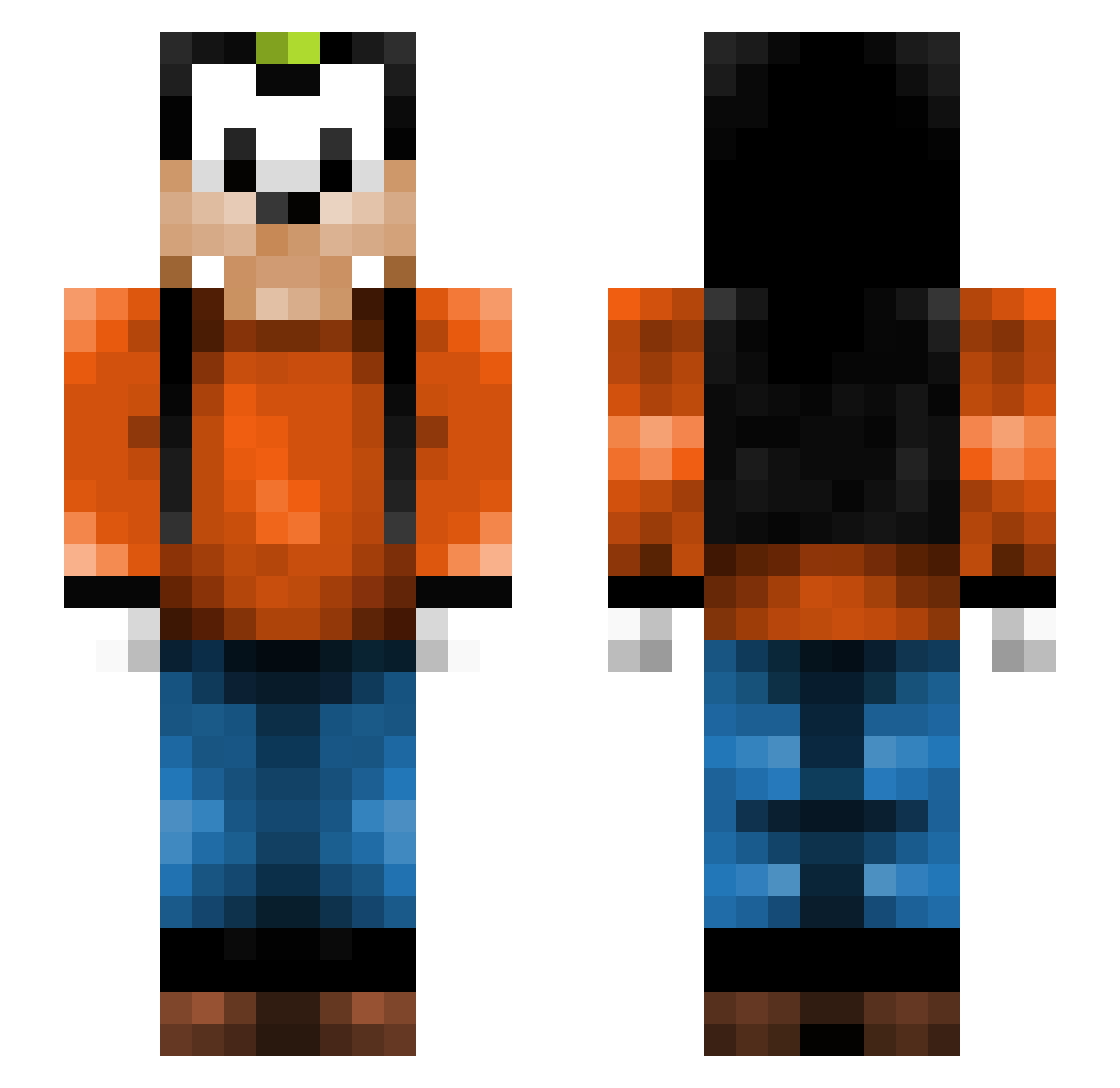
Current Minecraft skin of the player MelvinHannes1997, loaded from the official Mojang API. Rotate the 3D model with your mouse or finger, then download the skin as a PNG file and use it in Minecraft: Bedrock Edition or Java Edition for free. When MelvinHannes1997 changes their skin, this page updates automatically and the old skin stays in the history below.
Other players with this skin (379)
MelvinHannes1997 was the 280th player we have seen with this skin, first spotted on 24.10.2026. The same skin was seen on these players. Open a nickname to see their current skin and skin history.
 larsieboy16 SquertIe samvel19 purple_daisy marcovdgraaf98 gwnrick02 Tequila92 Keeperi goofy99999 csoika j_Dietrich Esmaraldabr MoJiiiToO koios flipxican Feels0nWheels goofyrockz bjshark11 MR_Beyza blazejesus Hor Tdogg9907 elllit Grant8112 Duck_Gaming226 johanmuniz Haveri2001 Captainsmee23 Garry_K Mandy995 WhiteChocSprnklz Bedicoma Ne0nTigerBlade JuustoWarrior ESELMAS02 SnowyTapes superzorro L3sGoD Giancarlo_ THEDshadow Dolfinface Challie500 titiwoman 1mr_Nice xBAMAxFANx DewEx_ Umicore Florian27799 Sploinke BilboBaggins185 niico_ DeGizmo Pawn_Star_ 21GnR Tobbe_Digger Rocket73 dalsgaard437 DaMurmelZ disturbed_ramm Ghost_Ryder11
More Goofy Minecraft skins
How to install the MelvinHannes1997 skin
- Press the Download button above to save the skin as a PNG file.
- Minecraft: Bedrock Edition (PE): open the Dressing Room from the main menu (or tap your character → Edit Character), go to Classic Skins → Owned, press the + (new skin) button, choose the downloaded PNG and pick the Slim (Alex) model. Works on PC and mobile; consoles cannot import custom skins.
- Minecraft: Java Edition: open the Minecraft Launcher, go to the Skins tab, click New Skin, load the PNG, pick the Slim (Alex) model and press Save & Use. You can also upload it at minecraft.net → Profile → Change Skin.
The skin does not show up after import - what should I do?
Restart Minecraft and open the Dressing Room again - imported skins sometimes appear only after a restart. Also make sure you selected the imported skin and picked the Slim (Alex) model.
Which model should I choose, Classic or Slim?
This skin is designed for the Slim (Alex) model. If you pick the wrong model, the arms of the skin will look stretched or squeezed.
Is the skin of MelvinHannes1997 free to download?
Yes. Press Download, save the PNG file and use it in Minecraft: Bedrock Edition or Java Edition - no payment or registration needed. The skin also works on multiplayer servers and Realms.
More skins
Looking for more? Go back to all Minecraft skins and check the top skins of the week, month and all time, or find any player's skin by nickname.