
Melt_penguin - Minecraft Skins & Skin History
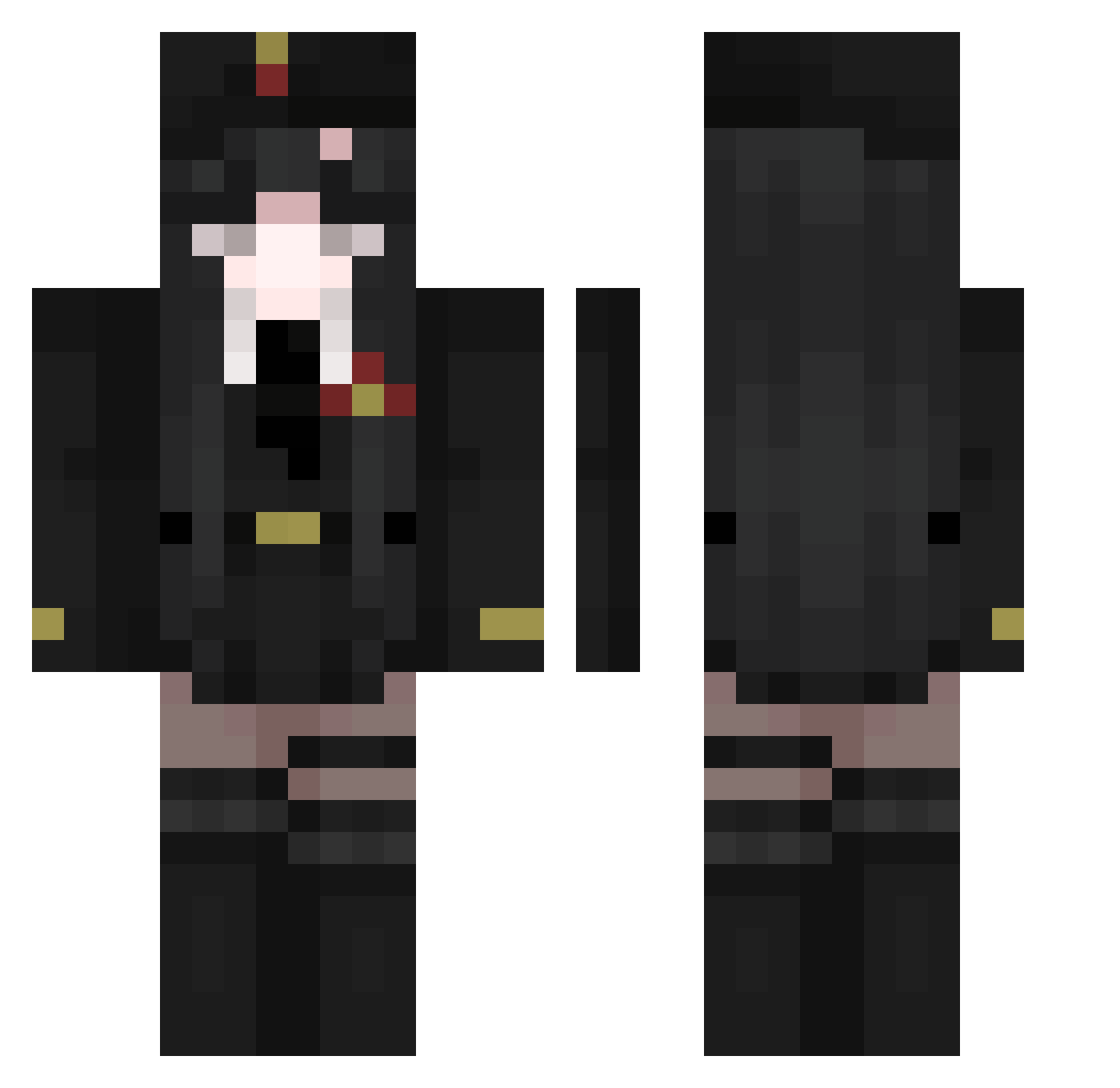
Current Minecraft skin of the player Melt_penguin, loaded from the official Mojang API. Rotate the 3D model with your mouse or finger, then download the skin as a PNG file and use it in Minecraft: Bedrock Edition or Java Edition for free. When Melt_penguin changes their skin, this page updates automatically and the old skin stays in the history below.
Other players with this skin (646)
Melt_penguin was the 583rd player we have seen with this skin, first spotted on 09.11.2026. The same skin was seen on these players. Open a nickname to see their current skin and skin history.
 Laura291 leich3e ToxiCqq bayun_si LALYAA bolso13710 Ravncrow analreceiver CyberCat_03 Hosogoe Guni_cha finnkommheim FerianLes lths Quokeo lk710 ExplorerUwU mint101333 AlexClose Zorua1010 YOSHlDA stevenhu98 JusticeNoob3322b Chenmohe annko0402 ImahChinDuPing Kai_rar SlububOP SomeFrost Dang0o Ginnocent aiueo302 JxSwire PhysicalAllways Ghouleface dakemer jwg29 fromageese OneeSan iceesdeath Sunsettt_ Animeiyk cycJluk QuesosSenior yiyanzhi torojima2020 javiparraguez Rimuru_Star lul70 PhattPeanut kokololol Xerokisaragii Hello_Diamond Charbomba Miku_011 KumaGyoza luminha merugamer Twelvenights Replicator1
More Uniform Minecraft skins
How to install the Melt_penguin skin
- Press the Download button above to save the skin as a PNG file.
- Minecraft: Bedrock Edition (PE): open the Dressing Room from the main menu (or tap your character → Edit Character), go to Classic Skins → Owned, press the + (new skin) button, choose the downloaded PNG and pick the Classic (Steve) model. Works on PC and mobile; consoles cannot import custom skins.
- Minecraft: Java Edition: open the Minecraft Launcher, go to the Skins tab, click New Skin, load the PNG, pick the Classic (Steve) model and press Save & Use. You can also upload it at minecraft.net → Profile → Change Skin.
The skin does not show up after import - what should I do?
Restart Minecraft and open the Dressing Room again - imported skins sometimes appear only after a restart. Also make sure you selected the imported skin and picked the Classic (Steve) model.
Which model should I choose, Classic or Slim?
This skin is designed for the Classic (Steve) model. If you pick the wrong model, the arms of the skin will look stretched or squeezed.
Is the skin of Melt_penguin free to download?
Yes. Press Download, save the PNG file and use it in Minecraft: Bedrock Edition or Java Edition - no payment or registration needed. The skin also works on multiplayer servers and Realms.
More skins
Looking for more? Go back to all Minecraft skins and check the top skins of the week, month and all time, or find any player's skin by nickname.