
MelinaM15 - Minecraft Skins & Skin History
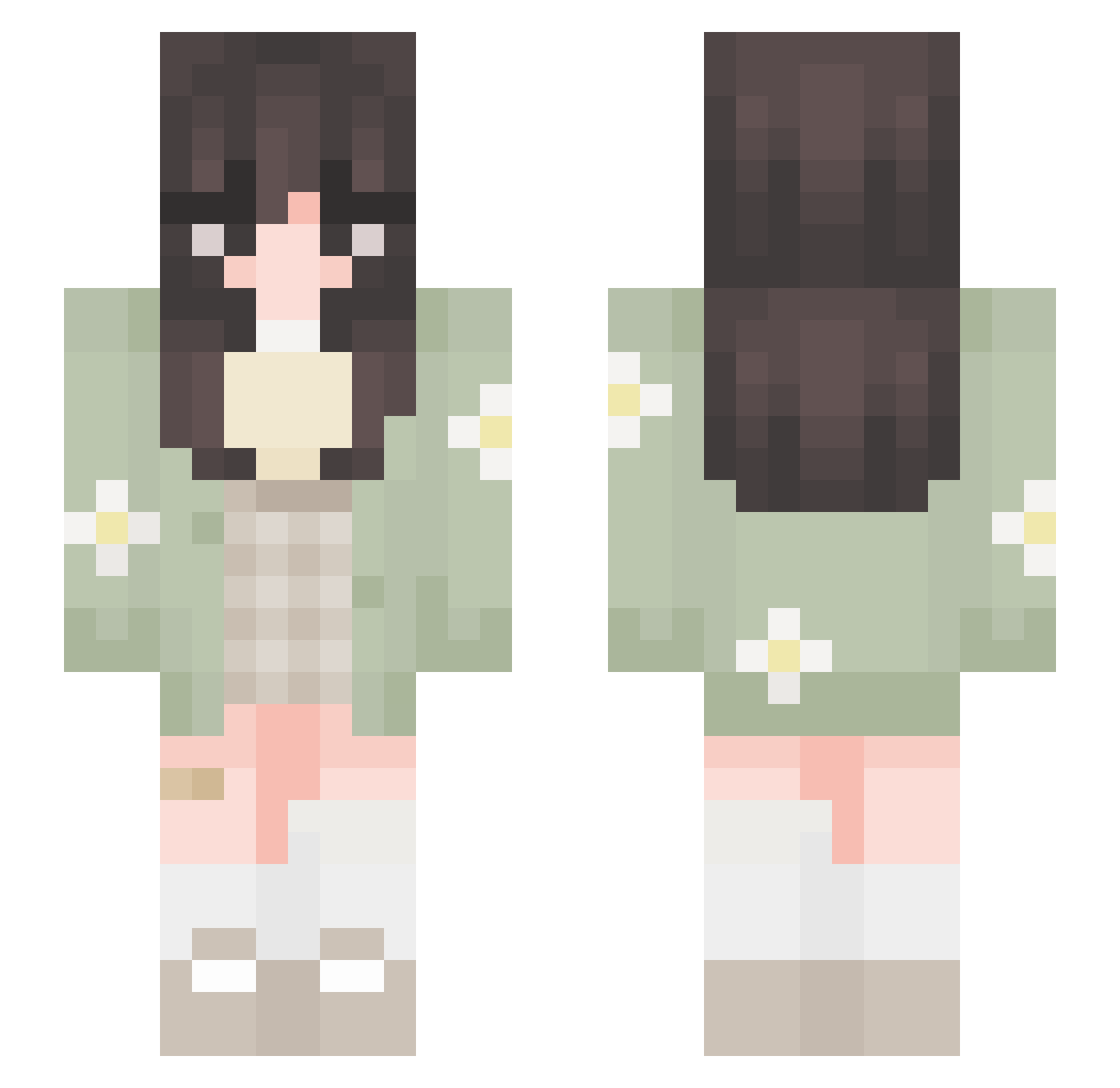
Current Minecraft skin of the player MelinaM15, loaded from the official Mojang API. Rotate the 3D model with your mouse or finger, then download the skin as a PNG file and use it in Minecraft: Bedrock Edition or Java Edition for free. When MelinaM15 changes their skin, this page updates automatically and the old skin stays in the history below.
Other players with this skin (652)
MelinaM15 was the 136th player we have seen with this skin, first spotted on 15.08.2026. The same skin was seen on these players. Open a nickname to see their current skin and skin history.
 auriello _Guppie_ windy2311 Silverdust11 keith_lover hnnhkzh Aurafx dumbpliing uschn Lime_Angel Mooncatxgirl kokokrispie TomKhud abyeddly peachyclo cecio777 ecastro2024 Isaniee Aditi2807 Amelia214 honknella SomBri_97 _Succi_ kahziiiinha Foodlover_7 sleekpedestria4 OvO0327 Alex2brun LouanaSenpai artemisdll allg_ b_tterflies i3z4z1y2 tangerinex Heilyos Elizabeth10069 _lxylx annacla1233 arcadiadaze XNinaM Naehra smol_ale greenbeansoupy willowgames72456 belladonna_uv Fiaera Ipekot liaa724_ lovetoes dreamerbinnie JewsBoxs KiwiJuiice KitKat_927 BooksNCats ayruin SadalsuudA meowtisms MANY_WORLD Mayahh_anbu dedeperim
More Daisy Minecraft skins
How to install the MelinaM15 skin
- Press the Download button above to save the skin as a PNG file.
- Minecraft: Bedrock Edition (PE): open the Dressing Room from the main menu (or tap your character → Edit Character), go to Classic Skins → Owned, press the + (new skin) button, choose the downloaded PNG and pick the Slim (Alex) model. Works on PC and mobile; consoles cannot import custom skins.
- Minecraft: Java Edition: open the Minecraft Launcher, go to the Skins tab, click New Skin, load the PNG, pick the Slim (Alex) model and press Save & Use. You can also upload it at minecraft.net → Profile → Change Skin.
The skin does not show up after import - what should I do?
Restart Minecraft and open the Dressing Room again - imported skins sometimes appear only after a restart. Also make sure you selected the imported skin and picked the Slim (Alex) model.
Which model should I choose, Classic or Slim?
This skin is designed for the Slim (Alex) model. If you pick the wrong model, the arms of the skin will look stretched or squeezed.
Is the skin of MelinaM15 free to download?
Yes. Press Download, save the PNG file and use it in Minecraft: Bedrock Edition or Java Edition - no payment or registration needed. The skin also works on multiplayer servers and Realms.
More skins
Looking for more? Go back to all Minecraft skins and check the top skins of the week, month and all time, or find any player's skin by nickname.