
Mekvin1 - Minecraft Skins & Skin History
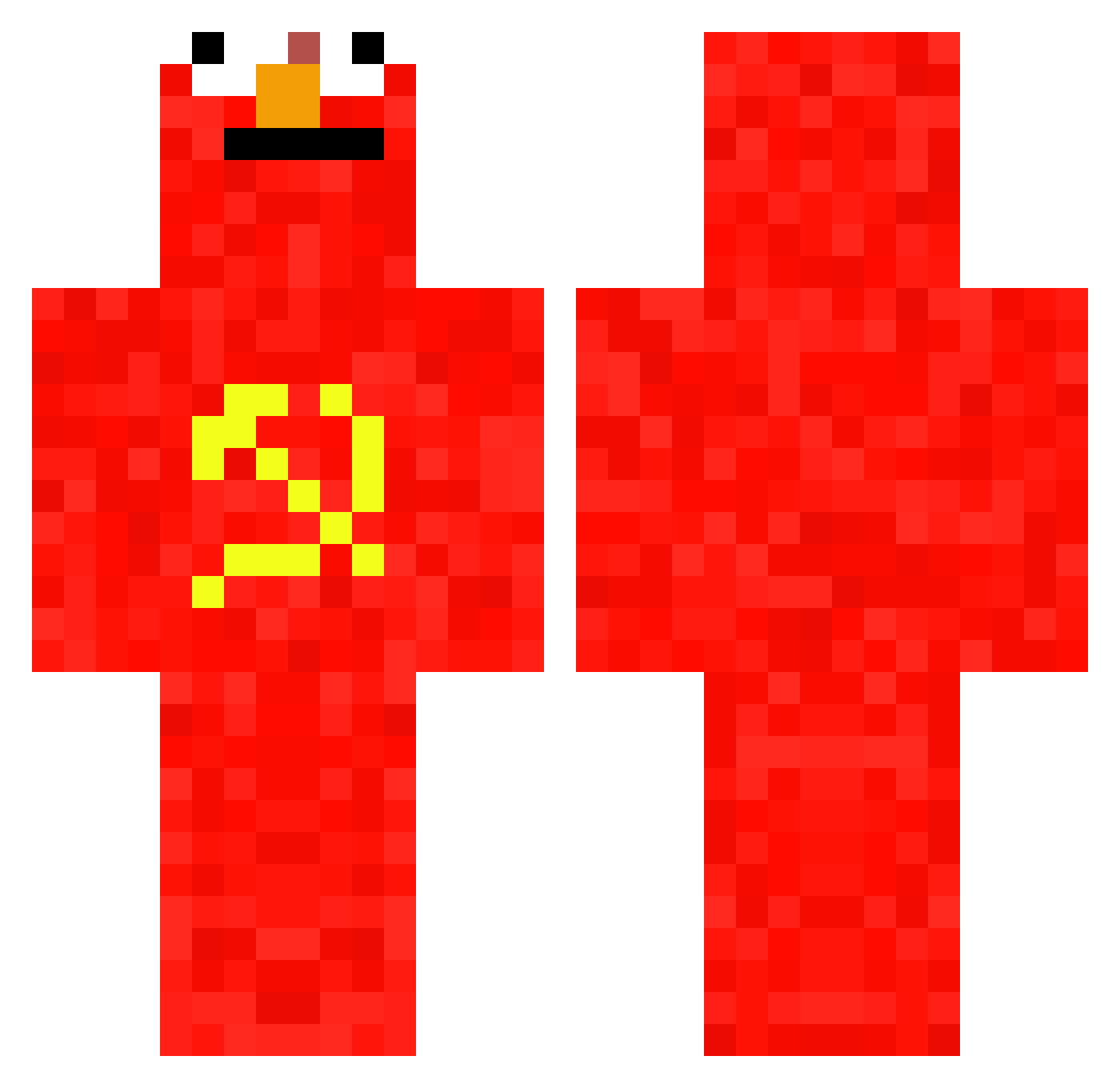
Current Minecraft skin of the player Mekvin1, loaded from the official Mojang API. Rotate the 3D model with your mouse or finger, then download the skin as a PNG file and use it in Minecraft: Bedrock Edition or Java Edition for free. When Mekvin1 changes their skin, this page updates automatically and the old skin stays in the history below.
Other players with this skin (697)
Mekvin1 was the 172nd player we have seen with this skin, first spotted on 21.08.2026. The same skin was seen on these players. Open a nickname to see their current skin and skin history.
 eolouisss Leproooso jc9st JustBePipul Orphan_Abductor E1t0 Sskm1234 Bamboleos96 Murica4397 AceInsightt ChatDeCombat Taiwan666 Lunar_astr0 Golden_Boy7 Beauxela xAJ04x F23o0pe lil_ivz qhst13 shawclipp TATUZINN Jacuson gamaal_ Hoelengoblin tmitch2204 UsualKoala5173 disjustin ITyReI ComfyOstrich502 acdc0704 Guimaxj gyun33 rshintanil tom_townie PancakeScarf yoda2763 slooryy GGezWinGamers ham9004 Nand6 AX44 NahImBad Chinuan idochem MrQueiroz98 DimixeK shineunjo Simseyyyy thundercont Popoo123 SkulderBladet Danisansu SUPER_HANDso_GUY Xiao_Huang2003 ChinaLore420 _mkh26_ LoRodilla CoobMan archie_SAPPHIRE derboersenmakler
More Communist Minecraft skins
How to install the Mekvin1 skin
- Press the Download button above to save the skin as a PNG file.
- Minecraft: Bedrock Edition (PE): open the Dressing Room from the main menu (or tap your character → Edit Character), go to Classic Skins → Owned, press the + (new skin) button, choose the downloaded PNG and pick the Classic (Steve) model. Works on PC and mobile; consoles cannot import custom skins.
- Minecraft: Java Edition: open the Minecraft Launcher, go to the Skins tab, click New Skin, load the PNG, pick the Classic (Steve) model and press Save & Use. You can also upload it at minecraft.net → Profile → Change Skin.
The skin does not show up after import - what should I do?
Restart Minecraft and open the Dressing Room again - imported skins sometimes appear only after a restart. Also make sure you selected the imported skin and picked the Classic (Steve) model.
Which model should I choose, Classic or Slim?
This skin is designed for the Classic (Steve) model. If you pick the wrong model, the arms of the skin will look stretched or squeezed.
Is the skin of Mekvin1 free to download?
Yes. Press Download, save the PNG file and use it in Minecraft: Bedrock Edition or Java Edition - no payment or registration needed. The skin also works on multiplayer servers and Realms.
More skins
Looking for more? Go back to all Minecraft skins and check the top skins of the week, month and all time, or find any player's skin by nickname.