
MegaLuke92 - Minecraft Skins & Skin History
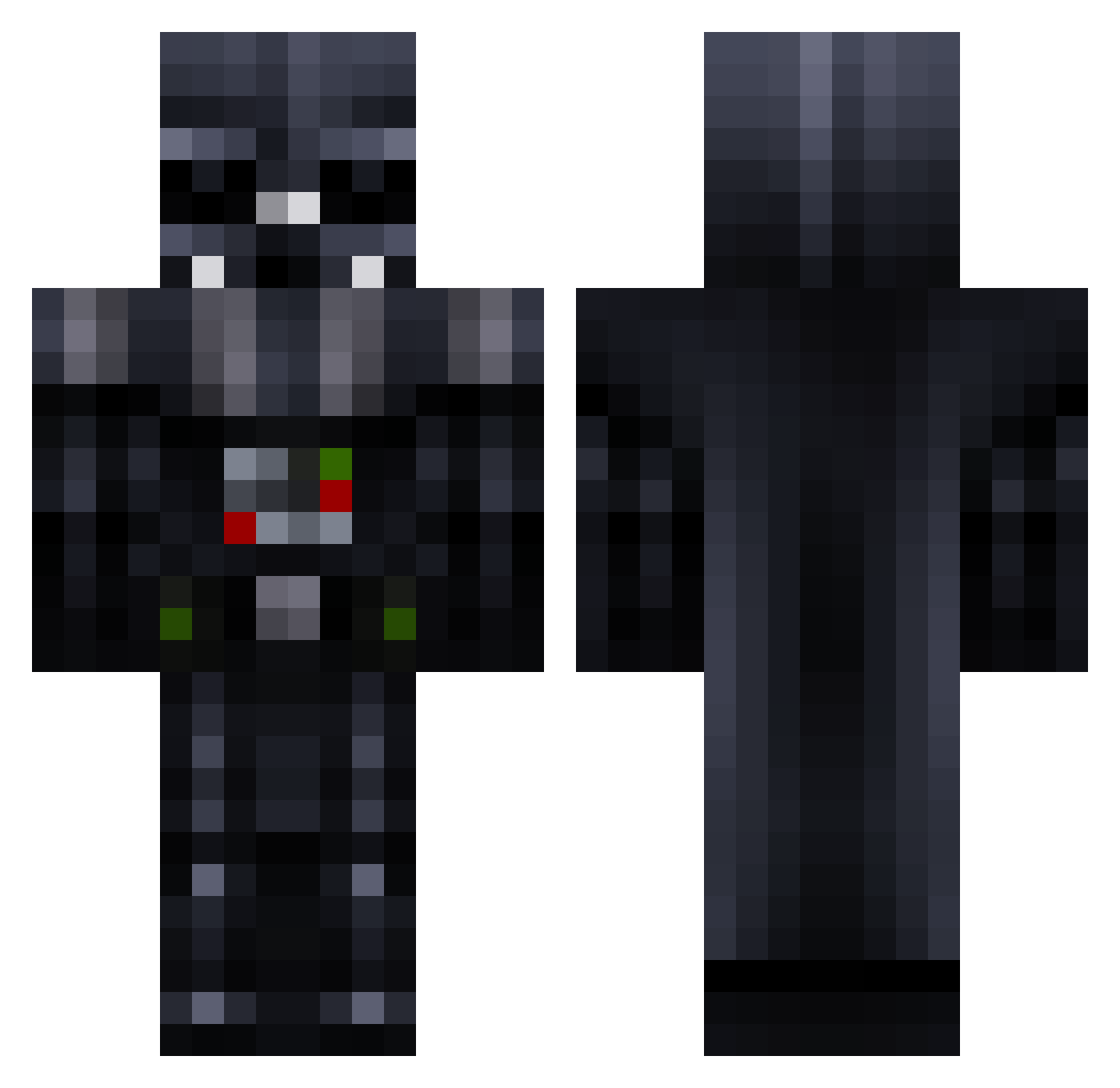
Current Minecraft skin of the player MegaLuke92, loaded from the official Mojang API. Rotate the 3D model with your mouse or finger, then download the skin as a PNG file and use it in Minecraft: Bedrock Edition or Java Edition for free. When MegaLuke92 changes their skin, this page updates automatically and the old skin stays in the history below.
Other players with this skin (781)
MegaLuke92 was the 502nd player we have seen with this skin, first spotted on 03.10.2026. The same skin was seen on these players. Open a nickname to see their current skin and skin history.
 DigFinder webtaster IAmTheGod turnhouttiger Landen1100 Minermike2105 paintbucket70 ArbiterGrayman darklight2 hujuu jgoode KingLouey NUCL3ARCHURRO FrreezeKwad jj0525 Jedimaster006 gradyglerum Ram_Bow23 bionic136 Barnacletrap Tragopan diamondguy134 newname5649685 skizzwa YikesBud firefly2010 2003tik zewedu LVaDeR haydenb321 Laurens1408 woutLtyson macewi Kallik04 Sergeant_Ed Jon2x CrotchNotch Peterkackfisch TheRealBuddy anthonyh27 House_of_Pain glasszombie dirtman03 philipba Lorrie14 DartVad3r theglove007 Arcitc masurupukka Oven_frikandel01 Killer370 jettkik Abron003 Remarkable2142 crblessing creeperkilla1123 sherlock561 turndog darthvadar3 RoyalPraetorian
More Darth Vader Minecraft skins
How to install the MegaLuke92 skin
- Press the Download button above to save the skin as a PNG file.
- Minecraft: Bedrock Edition (PE): open the Dressing Room from the main menu (or tap your character → Edit Character), go to Classic Skins → Owned, press the + (new skin) button, choose the downloaded PNG and pick the Classic (Steve) model. Works on PC and mobile; consoles cannot import custom skins.
- Minecraft: Java Edition: open the Minecraft Launcher, go to the Skins tab, click New Skin, load the PNG, pick the Classic (Steve) model and press Save & Use. You can also upload it at minecraft.net → Profile → Change Skin.
The skin does not show up after import - what should I do?
Restart Minecraft and open the Dressing Room again - imported skins sometimes appear only after a restart. Also make sure you selected the imported skin and picked the Classic (Steve) model.
Which model should I choose, Classic or Slim?
This skin is designed for the Classic (Steve) model. If you pick the wrong model, the arms of the skin will look stretched or squeezed.
Is the skin of MegaLuke92 free to download?
Yes. Press Download, save the PNG file and use it in Minecraft: Bedrock Edition or Java Edition - no payment or registration needed. The skin also works on multiplayer servers and Realms.
More skins
Looking for more? Go back to all Minecraft skins and check the top skins of the week, month and all time, or find any player's skin by nickname.