
MedusaCS - Minecraft Skins & Skin History
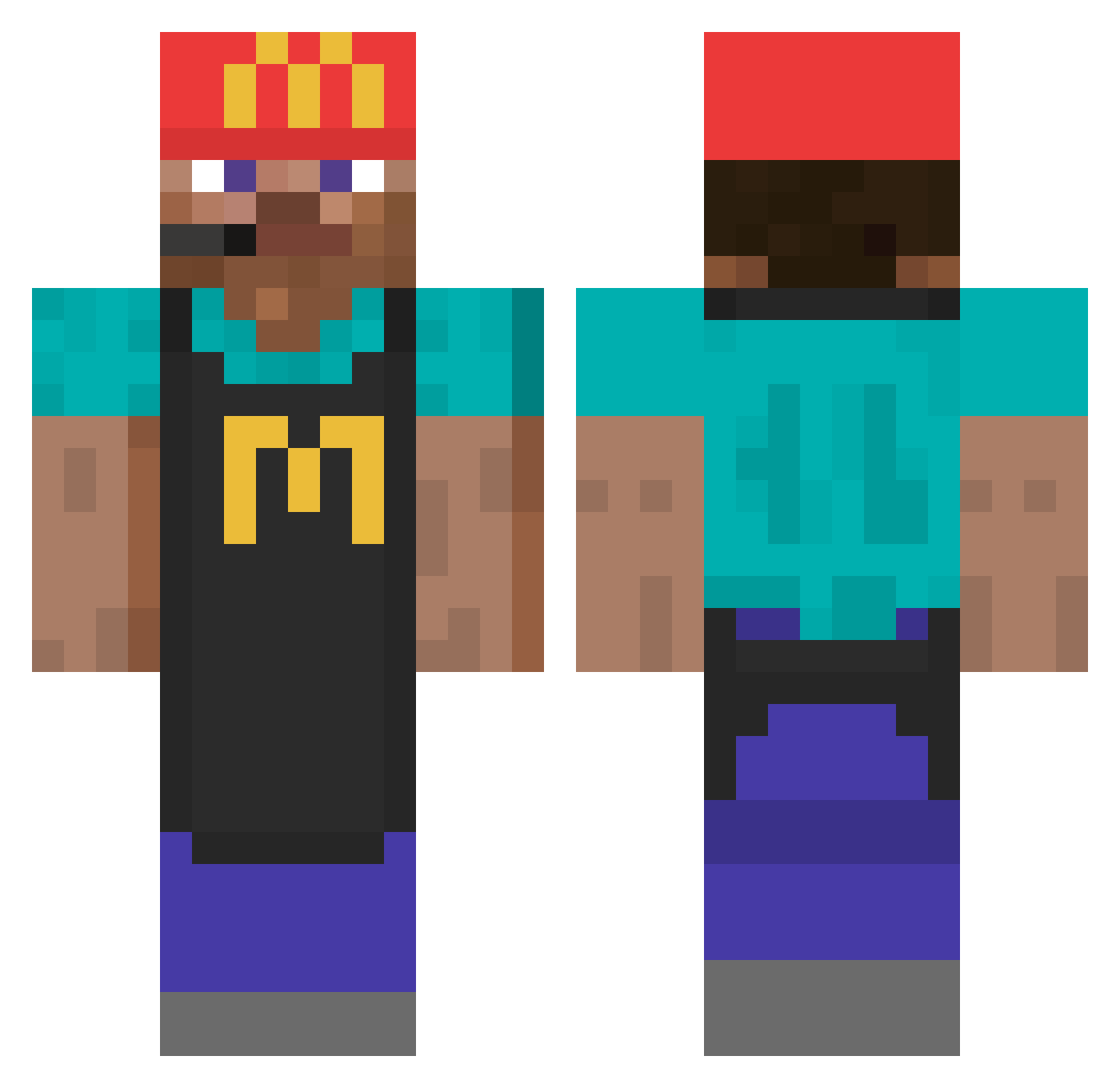
Current Minecraft skin of the player MedusaCS, loaded from the official Mojang API. Rotate the 3D model with your mouse or finger, then download the skin as a PNG file and use it in Minecraft: Bedrock Edition or Java Edition for free. When MedusaCS changes their skin, this page updates automatically and the old skin stays in the history below.
Other players with this skin (746)
MedusaCS was the 560th player we have seen with this skin, first spotted on 04.10.2026. The same skin was seen on these players. Open a nickname to see their current skin and skin history.
 Takadirfeu Kerchewy BoxiBoyo Snowingz Ap0k_0 Hackelschorsch Bigmac182 vertsmurf Capybapi HaileyTheCreator Myojun race_h Subin010 Atlas_comet1 savagedada Jonat12345 buyun3D tdebourbon Alone21 Leopy chazzasaurus TVoidz madecheese8 einfachbesser31 avokado123456 Deany_Weany MateoRod07 Mici0 Napauleon101 Hawing Luca_BE allexander03 mondmatt6 N1ch0laas ColdRollie FizzyNPC_ MrAre b1oushi mojangischeeks Haellowx MrSilver34 el_paloo credream75 pablico12 SLOVIKOOO Trip_ito romnm JSflex98 Kurohomura_ xiuw Sc0res potykacz Lwjai SimDEN18 seulchan09 Jugendraum ichtrinkecola 21JOEL Ambler RugDoctor
More Cashier Minecraft skins
How to install the MedusaCS skin
- Press the Download button above to save the skin as a PNG file.
- Minecraft: Bedrock Edition (PE): open the Dressing Room from the main menu (or tap your character → Edit Character), go to Classic Skins → Owned, press the + (new skin) button, choose the downloaded PNG and pick the Classic (Steve) model. Works on PC and mobile; consoles cannot import custom skins.
- Minecraft: Java Edition: open the Minecraft Launcher, go to the Skins tab, click New Skin, load the PNG, pick the Classic (Steve) model and press Save & Use. You can also upload it at minecraft.net → Profile → Change Skin.
The skin does not show up after import - what should I do?
Restart Minecraft and open the Dressing Room again - imported skins sometimes appear only after a restart. Also make sure you selected the imported skin and picked the Classic (Steve) model.
Which model should I choose, Classic or Slim?
This skin is designed for the Classic (Steve) model. If you pick the wrong model, the arms of the skin will look stretched or squeezed.
Is the skin of MedusaCS free to download?
Yes. Press Download, save the PNG file and use it in Minecraft: Bedrock Edition or Java Edition - no payment or registration needed. The skin also works on multiplayer servers and Realms.
More skins
Looking for more? Go back to all Minecraft skins and check the top skins of the week, month and all time, or find any player's skin by nickname.