
Meapking65 - Minecraft Skins & Skin History
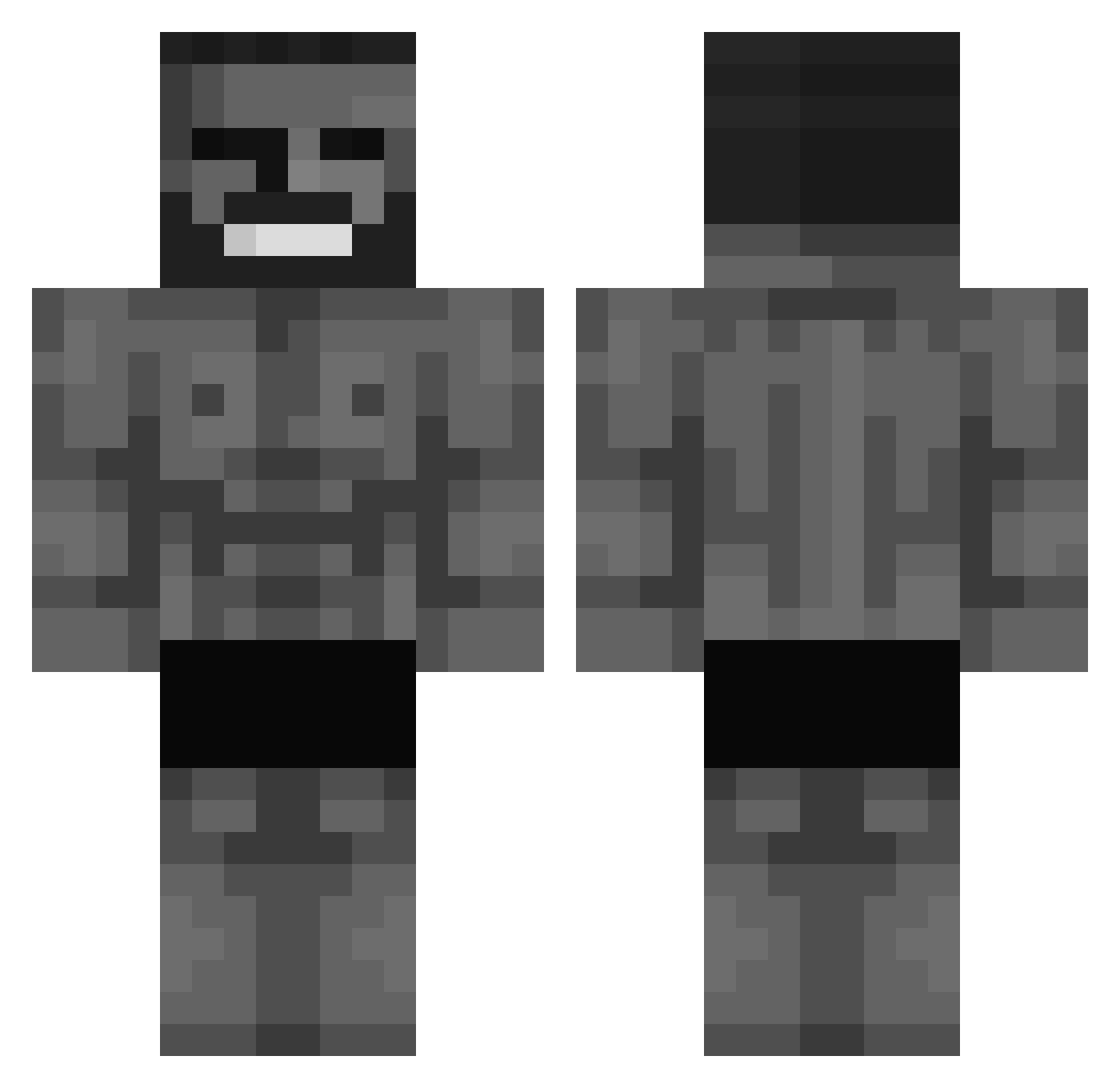
Current Minecraft skin of the player Meapking65, loaded from the official Mojang API. Rotate the 3D model with your mouse or finger, then download the skin as a PNG file and use it in Minecraft: Bedrock Edition or Java Edition for free. When Meapking65 changes their skin, this page updates automatically and the old skin stays in the history below.
Other players with this skin (693)
Meapking65 was the 436th player we have seen with this skin, first spotted on 11.10.2026. The same skin was seen on these players. Open a nickname to see their current skin and skin history.
 Pellemecanique _Helium_338 Bilal_321 TylerFighter NIGERIA3000 cansadossauro_ MrPoris Juako2o PrimusOogway UndeadMonkey875 ArdaMCSG Lironhahatih Tfujstary69 Nickha12 fatihler Nozak4 Golden54 BolachaoGraudo TakeChan04 GiogGiova Innuendo_ emithe_ thegalaxi555 luxtb32 Tron3ro Gmaster22 neteryt h0ngwon stojke mwg_kicks Exenton67 XxVANDENxX Hunii415 ClaimGaming 3marq 1whitedude Remixosu PapaPillow Himpi TAKEN65412 _chilligchillig Mickey_deezz Cecedille SergiuRadoi Rainer155 Zarval rocketjumpgirl Shadow2307 GIIGGACHAAD FosslizedSperg yoiy BlackMax1920 LilShmal qweeqweqwrswerew GianiMorandi pippogamer19 Klaudewer1337 darmian93 Sedddyy TheDeni
More Gigachad Minecraft skins
How to install the Meapking65 skin
- Press the Download button above to save the skin as a PNG file.
- Minecraft: Bedrock Edition (PE): open the Dressing Room from the main menu (or tap your character → Edit Character), go to Classic Skins → Owned, press the + (new skin) button, choose the downloaded PNG and pick the Classic (Steve) model. Works on PC and mobile; consoles cannot import custom skins.
- Minecraft: Java Edition: open the Minecraft Launcher, go to the Skins tab, click New Skin, load the PNG, pick the Classic (Steve) model and press Save & Use. You can also upload it at minecraft.net → Profile → Change Skin.
The skin does not show up after import - what should I do?
Restart Minecraft and open the Dressing Room again - imported skins sometimes appear only after a restart. Also make sure you selected the imported skin and picked the Classic (Steve) model.
Which model should I choose, Classic or Slim?
This skin is designed for the Classic (Steve) model. If you pick the wrong model, the arms of the skin will look stretched or squeezed.
Is the skin of Meapking65 free to download?
Yes. Press Download, save the PNG file and use it in Minecraft: Bedrock Edition or Java Edition - no payment or registration needed. The skin also works on multiplayer servers and Realms.
More skins
Looking for more? Go back to all Minecraft skins and check the top skins of the week, month and all time, or find any player's skin by nickname.