
MeNem0 - Minecraft Skins & Skin History
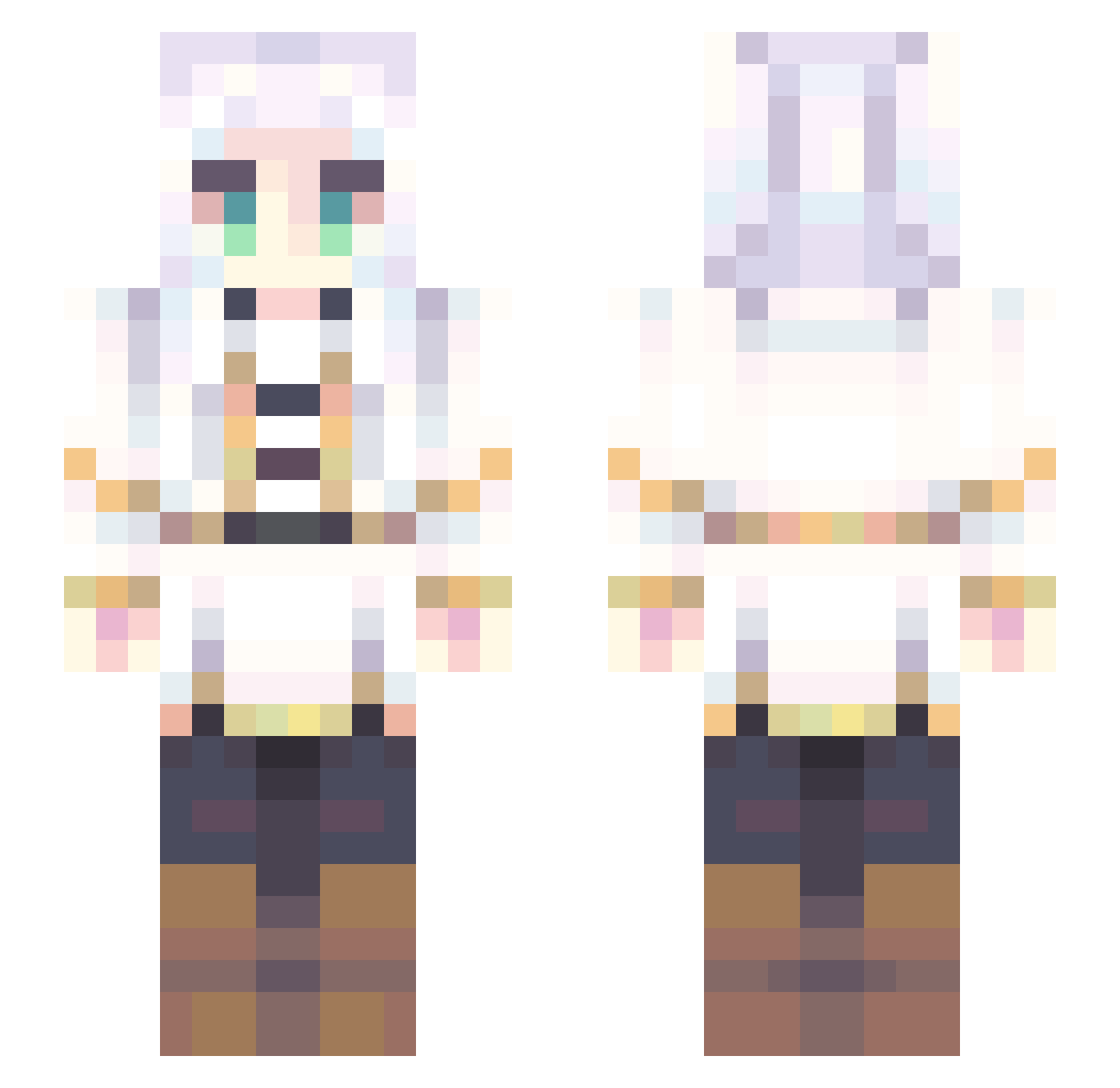
Current Minecraft skin of the player MeNem0, loaded from the official Mojang API. Rotate the 3D model with your mouse or finger, then download the skin as a PNG file and use it in Minecraft: Bedrock Edition or Java Edition for free. When MeNem0 changes their skin, this page updates automatically and the old skin stays in the history below.
Other players with this skin (707)
MeNem0 was the 662nd player we have seen with this skin, first spotted on 26.10.2026. The same skin was seen on these players. Open a nickname to see their current skin and skin history.
 mlghost69 Hiiroo_ ikuto_01 AlehHearts kyoumennnnnnnn Oetco2712 Dejvidsz lin_ben01 JanosZorro RenesMP JAYJQY dominiqueavel ___Yuri___ RavenBranwenZT kyuseishu117 MagicalM0nk3y Chinom72 Nutmini SoniaTF Arual266 AYGT48 Xlaser9889 AD9895 LIMAOJANG KillZold Connzzy koyomin_414 wayjuno ney506 starfaiien SmolNublet Ugus10 Origins76 Bella951001 reaver115 Easties Skopi1 SyrX___ HuaGuai Yukii_02 MapleTree1024 Kokasiller GammaCrucis8 Kanatz MayconTk FlorenceSweet farifa Lavenderelfz OldAman123 Piiririik sakuno777 ShadowCat_0302 Kun1118 Floofy_Doge21 CloudOakC SweetPep NoSkill004 Takoyaki01414 Jun_mdx _Ox
More Fantasy Minecraft skins
How to install the MeNem0 skin
- Press the Download button above to save the skin as a PNG file.
- Minecraft: Bedrock Edition (PE): open the Dressing Room from the main menu (or tap your character → Edit Character), go to Classic Skins → Owned, press the + (new skin) button, choose the downloaded PNG and pick the Slim (Alex) model. Works on PC and mobile; consoles cannot import custom skins.
- Minecraft: Java Edition: open the Minecraft Launcher, go to the Skins tab, click New Skin, load the PNG, pick the Slim (Alex) model and press Save & Use. You can also upload it at minecraft.net → Profile → Change Skin.
The skin does not show up after import - what should I do?
Restart Minecraft and open the Dressing Room again - imported skins sometimes appear only after a restart. Also make sure you selected the imported skin and picked the Slim (Alex) model.
Which model should I choose, Classic or Slim?
This skin is designed for the Slim (Alex) model. If you pick the wrong model, the arms of the skin will look stretched or squeezed.
Is the skin of MeNem0 free to download?
Yes. Press Download, save the PNG file and use it in Minecraft: Bedrock Edition or Java Edition - no payment or registration needed. The skin also works on multiplayer servers and Realms.
More skins
Looking for more? Go back to all Minecraft skins and check the top skins of the week, month and all time, or find any player's skin by nickname.