
McflyRT - Minecraft Skins & Skin History
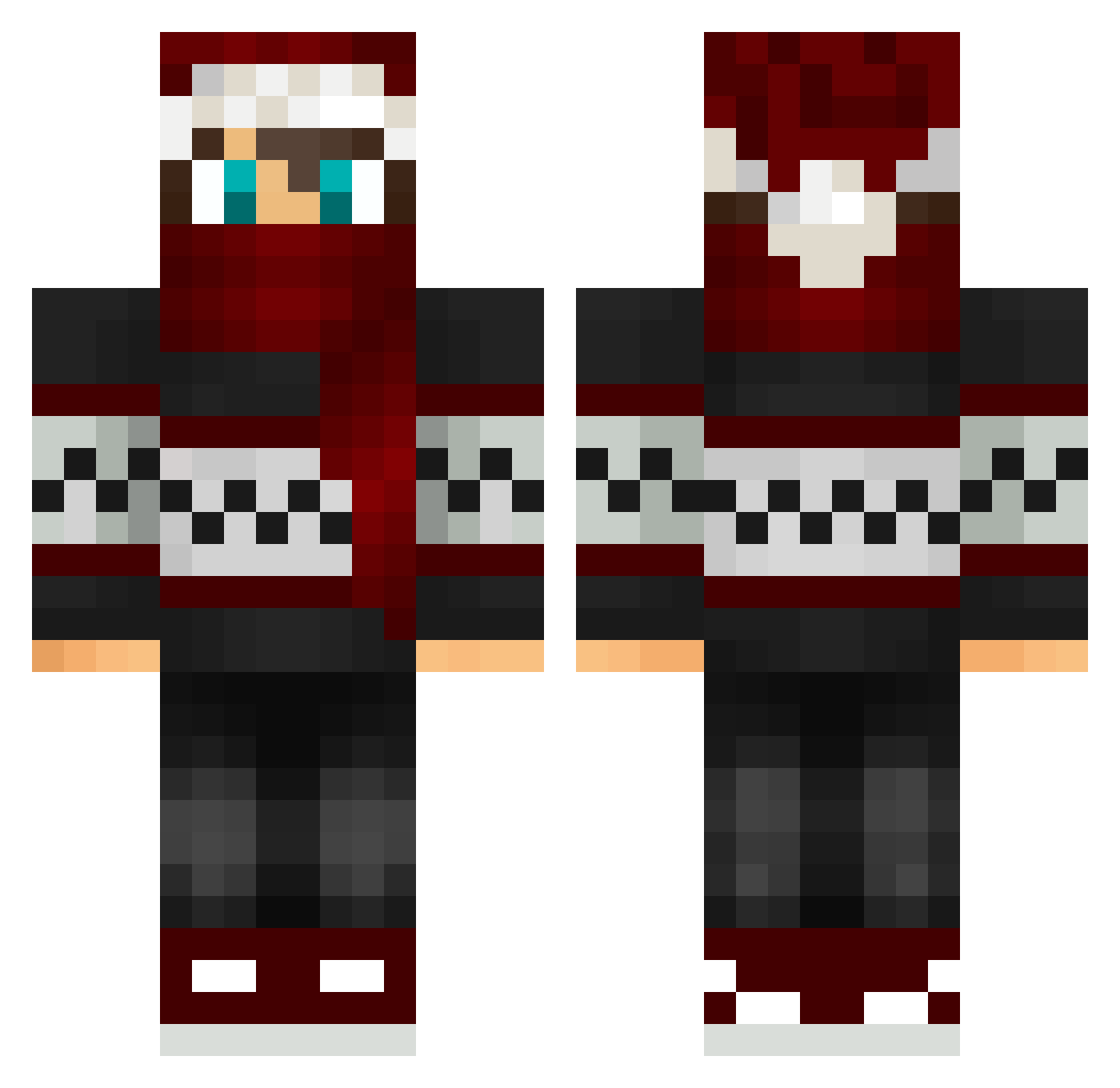
Current Minecraft skin of the player McflyRT, loaded from the official Mojang API. Rotate the 3D model with your mouse or finger, then download the skin as a PNG file and use it in Minecraft: Bedrock Edition or Java Edition for free. When McflyRT changes their skin, this page updates automatically and the old skin stays in the history below.
Other players with this skin (94)
McflyRT was the 54th player we have seen with this skin, first spotted on 05.10.2026. The same skin was seen on these players. Open a nickname to see their current skin and skin history.
 hazardjak JH0NCR4FT ThaLuc2 wolfGEO Stintess mehmethangrll Xionese hopelife1 Toxicboy957 AngusDoe Biohazardd XI_LunarEclipse Mightymak42 Mataraia ItsPhysics MrBiscote lachdog01 fastminer3 CypticSurvival EduardoGonzales Bendjaova LibrpPlaysOff Albay12 SirShoe Theososs Tw1n1Gs Fuzzyj25 msmc3000 Donix22 Trojojojo dvsragkfui nix__x SpeedyTim997 Itz_Nicolas_PvP Dr_Bueno Louseuse _XxCookiexX RicardoSucculus KubsoKOX Redflower2010 DiddyPlay jet2future Delu_ orti2002 WolfgangWisker MTF33 OnsideData89705 S9k_ Matan15 Alkc Tanz141 Bakyh AnorLondo11 Aishoro Astru5 roberto133 Spookytide kohajin _RIP_MaizaTH LordMulluck
More Winter Minecraft skins
How to install the McflyRT skin
- Press the Download button above to save the skin as a PNG file.
- Minecraft: Bedrock Edition (PE): open the Dressing Room from the main menu (or tap your character → Edit Character), go to Classic Skins → Owned, press the + (new skin) button, choose the downloaded PNG and pick the Classic (Steve) model. Works on PC and mobile; consoles cannot import custom skins.
- Minecraft: Java Edition: open the Minecraft Launcher, go to the Skins tab, click New Skin, load the PNG, pick the Classic (Steve) model and press Save & Use. You can also upload it at minecraft.net → Profile → Change Skin.
The skin does not show up after import - what should I do?
Restart Minecraft and open the Dressing Room again - imported skins sometimes appear only after a restart. Also make sure you selected the imported skin and picked the Classic (Steve) model.
Which model should I choose, Classic or Slim?
This skin is designed for the Classic (Steve) model. If you pick the wrong model, the arms of the skin will look stretched or squeezed.
Is the skin of McflyRT free to download?
Yes. Press Download, save the PNG file and use it in Minecraft: Bedrock Edition or Java Edition - no payment or registration needed. The skin also works on multiplayer servers and Realms.
More skins
Looking for more? Go back to all Minecraft skins and check the top skins of the week, month and all time, or find any player's skin by nickname.