
Mc_Tim_Blackbird - Minecraft Skins & Skin History
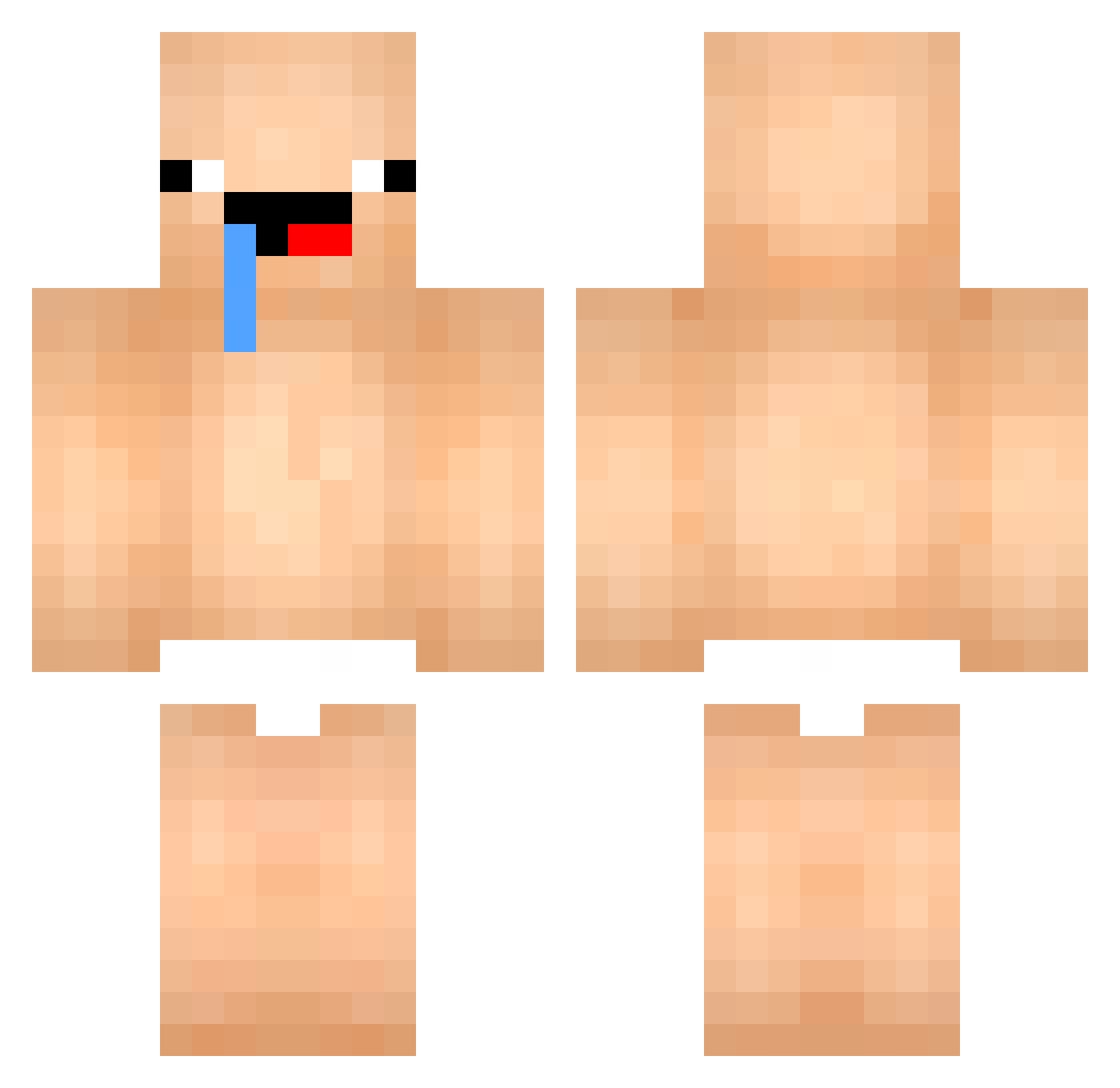
Current Minecraft skin of the player Mc_Tim_Blackbird, loaded from the official Mojang API. Rotate the 3D model with your mouse or finger, then download the skin as a PNG file and use it in Minecraft: Bedrock Edition or Java Edition for free. When Mc_Tim_Blackbird changes their skin, this page updates automatically and the old skin stays in the history below.
Other players with this skin (447)
Mc_Tim_Blackbird was the 413th player we have seen with this skin, first spotted on 23.10.2026. The same skin was seen on these players. Open a nickname to see their current skin and skin history.
 samdasoo1234 Danilel1803 Shira3510 tyers04 SMati140S KINGG4NG PiGuhonghong Nogga__ mrxn milk666dragon kimdoyun777 Vuurkond BlackzaderYT lienart12 LebronJames35 Bin2025 derek0091 profanacabras123 kakuzawa s1ph13 bocchi116 LengaAS _9xx ey520ye kichul1021 xzevra Antoine1403_ negi0126 HPC_ DapperDad27 HAERIN__NewJeans SoMe1C00L feliciano435 PughRogefeldt madbutterz AOKUNN0 Matanga4 renabolso kimmi1605 philou0769 heybabygirl user0245 KDHoshino Dschaen01 razvanrrt m00aliee hectix_vhxpnotic Baby_523 aengdoo0128 dh_v ShadowKy_ jwj231 sergialaz prezmobil sojun8356 yolomanabc123 BTW10 ZREEC zesterisLV lleas
More Baby Minecraft skins
How to install the Mc_Tim_Blackbird skin
- Press the Download button above to save the skin as a PNG file.
- Minecraft: Bedrock Edition (PE): open the Dressing Room from the main menu (or tap your character → Edit Character), go to Classic Skins → Owned, press the + (new skin) button, choose the downloaded PNG and pick the Classic (Steve) model. Works on PC and mobile; consoles cannot import custom skins.
- Minecraft: Java Edition: open the Minecraft Launcher, go to the Skins tab, click New Skin, load the PNG, pick the Classic (Steve) model and press Save & Use. You can also upload it at minecraft.net → Profile → Change Skin.
The skin does not show up after import - what should I do?
Restart Minecraft and open the Dressing Room again - imported skins sometimes appear only after a restart. Also make sure you selected the imported skin and picked the Classic (Steve) model.
Which model should I choose, Classic or Slim?
This skin is designed for the Classic (Steve) model. If you pick the wrong model, the arms of the skin will look stretched or squeezed.
Is the skin of Mc_Tim_Blackbird free to download?
Yes. Press Download, save the PNG file and use it in Minecraft: Bedrock Edition or Java Edition - no payment or registration needed. The skin also works on multiplayer servers and Realms.
More skins
Looking for more? Go back to all Minecraft skins and check the top skins of the week, month and all time, or find any player's skin by nickname.