
MaxiSzymi - Minecraft Skins & Skin History
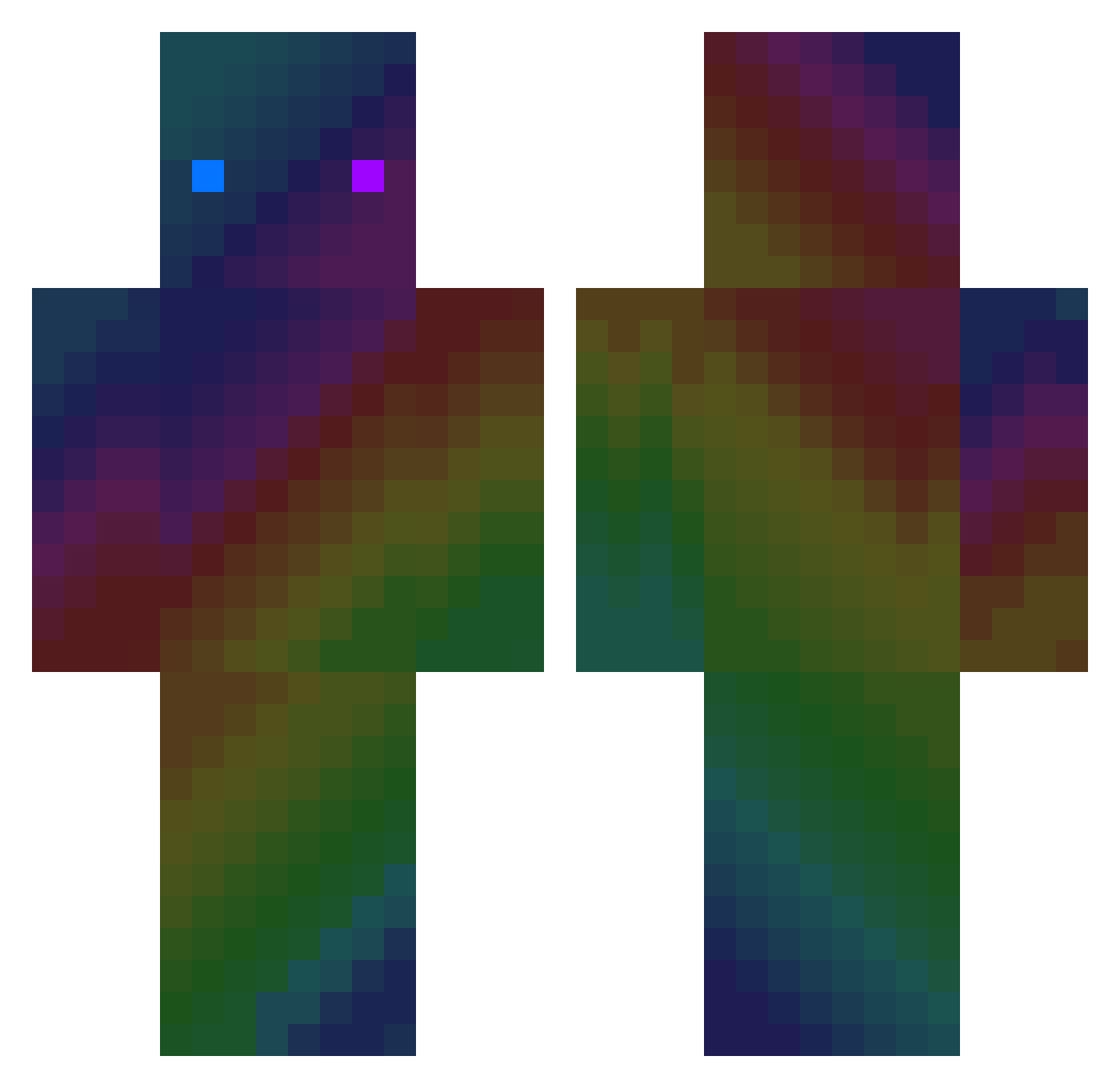
Current Minecraft skin of the player MaxiSzymi, loaded from the official Mojang API. Rotate the 3D model with your mouse or finger, then download the skin as a PNG file and use it in Minecraft: Bedrock Edition or Java Edition for free. When MaxiSzymi changes their skin, this page updates automatically and the old skin stays in the history below.
Other players with this skin (412)
MaxiSzymi was the 221st player we have seen with this skin, first spotted on 01.10.2026. The same skin was seen on these players. Open a nickname to see their current skin and skin history.
 Ethson111 GreatAwater capeta1430 Vyadin sj021217 dalehughes3 haryge BreckzTv Haru_Leopard IDK_plytka Th3cubeCreatuRE_ ColaOriginal1L Xzzang Immortal0 Melisyou Yael08975 diaodiao186 ZhangYong LianJordaan MPC_ _Sweets_ bogdaster lM4X laki_xD HayvanLetsPlay Jackson54300 Cute_Danbi Stxrmcast TwiXca MacaraStar5 Baumeistertim9 EasonnnnnnSun Sivabo sirgiac VOIDNiasse keylo85 RKJackson Omer_PvP_31 Corn_flex91 xLiL_Peep Dadanmai GGC_EZ taroyy XxerwsdafxX itsLukas_21 slime_smile _KopiGame_ ttakara klajove GunterFox yoshikoop Onwar1 kody2198 Yofondo TitanCrafter osomabinlagginX GuarDian0721 Qizzy dla0913 a177301
How to install the MaxiSzymi skin
- Press the Download button above to save the skin as a PNG file.
- Minecraft: Bedrock Edition (PE): open the Dressing Room from the main menu (or tap your character → Edit Character), go to Classic Skins → Owned, press the + (new skin) button, choose the downloaded PNG and pick the Classic (Steve) model. Works on PC and mobile; consoles cannot import custom skins.
- Minecraft: Java Edition: open the Minecraft Launcher, go to the Skins tab, click New Skin, load the PNG, pick the Classic (Steve) model and press Save & Use. You can also upload it at minecraft.net → Profile → Change Skin.
The skin does not show up after import - what should I do?
Restart Minecraft and open the Dressing Room again - imported skins sometimes appear only after a restart. Also make sure you selected the imported skin and picked the Classic (Steve) model.
Which model should I choose, Classic or Slim?
This skin is designed for the Classic (Steve) model. If you pick the wrong model, the arms of the skin will look stretched or squeezed.
Is the skin of MaxiSzymi free to download?
Yes. Press Download, save the PNG file and use it in Minecraft: Bedrock Edition or Java Edition - no payment or registration needed. The skin also works on multiplayer servers and Realms.
More skins
Looking for more? Go back to all Minecraft skins and check the top skins of the week, month and all time, or find any player's skin by nickname.