
Max1071213 - Minecraft Skins & Skin History
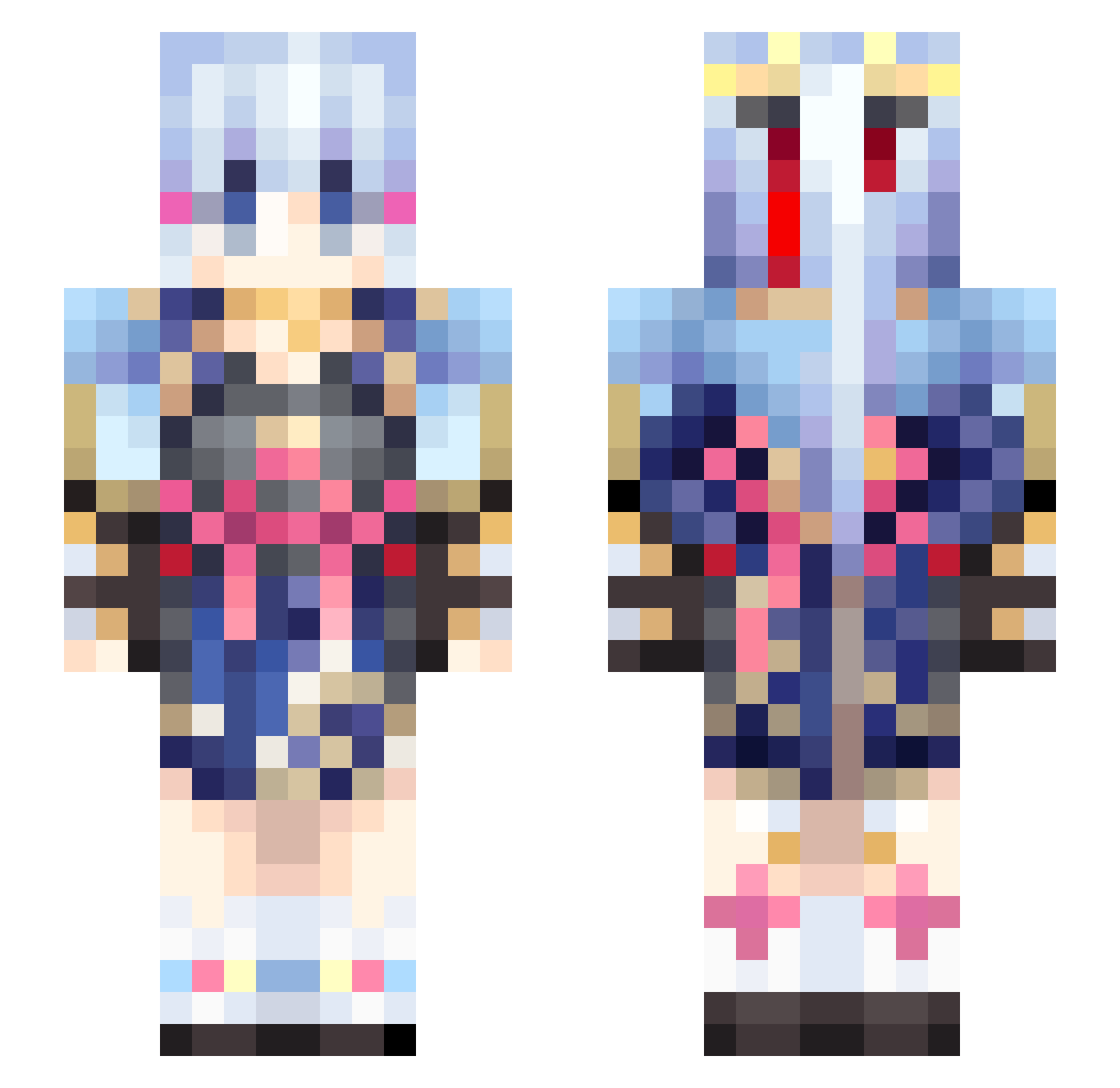
Current Minecraft skin of the player Max1071213, loaded from the official Mojang API. Rotate the 3D model with your mouse or finger, then download the skin as a PNG file and use it in Minecraft: Bedrock Edition or Java Edition for free. When Max1071213 changes their skin, this page updates automatically and the old skin stays in the history below.
Other players with this skin (559)
Max1071213 was the 467th player we have seen with this skin, first spotted on 02.11.2026. The same skin was seen on these players. Open a nickname to see their current skin and skin history.
 Froodem ffftua sufuraru BunnyG13 luckple2 yosaphat VietTheOnly SukiOfficial Bananaore0913 REProMAX MiSter_xc ArtNaKub qianshu666 Krevi_ queuqueu articitie wswk666 Hostregn AnxodaMorte yichenchen233 Google_6 A1A2B1B2BOOM Reaosen Jerry_What jya_ou PomDeuTair L_I_U negi10825 Yukumo_Yukari waiyade0 The_linlin amuek Lost0602 TQVT Kumiko3 LenXpress wmelon1437 PeeekaBoe homufomu MrAruuu Rabusutori LinghuaAyaka ponta3710 doo_msmc_9m4 zamsim MuteDolphin CuteFish_777 tonohara Mostarnq TufaMar RipperJack34 sparks9910 OEM5 skivea TeffaMishUwU qin_lei Ayaka_Diona Rakushumana junzhe Nadim_
More Kimono Minecraft skins
How to install the Max1071213 skin
- Press the Download button above to save the skin as a PNG file.
- Minecraft: Bedrock Edition (PE): open the Dressing Room from the main menu (or tap your character → Edit Character), go to Classic Skins → Owned, press the + (new skin) button, choose the downloaded PNG and pick the Slim (Alex) model. Works on PC and mobile; consoles cannot import custom skins.
- Minecraft: Java Edition: open the Minecraft Launcher, go to the Skins tab, click New Skin, load the PNG, pick the Slim (Alex) model and press Save & Use. You can also upload it at minecraft.net → Profile → Change Skin.
The skin does not show up after import - what should I do?
Restart Minecraft and open the Dressing Room again - imported skins sometimes appear only after a restart. Also make sure you selected the imported skin and picked the Slim (Alex) model.
Which model should I choose, Classic or Slim?
This skin is designed for the Slim (Alex) model. If you pick the wrong model, the arms of the skin will look stretched or squeezed.
Is the skin of Max1071213 free to download?
Yes. Press Download, save the PNG file and use it in Minecraft: Bedrock Edition or Java Edition - no payment or registration needed. The skin also works on multiplayer servers and Realms.
More skins
Looking for more? Go back to all Minecraft skins and check the top skins of the week, month and all time, or find any player's skin by nickname.