
MattiX9 - Minecraft Skins & Skin History
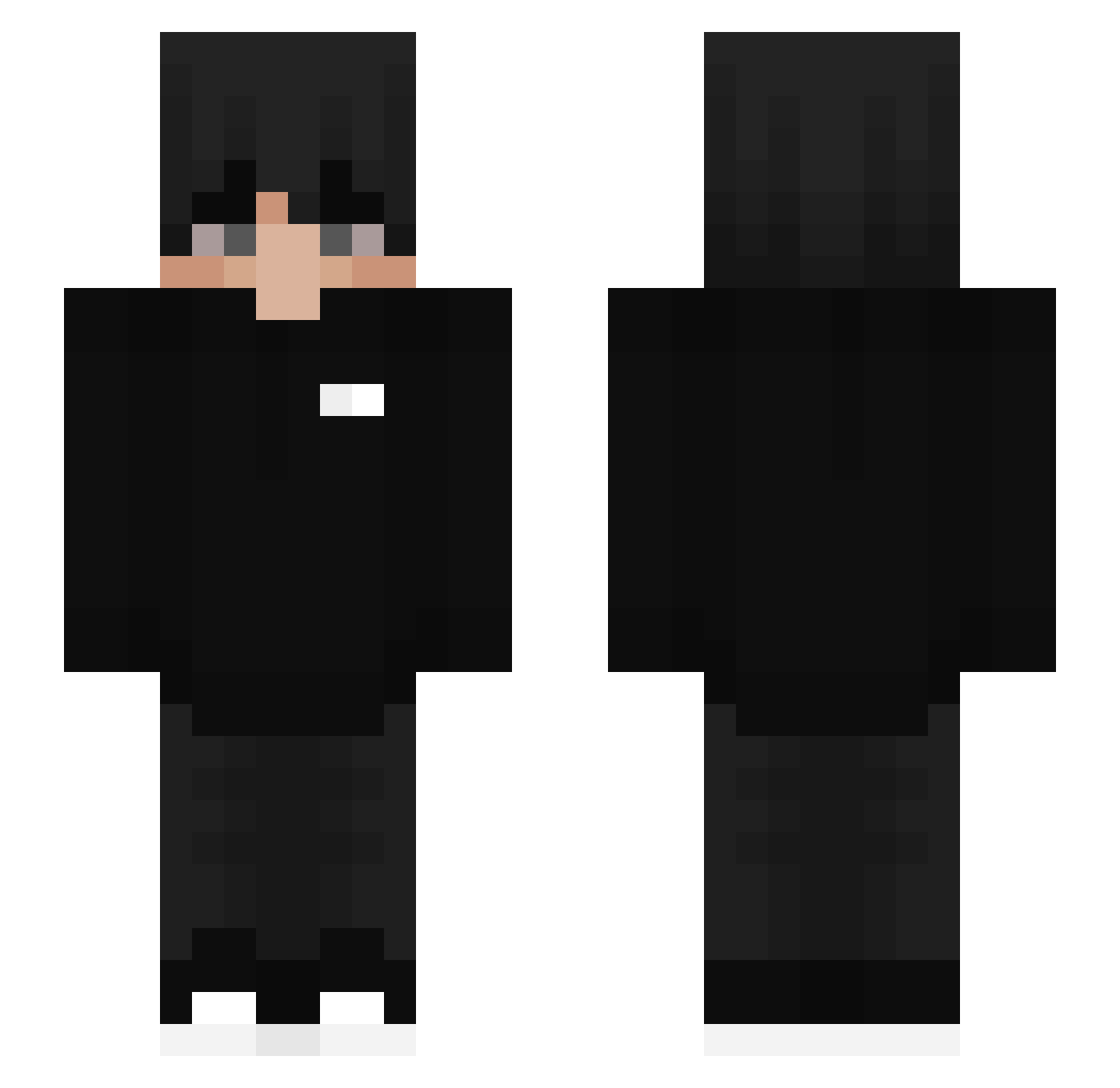
Current Minecraft skin of the player MattiX9, loaded from the official Mojang API. Rotate the 3D model with your mouse or finger, then download the skin as a PNG file and use it in Minecraft: Bedrock Edition or Java Edition for free. When MattiX9 changes their skin, this page updates automatically and the old skin stays in the history below.
Other players with this skin (454)
MattiX9 was the 171st player we have seen with this skin, first spotted on 08.09.2026. The same skin was seen on these players. Open a nickname to see their current skin and skin history.
 ImSucida Kiros_void drippxn_ Adrian49424 YoungBlessed Masacreishon_1 Tomtdce Trunks23k Emp_1 Daxetoes Dungboyday QteZ LimonluHavuc SUPERCIAO Kopotoyo stupidKarma ClearlyColton Martiemche Youcefe_dz Iive_omen CHANSTAR09 muilivert Futurists WeAreBetter paolossj dominic22 UnHopeles toucini Hibizcus JMGaming7 NOT_AMRO Wertax340 ENZIAGA Guilleee21 floud1x Hydranotfound collenmurphy Vaannix Calzo92 ryanzzz0 Piner0 Isaaht ToastedCircuits Xalvos_ pOLq192 SheHawkOnMyTuah OinkyDoodley ChoiGahyeon AxlRss Fearlesswidow Itz_GJR_ Kuxaii kiwiiguccii Skytrack3000 ItsQuantumm zHeroYthalo xLynz_ GermanDampflok Paradaxum ImNeto_
How to install the MattiX9 skin
- Press the Download button above to save the skin as a PNG file.
- Minecraft: Bedrock Edition (PE): open the Dressing Room from the main menu (or tap your character → Edit Character), go to Classic Skins → Owned, press the + (new skin) button, choose the downloaded PNG and pick the Slim (Alex) model. Works on PC and mobile; consoles cannot import custom skins.
- Minecraft: Java Edition: open the Minecraft Launcher, go to the Skins tab, click New Skin, load the PNG, pick the Slim (Alex) model and press Save & Use. You can also upload it at minecraft.net → Profile → Change Skin.
The skin does not show up after import - what should I do?
Restart Minecraft and open the Dressing Room again - imported skins sometimes appear only after a restart. Also make sure you selected the imported skin and picked the Slim (Alex) model.
Which model should I choose, Classic or Slim?
This skin is designed for the Slim (Alex) model. If you pick the wrong model, the arms of the skin will look stretched or squeezed.
Is the skin of MattiX9 free to download?
Yes. Press Download, save the PNG file and use it in Minecraft: Bedrock Edition or Java Edition - no payment or registration needed. The skin also works on multiplayer servers and Realms.
More skins
Looking for more? Go back to all Minecraft skins and check the top skins of the week, month and all time, or find any player's skin by nickname.