
Matheusxds123 - Minecraft Skins & Skin History
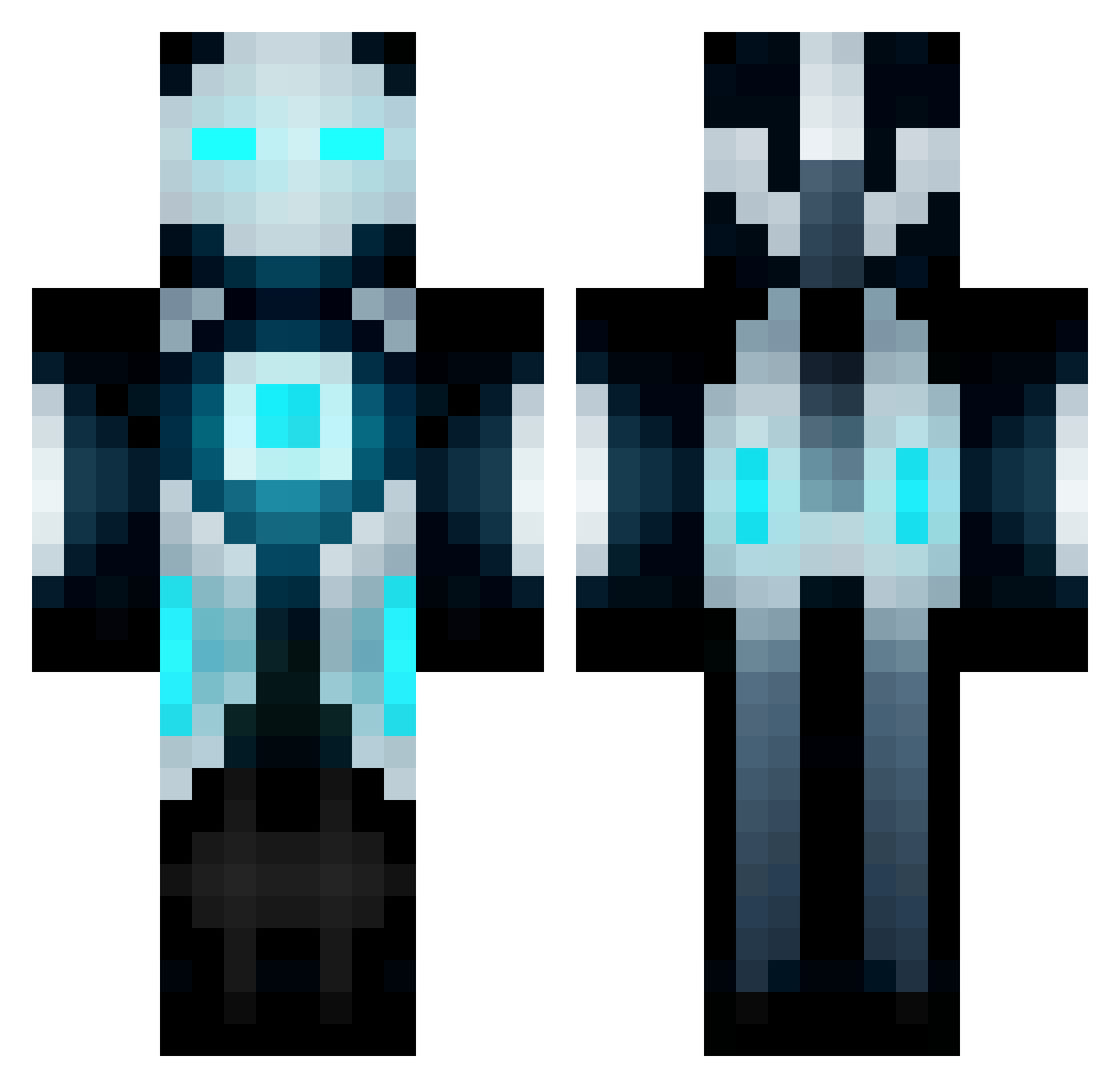
Current Minecraft skin of the player Matheusxds123, loaded from the official Mojang API. Rotate the 3D model with your mouse or finger, then download the skin as a PNG file and use it in Minecraft: Bedrock Edition or Java Edition for free. When Matheusxds123 changes their skin, this page updates automatically and the old skin stays in the history below.
Other players with this skin (64)
Matheusxds123 was the 25th player we have seen with this skin, first spotted on 07.09.2026. The same skin was seen on these players. Open a nickname to see their current skin and skin history.
 Jujotar0 Henry920719 oxayd lyonchik Sebyrty liaojunhan HangZai1 Kevin_koala MERTOYUNDA0 DugteX LiamJTC Leonidasan Avnoob6572 Drone_Tomymy Rickochet Tato12 oHaise GEMYNI Arbalest278 yader_i tinkerbrill Abilxx SmallStreet Gimbel LoginPanel07 RidingHigh Mashiro79 Mocheng07 Awacs_Bosch min_sung_05 Smaugitox CrimsonTyphon chan2023 notions11 Morningbears Takokumono BOOTYLOVER2001 UVEROLF Bonedemon29 Cha3Young Fragile_sama suixinio jacky950912 Mickey1945 mcrocks99 Famz97 Kokolong112 Dr_zitao bioscaJ123 JannePanneJP DroZZD Triico29 Clau3012 highforrest SuperJoukeMan_ Lippels Lenkl_LK AlvinLo Iampeterrr LuchoRP_
More Mech Minecraft skins
How to install the Matheusxds123 skin
- Press the Download button above to save the skin as a PNG file.
- Minecraft: Bedrock Edition (PE): open the Dressing Room from the main menu (or tap your character → Edit Character), go to Classic Skins → Owned, press the + (new skin) button, choose the downloaded PNG and pick the Classic (Steve) model. Works on PC and mobile; consoles cannot import custom skins.
- Minecraft: Java Edition: open the Minecraft Launcher, go to the Skins tab, click New Skin, load the PNG, pick the Classic (Steve) model and press Save & Use. You can also upload it at minecraft.net → Profile → Change Skin.
The skin does not show up after import - what should I do?
Restart Minecraft and open the Dressing Room again - imported skins sometimes appear only after a restart. Also make sure you selected the imported skin and picked the Classic (Steve) model.
Which model should I choose, Classic or Slim?
This skin is designed for the Classic (Steve) model. If you pick the wrong model, the arms of the skin will look stretched or squeezed.
Is the skin of Matheusxds123 free to download?
Yes. Press Download, save the PNG file and use it in Minecraft: Bedrock Edition or Java Edition - no payment or registration needed. The skin also works on multiplayer servers and Realms.
More skins
Looking for more? Go back to all Minecraft skins and check the top skins of the week, month and all time, or find any player's skin by nickname.