
Mastrolindo12 - Minecraft Skins & Skin History
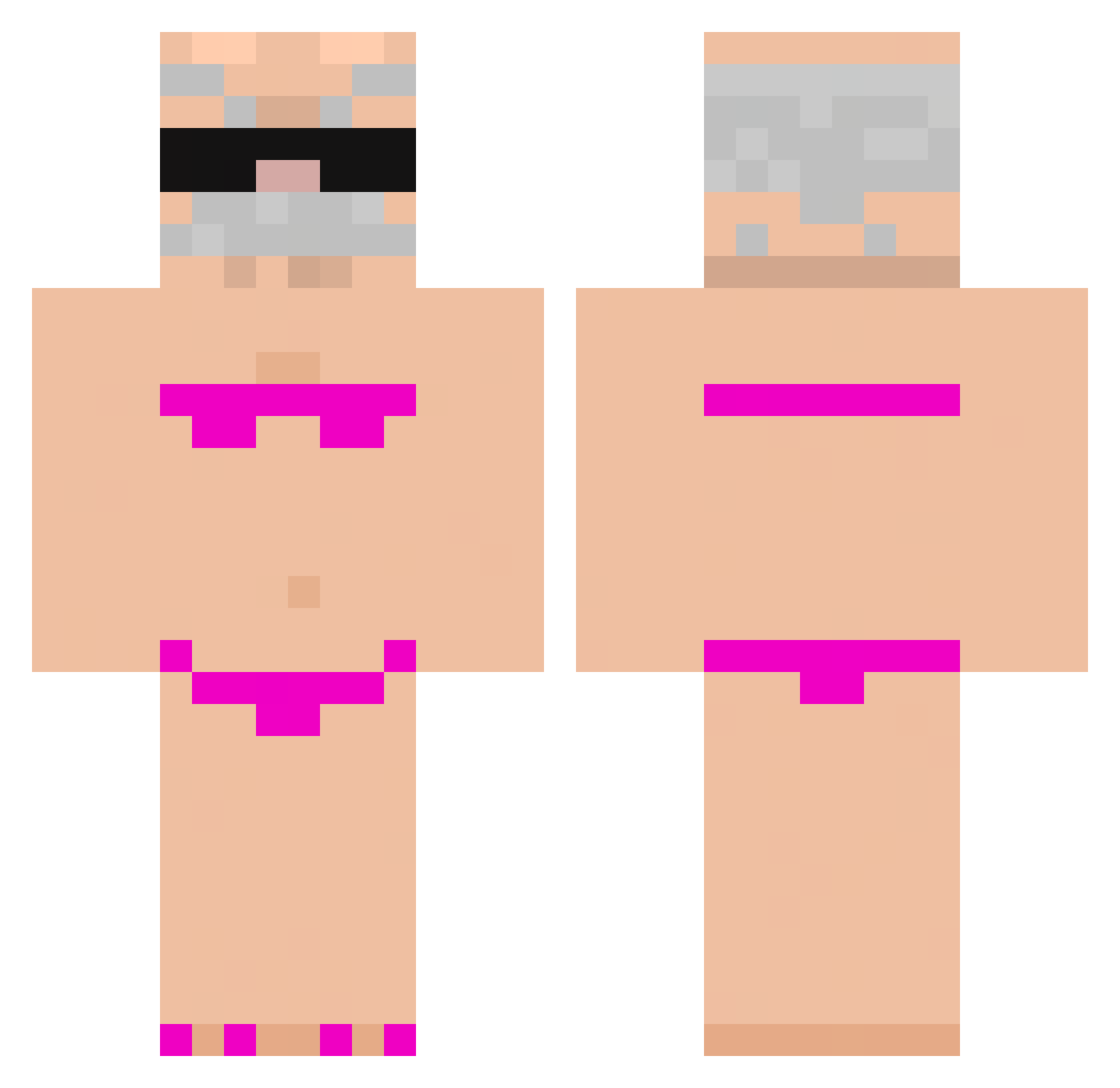
Current Minecraft skin of the player Mastrolindo12, loaded from the official Mojang API. Rotate the 3D model with your mouse or finger, then download the skin as a PNG file and use it in Minecraft: Bedrock Edition or Java Edition for free. When Mastrolindo12 changes their skin, this page updates automatically and the old skin stays in the history below.
Other players with this skin (772)
Mastrolindo12 was the 141st player we have seen with this skin, first spotted on 11.08.2026. The same skin was seen on these players. Open a nickname to see their current skin and skin history.
 Victormg12 Fexiiii Quim_Goblin sexy_ooh LOST_STEVEN Jackyboi2817 Ultraboy06 ArrowBiuBiuBiu reyzu__ Gay_Tony hazxvy vandog155 LeGOATNesKOUIque b00berts yLuxano Sunrising33 Gustavo_SBR enagyromonoskulo PotatoSack1890 KerSonExx babeQ admusss Phablo recievel Peruano4312 NocalteBr wlgud10 MrVozy travel_1 Nevn0 stinkymcfarty Pipi0Lit Kenny176508 Riguy133 ImGonnaTouchU123 WEIFAN006 karlo3890 IamGayOwO fRaiSoNf katxax MarcoRuben9 FengNanas6 koda18 Kingston_L Kandziu__
 Humildeeeee So1Litrin luxiana03 Zombie_Dude123 xay666 MasonK312 _MLN_ Wakacyjny ariel5602 NiTrO11k ruddl17 jabih your_mom_xDD Doozie99 Nitholll
More Karl Marx Minecraft skins
How to install the Mastrolindo12 skin
- Press the Download button above to save the skin as a PNG file.
- Minecraft: Bedrock Edition (PE): open the Dressing Room from the main menu (or tap your character → Edit Character), go to Classic Skins → Owned, press the + (new skin) button, choose the downloaded PNG and pick the Classic (Steve) model. Works on PC and mobile; consoles cannot import custom skins.
- Minecraft: Java Edition: open the Minecraft Launcher, go to the Skins tab, click New Skin, load the PNG, pick the Classic (Steve) model and press Save & Use. You can also upload it at minecraft.net → Profile → Change Skin.
The skin does not show up after import - what should I do?
Restart Minecraft and open the Dressing Room again - imported skins sometimes appear only after a restart. Also make sure you selected the imported skin and picked the Classic (Steve) model.
Which model should I choose, Classic or Slim?
This skin is designed for the Classic (Steve) model. If you pick the wrong model, the arms of the skin will look stretched or squeezed.
Is the skin of Mastrolindo12 free to download?
Yes. Press Download, save the PNG file and use it in Minecraft: Bedrock Edition or Java Edition - no payment or registration needed. The skin also works on multiplayer servers and Realms.
More skins
Looking for more? Go back to all Minecraft skins and check the top skins of the week, month and all time, or find any player's skin by nickname.