
Mastergamerone - Minecraft Skins & Skin History
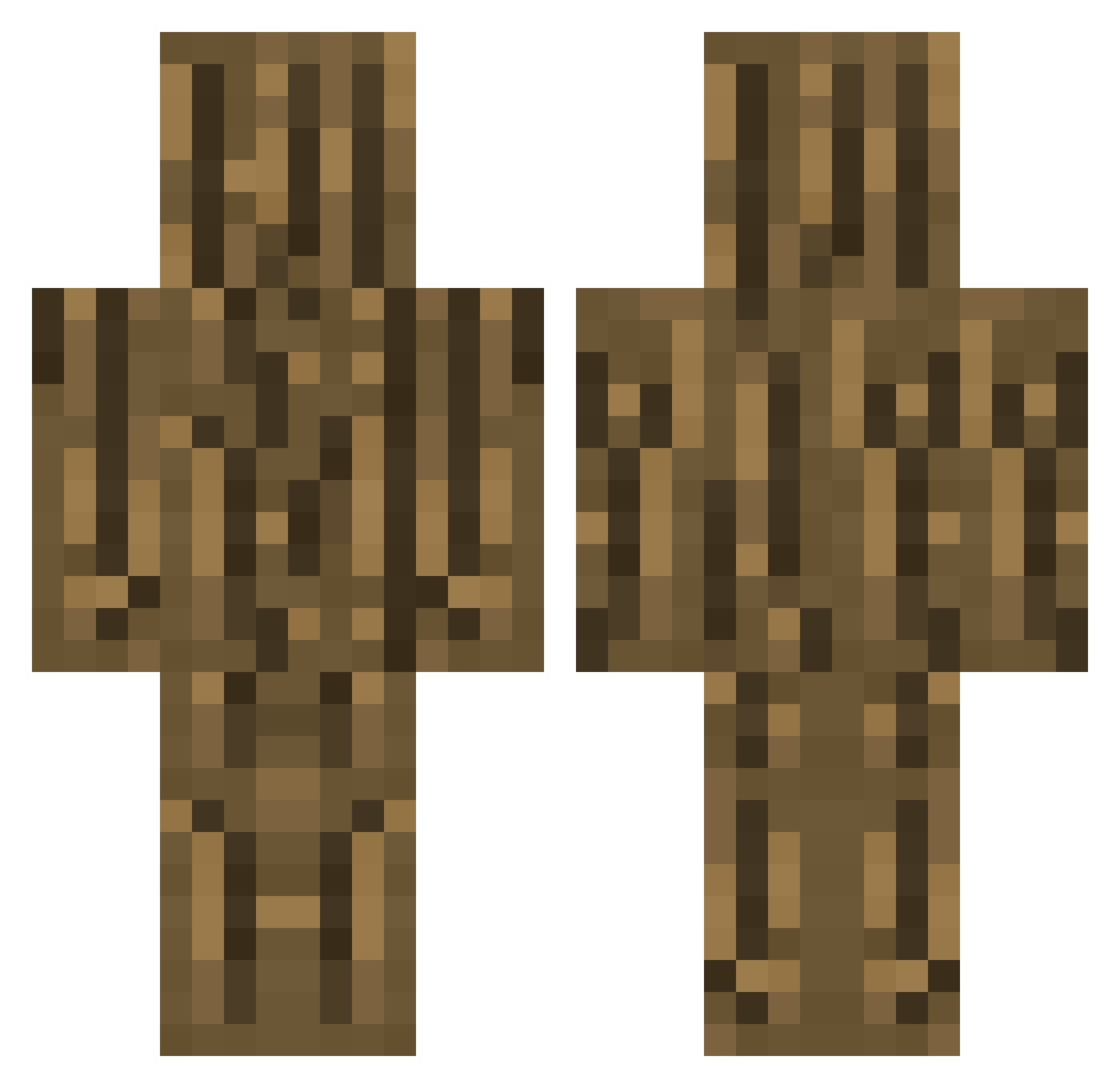
Current Minecraft skin of the player Mastergamerone, loaded from the official Mojang API. Rotate the 3D model with your mouse or finger, then download the skin as a PNG file and use it in Minecraft: Bedrock Edition or Java Edition for free. When Mastergamerone changes their skin, this page updates automatically and the old skin stays in the history below.
Other players with this skin (301)
Mastergamerone was the 74th player we have seen with this skin, first spotted on 20.08.2026. The same skin was seen on these players. Open a nickname to see their current skin and skin history.
 ikimal arlooosus Kamem_0827 hoyun_7821 InstAgrume WoodFood H_H_H_SS RockFoil edge082 Banned___ AmigoSenior rkoroglu koppepan6gou CX_SH RASP_KR VeganMaster PersYVALOrR Burrychek otavisco isozin ronblaier oIokr OpG_Skittl3s pn12 unteren_Text felipincruel jeyj10 xuhx OakWoodmen Shrivas MagicZocker stromper40 WebberLiao thewiseman48
 Patatasconbrgr jungumMa3 Ijiraq7 Tirex66 erobrinewgf JwmS_ 420Blazekush420 haruto1221 VSV2013 dlgusgml Austiusa6yt MrSteele_ Pralesnicek ppongta LaserYuma Gooblegorp Luden720 portroster catapila1 SoothSire bearfishman Madman000 Gaetanyv MARUTA_GG Bob5876 BLAZELOL1V1
More Oak Log Minecraft skins
How to install the Mastergamerone skin
- Press the Download button above to save the skin as a PNG file.
- Minecraft: Bedrock Edition (PE): open the Dressing Room from the main menu (or tap your character → Edit Character), go to Classic Skins → Owned, press the + (new skin) button, choose the downloaded PNG and pick the Classic (Steve) model. Works on PC and mobile; consoles cannot import custom skins.
- Minecraft: Java Edition: open the Minecraft Launcher, go to the Skins tab, click New Skin, load the PNG, pick the Classic (Steve) model and press Save & Use. You can also upload it at minecraft.net → Profile → Change Skin.
The skin does not show up after import - what should I do?
Restart Minecraft and open the Dressing Room again - imported skins sometimes appear only after a restart. Also make sure you selected the imported skin and picked the Classic (Steve) model.
Which model should I choose, Classic or Slim?
This skin is designed for the Classic (Steve) model. If you pick the wrong model, the arms of the skin will look stretched or squeezed.
Is the skin of Mastergamerone free to download?
Yes. Press Download, save the PNG file and use it in Minecraft: Bedrock Edition or Java Edition - no payment or registration needed. The skin also works on multiplayer servers and Realms.
More skins
Looking for more? Go back to all Minecraft skins and check the top skins of the week, month and all time, or find any player's skin by nickname.