
MasterTwinshi - Minecraft Skins & Skin History
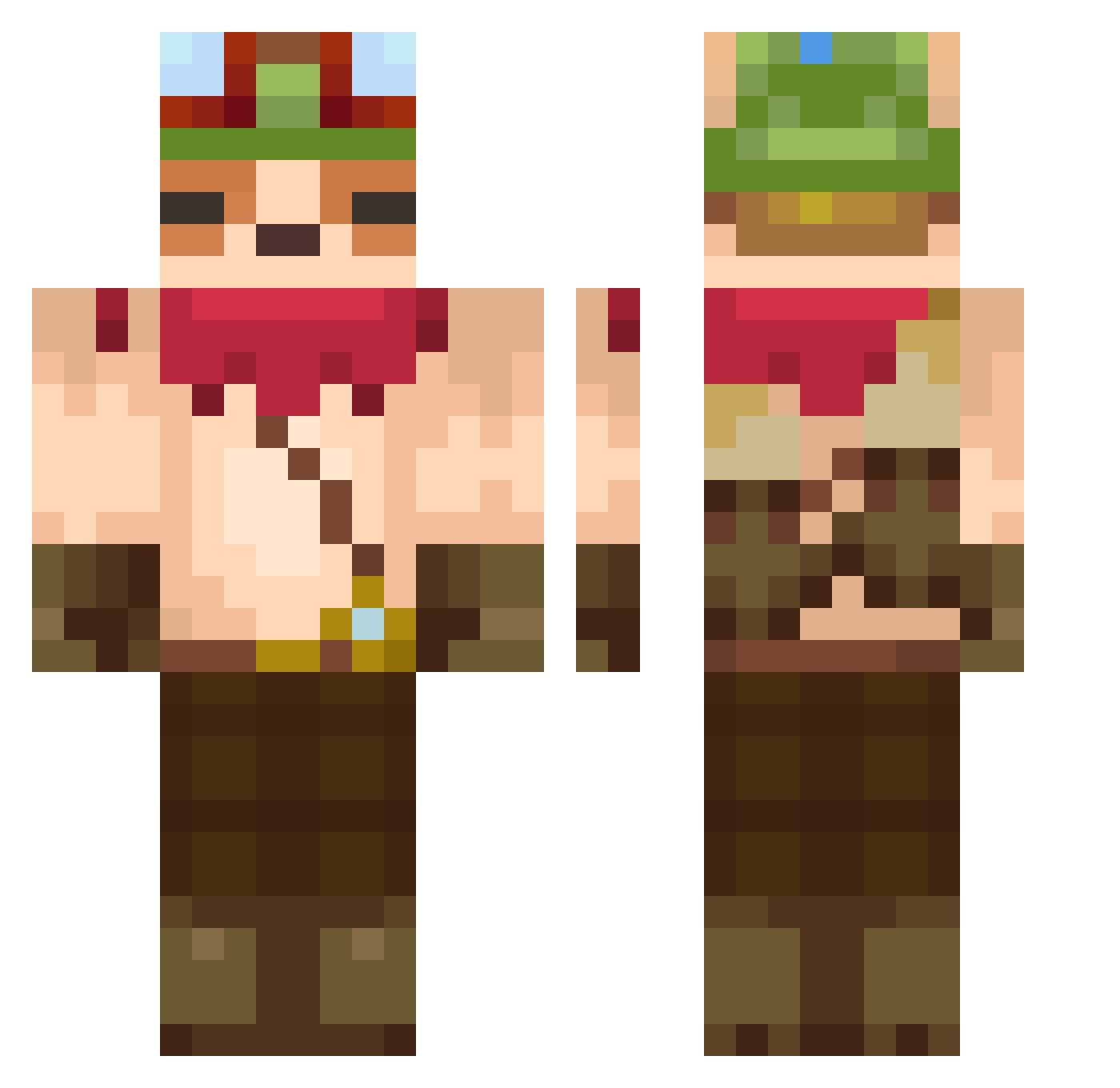
Current Minecraft skin of the player MasterTwinshi, loaded from the official Mojang API. Rotate the 3D model with your mouse or finger, then download the skin as a PNG file and use it in Minecraft: Bedrock Edition or Java Edition for free. When MasterTwinshi changes their skin, this page updates automatically and the old skin stays in the history below.
Other players with this skin (607)
MasterTwinshi was the 93rd player we have seen with this skin, first spotted on 11.08.2026. The same skin was seen on these players. Open a nickname to see their current skin and skin history.
 tulallan Tobsitui 00Equinox00 HYEON_OvO konkelirumpan sizzlingpilot B_LISS KJAM_IS2HOT otter_99 kanghan0929 iTzFocus11 wxmg Rimea_Liv aaj_zn lynou34 MeowoMeow zutautaz Goshynder Ekynox7 HoangDuck Joaoor721 BugCatcherGary hagguGG Hld30nBush ThePuffn TheEarthSmiled sp1oit2 keddy7410123 IMseonho Crayfishes leokang8 Luna2545 Nitherem siziminr BanditTeemo MalaiseJ0lnir__ Kylepig AgentePablo12 HS1122 UwUboyUwU SheepChou MineBlazePT Sinthuson YutakaXX jun0604jun0604 JeanS3N NeGu_ taemoz 1Cairo Antazura WojKulka Nemeryk_ SUJIN5052 orangelegends116 Tuarion Barrow22
 Lucoquine zUrban HEE_XX TheXperiaz
More Bandana Minecraft skins
How to install the MasterTwinshi skin
- Press the Download button above to save the skin as a PNG file.
- Minecraft: Bedrock Edition (PE): open the Dressing Room from the main menu (or tap your character → Edit Character), go to Classic Skins → Owned, press the + (new skin) button, choose the downloaded PNG and pick the Classic (Steve) model. Works on PC and mobile; consoles cannot import custom skins.
- Minecraft: Java Edition: open the Minecraft Launcher, go to the Skins tab, click New Skin, load the PNG, pick the Classic (Steve) model and press Save & Use. You can also upload it at minecraft.net → Profile → Change Skin.
The skin does not show up after import - what should I do?
Restart Minecraft and open the Dressing Room again - imported skins sometimes appear only after a restart. Also make sure you selected the imported skin and picked the Classic (Steve) model.
Which model should I choose, Classic or Slim?
This skin is designed for the Classic (Steve) model. If you pick the wrong model, the arms of the skin will look stretched or squeezed.
Is the skin of MasterTwinshi free to download?
Yes. Press Download, save the PNG file and use it in Minecraft: Bedrock Edition or Java Edition - no payment or registration needed. The skin also works on multiplayer servers and Realms.
More skins
Looking for more? Go back to all Minecraft skins and check the top skins of the week, month and all time, or find any player's skin by nickname.