
MasterMorris2009 - Minecraft Skins & Skin History
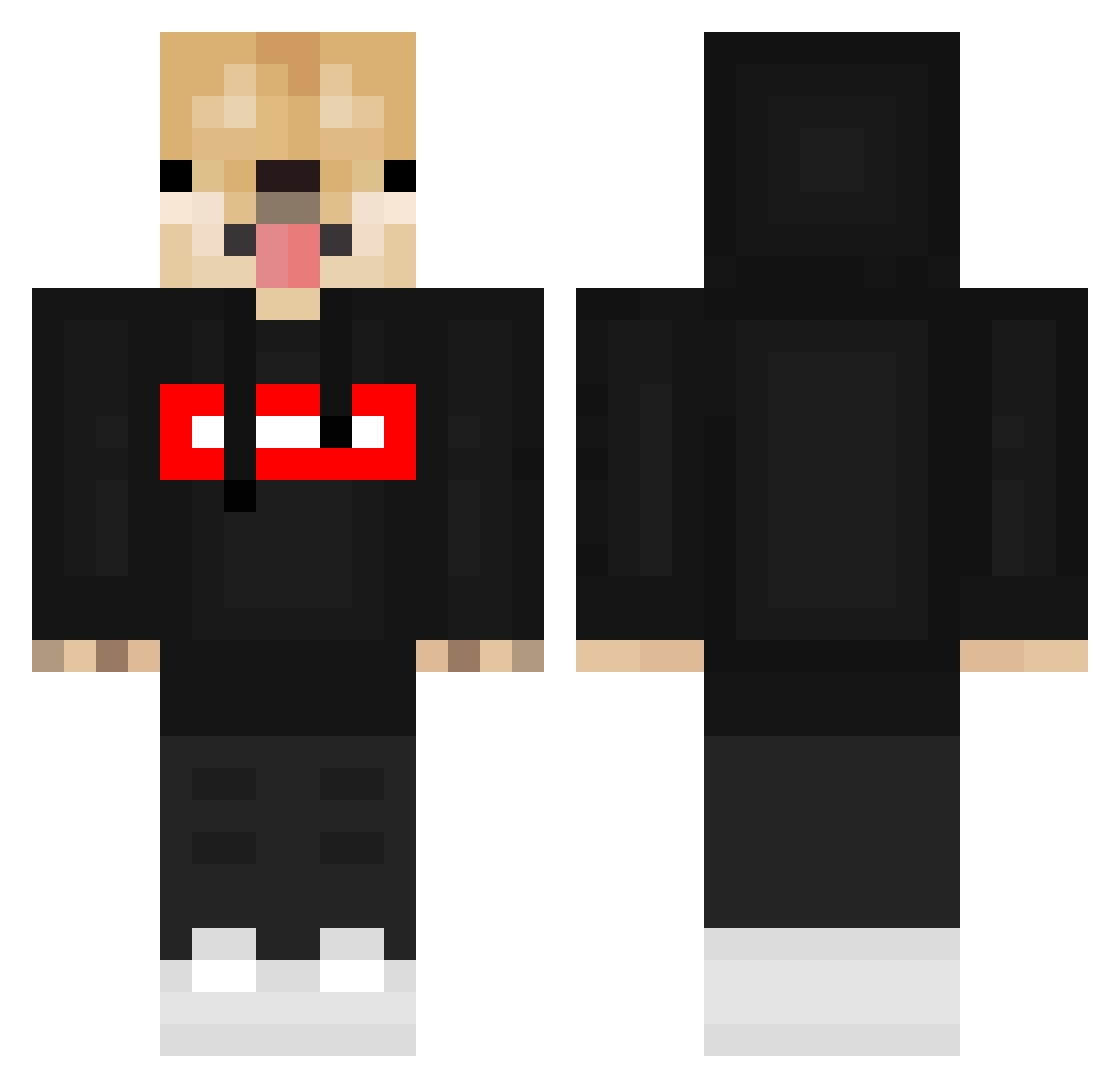
Current Minecraft skin of the player MasterMorris2009, loaded from the official Mojang API. Rotate the 3D model with your mouse or finger, then download the skin as a PNG file and use it in Minecraft: Bedrock Edition or Java Edition for free. When MasterMorris2009 changes their skin, this page updates automatically and the old skin stays in the history below.
Other players with this skin (549)
MasterMorris2009 was the 307th player we have seen with this skin, first spotted on 22.09.2026. The same skin was seen on these players. Open a nickname to see their current skin and skin history.
 EncoreUnNoir jhua _JacekSoplica_ KUSIO2 nonnopino087 iCandyMango Dogflaute DogoVEVO dergrob_ ssanho_ho ninja_doggo__ FlamingoTulip96 Agent_Juri GeraAlvrz Ilyaseatspie Sam0602 RCON_Pluke purukun SSALONENN _Bisc8_89 piqs111 katkin adr22210 Nenikto BoiCookie 222notforyou KillJoy357 AlexLass hugoman31500 Meme_Boi2302 shadowx31 Axeltot stoepsel99 TheArcticWolfy Dogotime samecek00 Metixak ChillingMan monkeysilly1234 Noble1Kenobi Taixxv xCryptoBro VorteXxOfDeath sharkbaby_doodoo skwndnjs Moonchoco jimmy2cans PichuLord Lerken07 Michasiewicz _Papzy_ SchaapViggo boughthorizon_64 OnshoreBear Lazerxz Zennyboiii jogel6 paul_patate Blyke_23 Slureds
More Doge Minecraft skins
How to install the MasterMorris2009 skin
- Press the Download button above to save the skin as a PNG file.
- Minecraft: Bedrock Edition (PE): open the Dressing Room from the main menu (or tap your character → Edit Character), go to Classic Skins → Owned, press the + (new skin) button, choose the downloaded PNG and pick the Classic (Steve) model. Works on PC and mobile; consoles cannot import custom skins.
- Minecraft: Java Edition: open the Minecraft Launcher, go to the Skins tab, click New Skin, load the PNG, pick the Classic (Steve) model and press Save & Use. You can also upload it at minecraft.net → Profile → Change Skin.
The skin does not show up after import - what should I do?
Restart Minecraft and open the Dressing Room again - imported skins sometimes appear only after a restart. Also make sure you selected the imported skin and picked the Classic (Steve) model.
Which model should I choose, Classic or Slim?
This skin is designed for the Classic (Steve) model. If you pick the wrong model, the arms of the skin will look stretched or squeezed.
Is the skin of MasterMorris2009 free to download?
Yes. Press Download, save the PNG file and use it in Minecraft: Bedrock Edition or Java Edition - no payment or registration needed. The skin also works on multiplayer servers and Realms.
More skins
Looking for more? Go back to all Minecraft skins and check the top skins of the week, month and all time, or find any player's skin by nickname.