
MasterCaker - Minecraft Skins & Skin History
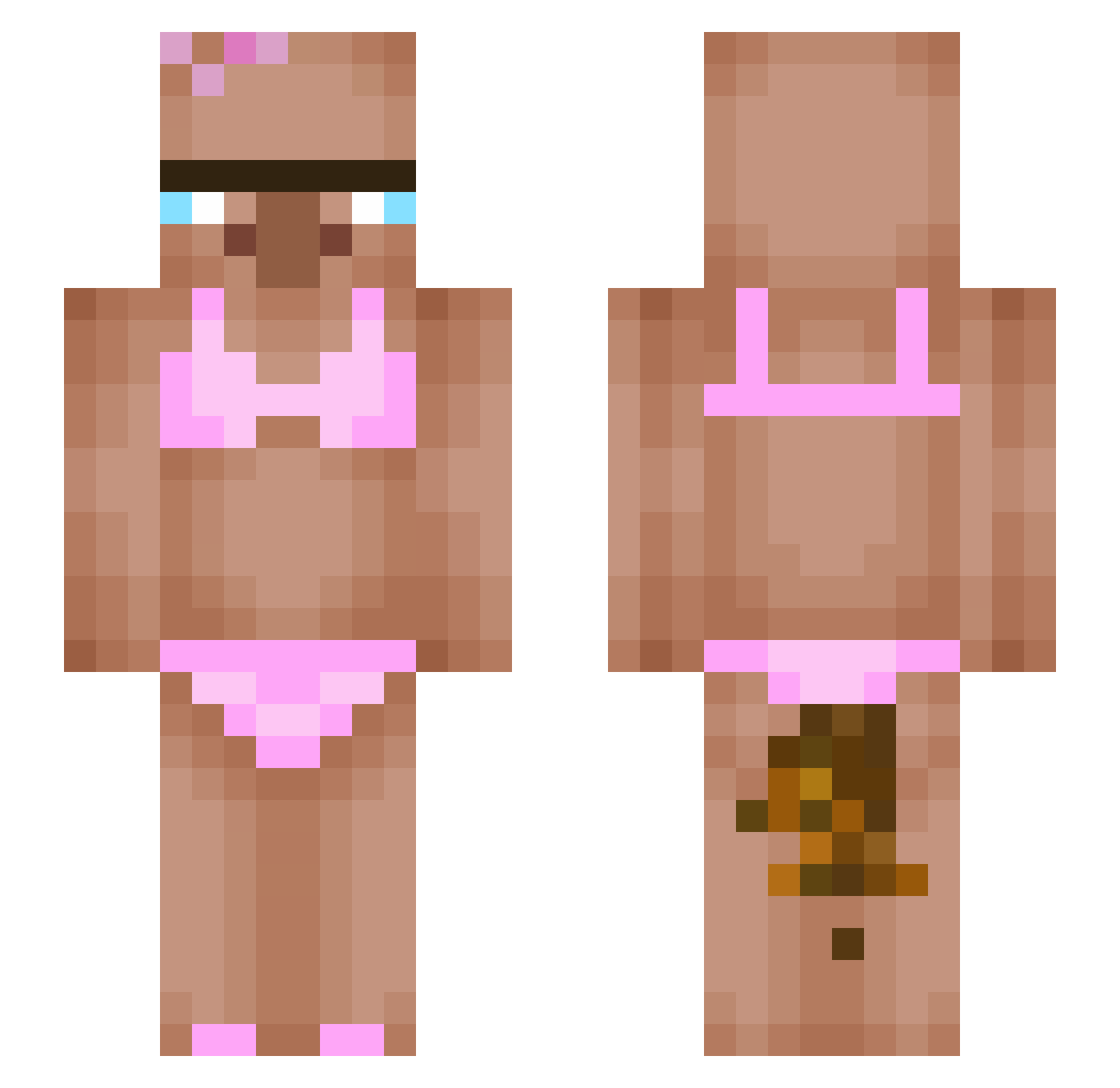
Current Minecraft skin of the player MasterCaker, loaded from the official Mojang API. Rotate the 3D model with your mouse or finger, then download the skin as a PNG file and use it in Minecraft: Bedrock Edition or Java Edition for free. When MasterCaker changes their skin, this page updates automatically and the old skin stays in the history below.
Other players with this skin (481)
MasterCaker was the 427th player we have seen with this skin, first spotted on 05.11.2026. The same skin was seen on these players. Open a nickname to see their current skin and skin history.
 Cassidean ad_z Cakevs_ snowygalaxy56 MrRichard03 ItsShmplays_MC LolaMona SrConti zlzon_ttak elSerranito vultzi nix247 poopbutt6741 yarthatsmine dbehdgus0324 Bombitza67 RatzManz Zigi_777 x2dd NightRaid_OmO Break_Bonez_ Kateees3 EnzoLeBoss77 Garenisme Rafiaux _Benutzername_ Yoshicraft_11 melimel I_like_peanut MINCHIO anton1828 N1TROX_69 Pekagod Otemalps luvroksi ElDesti minhll Davidolsky YuichiroHyak HANDINOMOUK youn0702 FixingEggs insey69 CJAS_0 Neurwa ItzzSorrow BRO_White27 Hello_Google34 _Jakubix11_ Xilence_2 acesky59 GirSir123 Mumuark66 Jan_02_04 sdd233 Monqa555 zdrezin hanK_hanKo soggybaconisgood inoctis_ggx
More Bikini Minecraft skins
How to install the MasterCaker skin
- Press the Download button above to save the skin as a PNG file.
- Minecraft: Bedrock Edition (PE): open the Dressing Room from the main menu (or tap your character → Edit Character), go to Classic Skins → Owned, press the + (new skin) button, choose the downloaded PNG and pick the Slim (Alex) model. Works on PC and mobile; consoles cannot import custom skins.
- Minecraft: Java Edition: open the Minecraft Launcher, go to the Skins tab, click New Skin, load the PNG, pick the Slim (Alex) model and press Save & Use. You can also upload it at minecraft.net → Profile → Change Skin.
The skin does not show up after import - what should I do?
Restart Minecraft and open the Dressing Room again - imported skins sometimes appear only after a restart. Also make sure you selected the imported skin and picked the Slim (Alex) model.
Which model should I choose, Classic or Slim?
This skin is designed for the Slim (Alex) model. If you pick the wrong model, the arms of the skin will look stretched or squeezed.
Is the skin of MasterCaker free to download?
Yes. Press Download, save the PNG file and use it in Minecraft: Bedrock Edition or Java Edition - no payment or registration needed. The skin also works on multiplayer servers and Realms.
More skins
Looking for more? Go back to all Minecraft skins and check the top skins of the week, month and all time, or find any player's skin by nickname.