
Masar23 - Minecraft Skins & Skin History
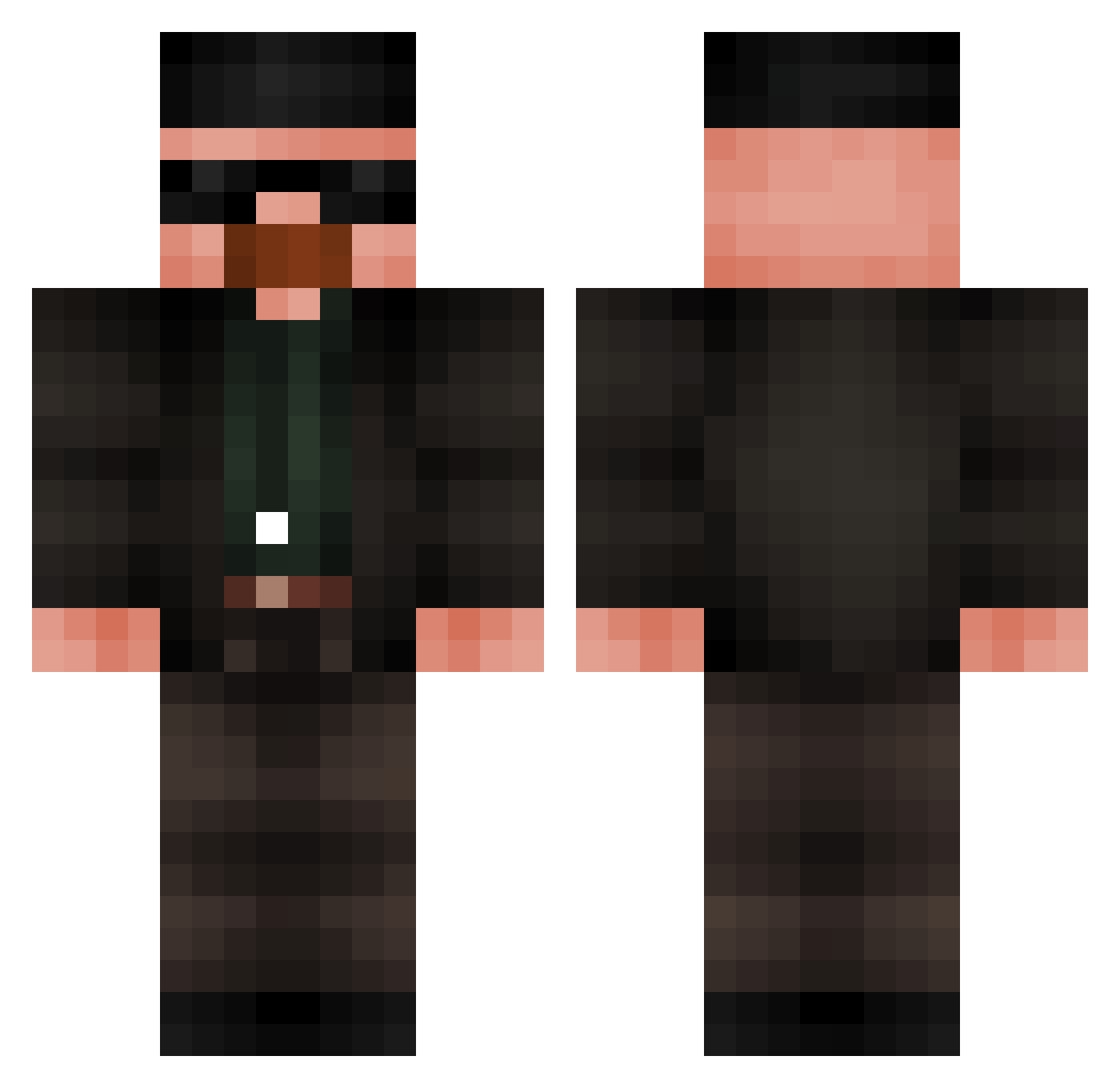
Current Minecraft skin of the player Masar23, loaded from the official Mojang API. Rotate the 3D model with your mouse or finger, then download the skin as a PNG file and use it in Minecraft: Bedrock Edition or Java Edition for free. When Masar23 changes their skin, this page updates automatically and the old skin stays in the history below.
Other players with this skin (686)
Masar23 was the 477th player we have seen with this skin, first spotted on 08.10.2026. The same skin was seen on these players. Open a nickname to see their current skin and skin history.
 Glaxso blowupabuilding Reqiusious Sikeletor Powerlor pasteldepapa12 WoiDx THOOTHGF aang_is_a_sweat RodrigoB943 SleepyRR Kitty_Kamui DaBaumo CiamCiakPL J_artman HITLERk CLRuben8 Chadtrox Creeperhiss10 josue110 RitonLaBanane PotatoFryer Itguy1324 Costellinha mgmitch Sorakaloora BluefaceQuack _Yae_Yotogami_ hgtdf Goat_Lord THE_JASKAA R0EB3N Wansii Deftrope Striimie NIONI42 YaderGomo Nacho_CABJ Bl4ckSebas Mietpat Khipiroh oxPoppy Ralph_078 Banana_King098 aplll mamuelin F1lthy_An1mal theggerman Andrewar Wawesh_ Sadreyhp oNPro_86 PonchoTheMan tarmor510 isWLT Crimewave77 Doge6486 SirAatrox223 Gonsanti Hrtttt
More Heisenberg Minecraft skins
How to install the Masar23 skin
- Press the Download button above to save the skin as a PNG file.
- Minecraft: Bedrock Edition (PE): open the Dressing Room from the main menu (or tap your character → Edit Character), go to Classic Skins → Owned, press the + (new skin) button, choose the downloaded PNG and pick the Classic (Steve) model. Works on PC and mobile; consoles cannot import custom skins.
- Minecraft: Java Edition: open the Minecraft Launcher, go to the Skins tab, click New Skin, load the PNG, pick the Classic (Steve) model and press Save & Use. You can also upload it at minecraft.net → Profile → Change Skin.
The skin does not show up after import - what should I do?
Restart Minecraft and open the Dressing Room again - imported skins sometimes appear only after a restart. Also make sure you selected the imported skin and picked the Classic (Steve) model.
Which model should I choose, Classic or Slim?
This skin is designed for the Classic (Steve) model. If you pick the wrong model, the arms of the skin will look stretched or squeezed.
Is the skin of Masar23 free to download?
Yes. Press Download, save the PNG file and use it in Minecraft: Bedrock Edition or Java Edition - no payment or registration needed. The skin also works on multiplayer servers and Realms.
More skins
Looking for more? Go back to all Minecraft skins and check the top skins of the week, month and all time, or find any player's skin by nickname.