
MarvelHero706 - Minecraft Skins & Skin History
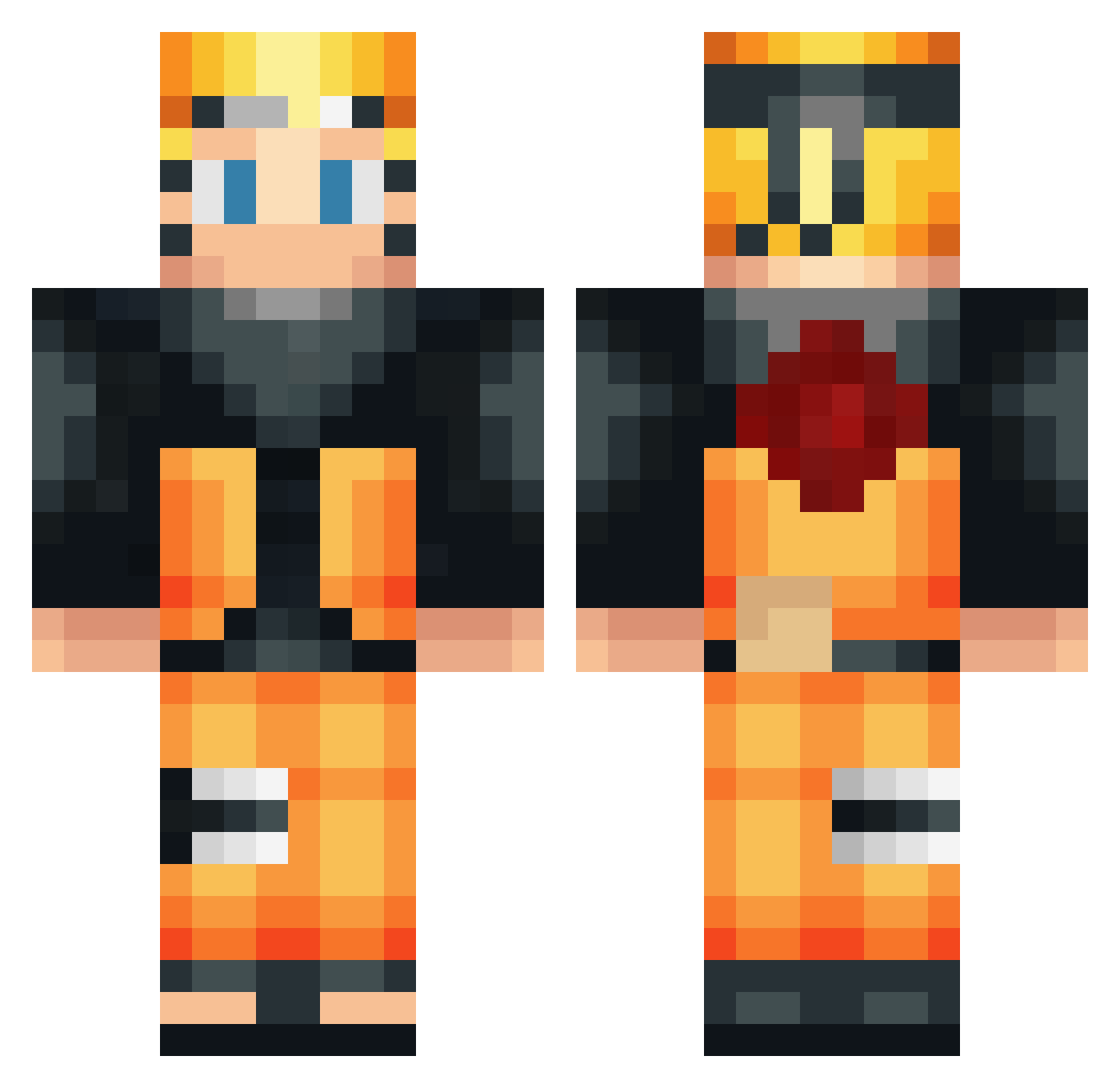
Current Minecraft skin of the player MarvelHero706, loaded from the official Mojang API. Rotate the 3D model with your mouse or finger, then download the skin as a PNG file and use it in Minecraft: Bedrock Edition or Java Edition for free. When MarvelHero706 changes their skin, this page updates automatically and the old skin stays in the history below.
Other players with this skin (531)
MarvelHero706 was the 110th player we have seen with this skin, first spotted on 18.08.2026. The same skin was seen on these players. Open a nickname to see their current skin and skin history.
 lorenzz444 ssrousehill11 bowtiemaddness gremshark TheHomieLuis KCK_Tarkhog Timoplay124 Ricoows BOBFROMCOMPTON ihab05 FireCet Red_Dragon_OMG justos Maga9912 Reffiesx Xx_nonlawat_xX titanicmax1 OrangeFantaM taistomrage Usama1097 Bink549 Zryer tiaguinho_69 DaiBoJ _Command0 Jowel21 JoxHell Pray_Sun MrK4z0u chocomogs CACTUSPOO Krakenweskersito AngeloShaheen RussellTimorous Luffy7mau HRUN69 Kid_Winchester keisuke0614 FazeRoman_21 Azuka14 JTG1228 LaurensDhooge Isshin_T XRampX mikotiv SpartsBlax Shabowo Loud_Riot101 Mejia0226 xUnxHopex Moflo_07 sean52mc GlennTheH3n Matisse84 DonArsyad RatM1lk QuentinLct71 LouisArmand kimmcicle Pandannoir
More Naruto Uzumaki Minecraft skins
See all 473 Naruto Uzumaki skins
How to install the MarvelHero706 skin
- Press the Download button above to save the skin as a PNG file.
- Minecraft: Bedrock Edition (PE): open the Dressing Room from the main menu (or tap your character → Edit Character), go to Classic Skins → Owned, press the + (new skin) button, choose the downloaded PNG and pick the Classic (Steve) model. Works on PC and mobile; consoles cannot import custom skins.
- Minecraft: Java Edition: open the Minecraft Launcher, go to the Skins tab, click New Skin, load the PNG, pick the Classic (Steve) model and press Save & Use. You can also upload it at minecraft.net → Profile → Change Skin.
The skin does not show up after import - what should I do?
Restart Minecraft and open the Dressing Room again - imported skins sometimes appear only after a restart. Also make sure you selected the imported skin and picked the Classic (Steve) model.
Which model should I choose, Classic or Slim?
This skin is designed for the Classic (Steve) model. If you pick the wrong model, the arms of the skin will look stretched or squeezed.
Is the skin of MarvelHero706 free to download?
Yes. Press Download, save the PNG file and use it in Minecraft: Bedrock Edition or Java Edition - no payment or registration needed. The skin also works on multiplayer servers and Realms.
More skins
Looking for more? Go back to all Minecraft skins and check the top skins of the week, month and all time, or find any player's skin by nickname.