
Martext - Minecraft Skins & Skin History
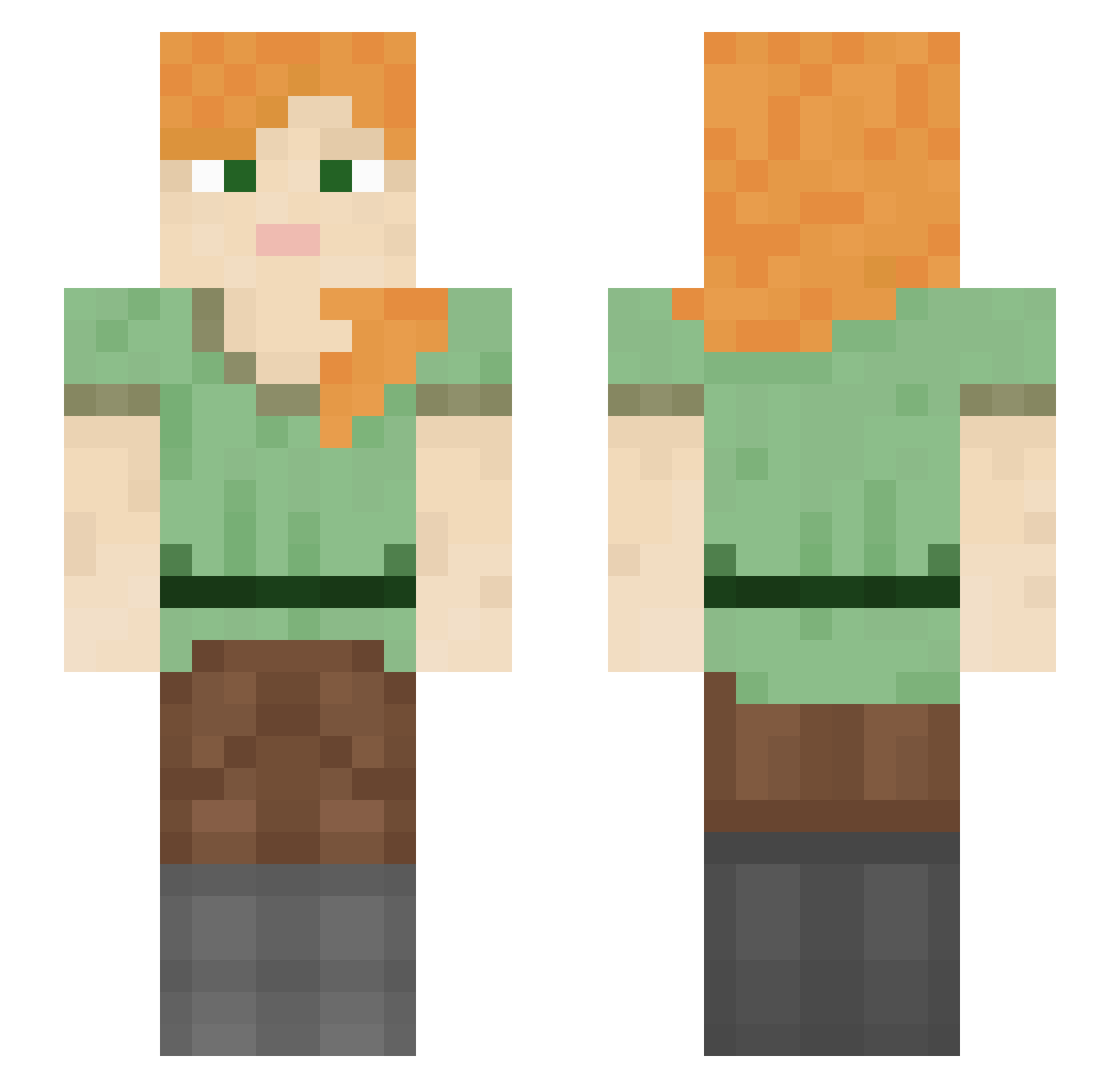
Current Minecraft skin of the player Martext, loaded from the official Mojang API. Rotate the 3D model with your mouse or finger, then download the skin as a PNG file and use it in Minecraft: Bedrock Edition or Java Edition for free. When Martext changes their skin, this page updates automatically and the old skin stays in the history below.
Other players with this skin (1054)
Martext was the 162nd player we have seen with this skin, first spotted on 11.08.2026. The same skin was seen on these players. Open a nickname to see their current skin and skin history.
 Autonomical Honto_no_Kitsune
 thiag0 hectorv1979 ioum Wonder_cat kadi MCkoko10 bobobanana Yoda2831 wallyjoe Rumpuses baxpace Samudesu12 Trigona Peragrate Monkeyslay davidgadol skejs Orgorion Waifu_Nemi_ decommissioning Waco Markerzz i_luv_sum1 Sameto HyveeChineseFood prolepsis Hunny3ee KUSHEDUP AdamLip12 Substage TBojojo RUyUi Zenrys xFujisawaShiro_ AzFroggie koubai undub mopman32 Alexiry Aurrelia lonerwoof zdawg1022 Edwaylor playryze Lun_e PerseusRE tkser_ DuccioRock MignonneNugget StabbingSteves fIoraI MostKP JDR123 AlmightyYakub GodByDawn neverdream369 sneakbrarian ilovechuds
How to install the Martext skin
- Press the Download button above to save the skin as a PNG file.
- Minecraft: Bedrock Edition (PE): open the Dressing Room from the main menu (or tap your character → Edit Character), go to Classic Skins → Owned, press the + (new skin) button, choose the downloaded PNG and pick the Slim (Alex) model. Works on PC and mobile; consoles cannot import custom skins.
- Minecraft: Java Edition: open the Minecraft Launcher, go to the Skins tab, click New Skin, load the PNG, pick the Slim (Alex) model and press Save & Use. You can also upload it at minecraft.net → Profile → Change Skin.
The skin does not show up after import - what should I do?
Restart Minecraft and open the Dressing Room again - imported skins sometimes appear only after a restart. Also make sure you selected the imported skin and picked the Slim (Alex) model.
Which model should I choose, Classic or Slim?
This skin is designed for the Slim (Alex) model. If you pick the wrong model, the arms of the skin will look stretched or squeezed.
Is the skin of Martext free to download?
Yes. Press Download, save the PNG file and use it in Minecraft: Bedrock Edition or Java Edition - no payment or registration needed. The skin also works on multiplayer servers and Realms.
More skins
Looking for more? Go back to all Minecraft skins and check the top skins of the week, month and all time, or find any player's skin by nickname.