
Marmalade_bread - Minecraft Skins & Skin History
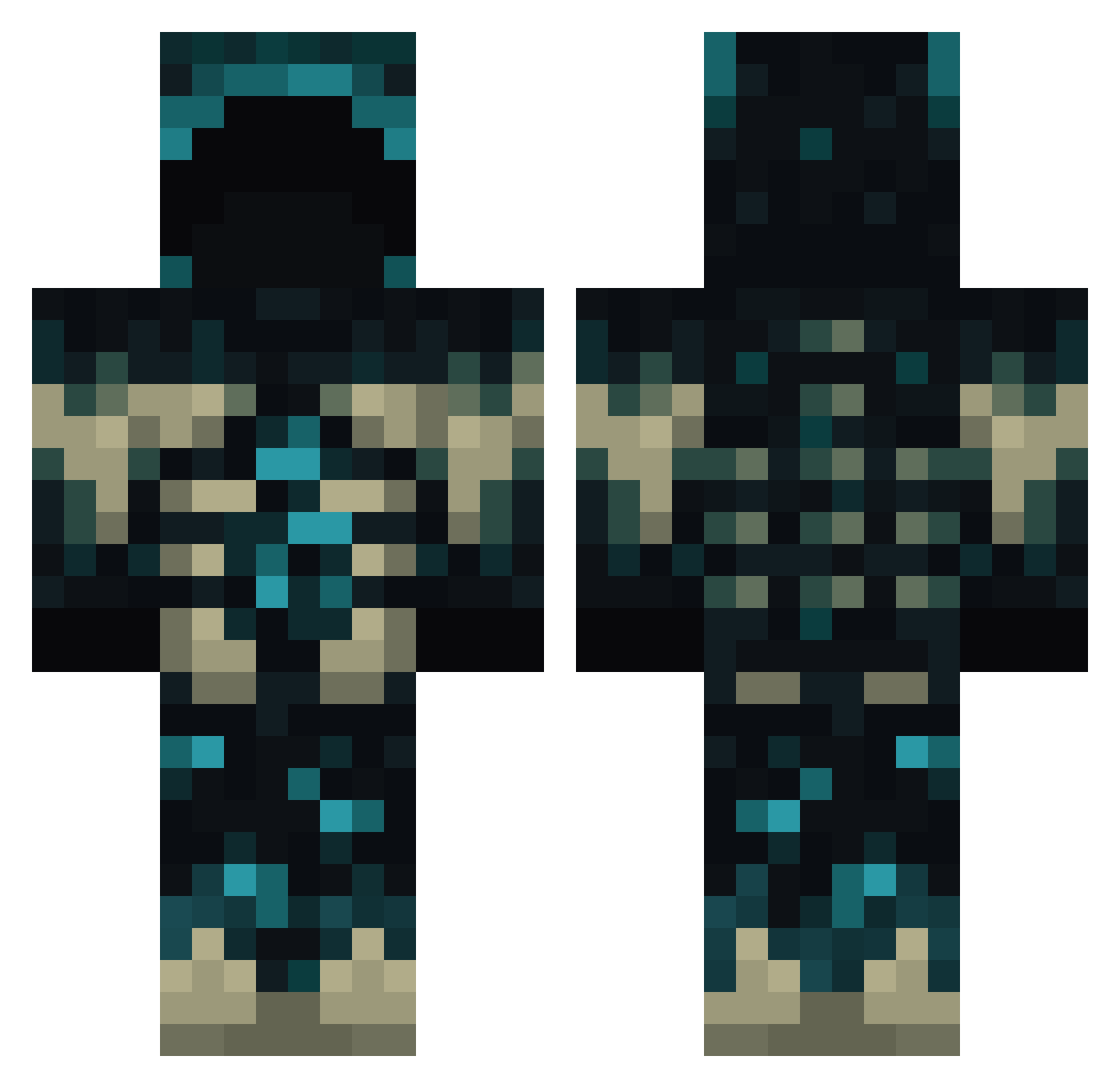
Current Minecraft skin of the player Marmalade_bread, loaded from the official Mojang API. Rotate the 3D model with your mouse or finger, then download the skin as a PNG file and use it in Minecraft: Bedrock Edition or Java Edition for free. When Marmalade_bread changes their skin, this page updates automatically and the old skin stays in the history below.
Other players with this skin (771)
Marmalade_bread was the 13th player we have seen with this skin, first spotted on 24.07.2026. The same skin was seen on these players. Open a nickname to see their current skin and skin history.
 Enderdragon9637 mercury8631 DominikXI StoneBasilisk THAT_GUYi jrblackknight cornman813 ViniPB ElCurse exactingg DeBeuLioU OregonDucks1236 lackaria SMI_ sanddirt kong18 Toddelution ogrekr Jtown9012 m0dp1g AshenRoss JulianH5555 LHY25 UK_playz ___Remo___ Hodor3000 Eiertourist Angelillo2000 krebel652 Macarroneh_ Cuuurry MrMilkMan369 YXLSqlah Lemonman1018 ppipeee Muhammedyc FormulaCap
 R33VS Losompin David_Shchur Marmiton98 DANI12MZ WHITEMITIN2 JannieNL Kingran_ Jack_1023_TW davywong bazsalt NoTZiKK seungho_7 Halo7645
 Clarimini J4wilson1066 batman204045 JimJ0om Laatikko007 shadowninja2840 Mistook1327 Thugfastfox100 Stas_30
More Sculk Minecraft skins
How to install the Marmalade_bread skin
- Press the Download button above to save the skin as a PNG file.
- Minecraft: Bedrock Edition (PE): open the Dressing Room from the main menu (or tap your character → Edit Character), go to Classic Skins → Owned, press the + (new skin) button, choose the downloaded PNG and pick the Classic (Steve) model. Works on PC and mobile; consoles cannot import custom skins.
- Minecraft: Java Edition: open the Minecraft Launcher, go to the Skins tab, click New Skin, load the PNG, pick the Classic (Steve) model and press Save & Use. You can also upload it at minecraft.net → Profile → Change Skin.
The skin does not show up after import - what should I do?
Restart Minecraft and open the Dressing Room again - imported skins sometimes appear only after a restart. Also make sure you selected the imported skin and picked the Classic (Steve) model.
Which model should I choose, Classic or Slim?
This skin is designed for the Classic (Steve) model. If you pick the wrong model, the arms of the skin will look stretched or squeezed.
Is the skin of Marmalade_bread free to download?
Yes. Press Download, save the PNG file and use it in Minecraft: Bedrock Edition or Java Edition - no payment or registration needed. The skin also works on multiplayer servers and Realms.
More skins
Looking for more? Go back to all Minecraft skins and check the top skins of the week, month and all time, or find any player's skin by nickname.