
Marjoram90 - Minecraft Skins & Skin History
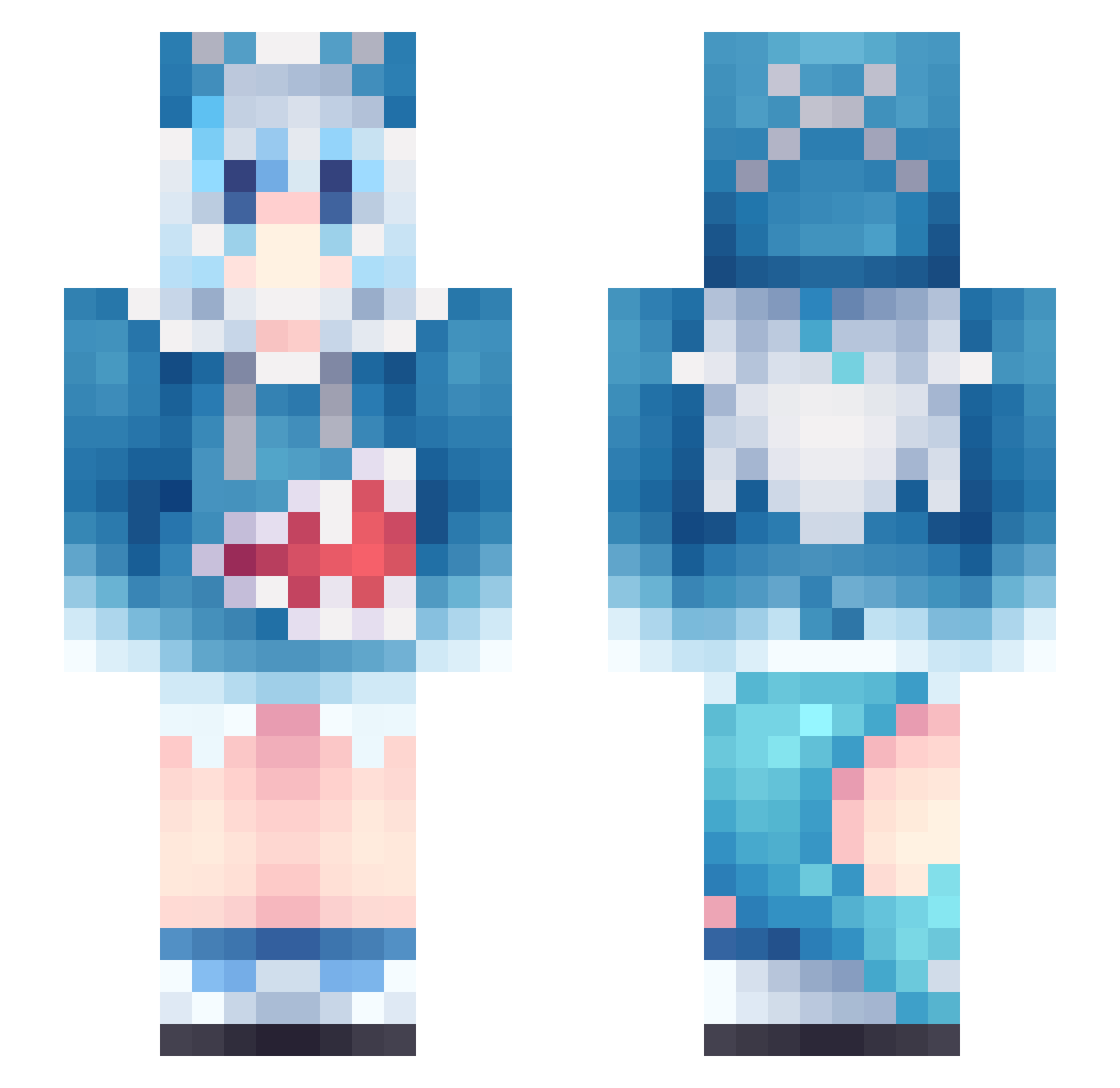
Current Minecraft skin of the player Marjoram90, loaded from the official Mojang API. Rotate the 3D model with your mouse or finger, then download the skin as a PNG file and use it in Minecraft: Bedrock Edition or Java Edition for free. When Marjoram90 changes their skin, this page updates automatically and the old skin stays in the history below.
Other players with this skin (1210)
Marjoram90 was the 1111th player we have seen with this skin, first spotted on 04.11.2026. The same skin was seen on these players. Open a nickname to see their current skin and skin history.
 Softbiscuits Arrotx_MC AwA0shark0AwA Justice8777 Zeziious ItJustSlayer 12520 kk4524 TMT_SHARK Marc0sKzZ compasscompass Felix_ilUli ARmEmail FarmerLars9 QCpuppy GUGUGU888 Moin_ Kristine_Russell HQDD NongToey joker111001 Chikiguapiii ITOOJI Miyukkiie Kanavy_ OSD495 Eientei LegendZOfficial boy33166 BiOii DM_Dark Prukung Datbarisaxyguy Shinyxx0022 eavim Naraanjh Q1Q123 Aizen2B fengling1213 LePillowLord aGaIn2025 0HuaHai0 xCharys diudiu2336 mamlong taost_uuh LJR311 Shotzzzxy sss1223 Starandy remusaa liulichuan StartMax Lin_TTT Genius_GGGGG hanayo123 hshy123 Ma_Tea_ Sasha_77 yyyu11111
More Gawr Gura Minecraft skins
How to install the Marjoram90 skin
- Press the Download button above to save the skin as a PNG file.
- Minecraft: Bedrock Edition (PE): open the Dressing Room from the main menu (or tap your character → Edit Character), go to Classic Skins → Owned, press the + (new skin) button, choose the downloaded PNG and pick the Slim (Alex) model. Works on PC and mobile; consoles cannot import custom skins.
- Minecraft: Java Edition: open the Minecraft Launcher, go to the Skins tab, click New Skin, load the PNG, pick the Slim (Alex) model and press Save & Use. You can also upload it at minecraft.net → Profile → Change Skin.
The skin does not show up after import - what should I do?
Restart Minecraft and open the Dressing Room again - imported skins sometimes appear only after a restart. Also make sure you selected the imported skin and picked the Slim (Alex) model.
Which model should I choose, Classic or Slim?
This skin is designed for the Slim (Alex) model. If you pick the wrong model, the arms of the skin will look stretched or squeezed.
Is the skin of Marjoram90 free to download?
Yes. Press Download, save the PNG file and use it in Minecraft: Bedrock Edition or Java Edition - no payment or registration needed. The skin also works on multiplayer servers and Realms.
More skins
Looking for more? Go back to all Minecraft skins and check the top skins of the week, month and all time, or find any player's skin by nickname.