
Marionnete - Minecraft Skins & Skin History
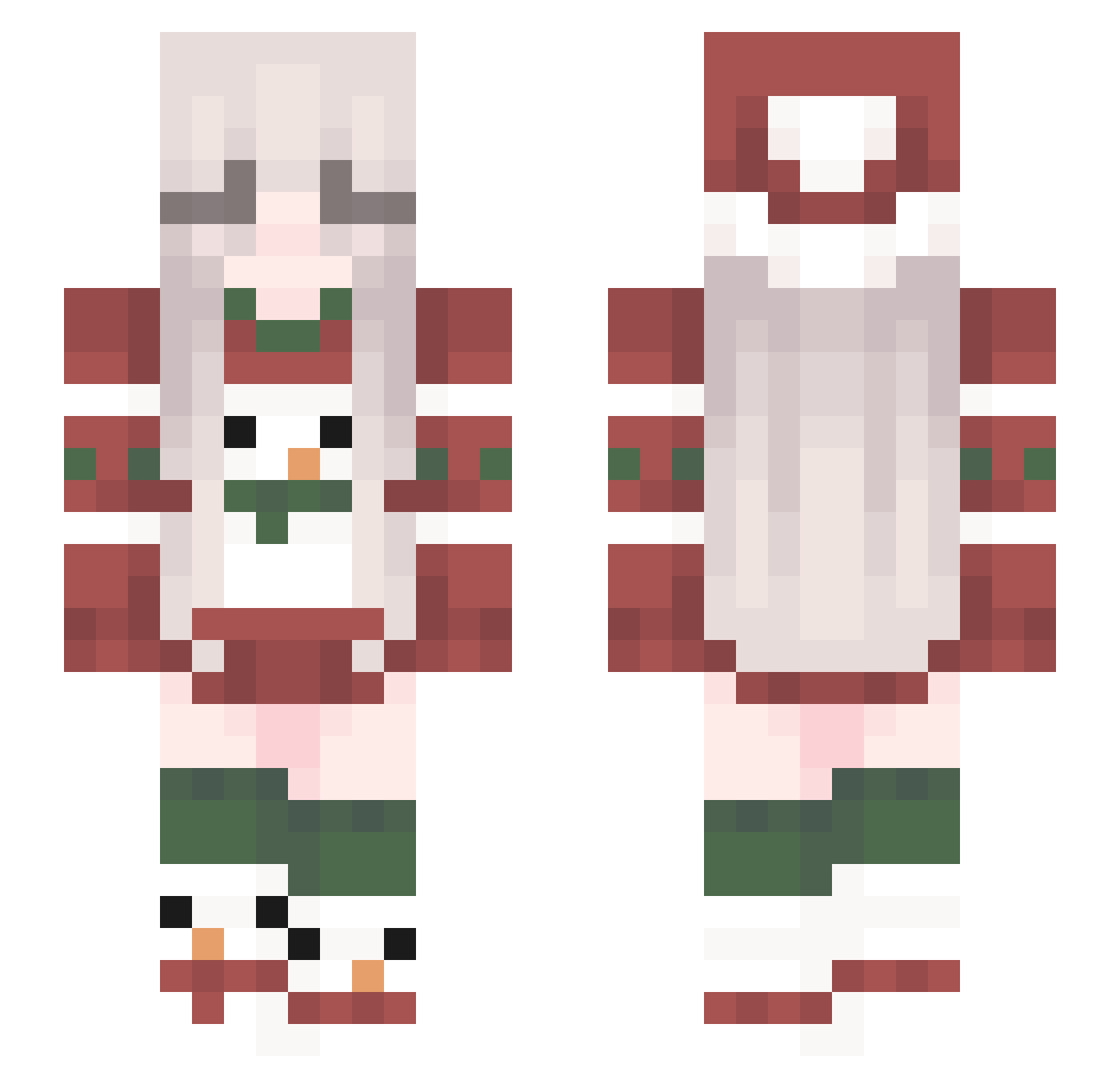
Current Minecraft skin of the player Marionnete, loaded from the official Mojang API. Rotate the 3D model with your mouse or finger, then download the skin as a PNG file and use it in Minecraft: Bedrock Edition or Java Edition for free. When Marionnete changes their skin, this page updates automatically and the old skin stays in the history below.
Other players with this skin (136)
Marionnete was the 136th player we have seen with this skin, first spotted on 17.11.2026. The same skin was seen on these players. Open a nickname to see their current skin and skin history.
 MrsFroggington Overwhale poem_m 31Mirrox13 mystu Zuzia4096 juiceboxwyatt sorvete724 BrdgetBeryl ClockPOV SAFC4LIFE Camarox1 p0gln luquinhaalho egirlZN hyeonwoo0618 AnimeThighHighs Rener686 Ne1r0n4ik Asin_Asin ShadowBlaze2000 Covisntuwu Alevin2009 Qinqingqc ___herobrine1234 DaelynnDawn Flimmin BreadBadger_ ellaa53 DasEchtePaul KesoDev VeganesNugget Hina902 CR_MANKA fetavsq bmll2009 DivansAlloy kafei_ag bad__ DobriY_Coffee OhFoka_ guythatisred qtAstrid SxIas Uniemmola xohxnnxh Cillalightning GCX_KitoGM Sky_Lyric SexyKicia runa__217 deNq_ _Raxj RandK _Nightin Kefevzo Olli1516 zosixolix KevinCremins mclookee
More Snowman Minecraft skins
How to install the Marionnete skin
- Press the Download button above to save the skin as a PNG file.
- Minecraft: Bedrock Edition (PE): open the Dressing Room from the main menu (or tap your character → Edit Character), go to Classic Skins → Owned, press the + (new skin) button, choose the downloaded PNG and pick the Slim (Alex) model. Works on PC and mobile; consoles cannot import custom skins.
- Minecraft: Java Edition: open the Minecraft Launcher, go to the Skins tab, click New Skin, load the PNG, pick the Slim (Alex) model and press Save & Use. You can also upload it at minecraft.net → Profile → Change Skin.
The skin does not show up after import - what should I do?
Restart Minecraft and open the Dressing Room again - imported skins sometimes appear only after a restart. Also make sure you selected the imported skin and picked the Slim (Alex) model.
Which model should I choose, Classic or Slim?
This skin is designed for the Slim (Alex) model. If you pick the wrong model, the arms of the skin will look stretched or squeezed.
Is the skin of Marionnete free to download?
Yes. Press Download, save the PNG file and use it in Minecraft: Bedrock Edition or Java Edition - no payment or registration needed. The skin also works on multiplayer servers and Realms.
More skins
Looking for more? Go back to all Minecraft skins and check the top skins of the week, month and all time, or find any player's skin by nickname.