
Marcelo696969 - Minecraft Skins & Skin History
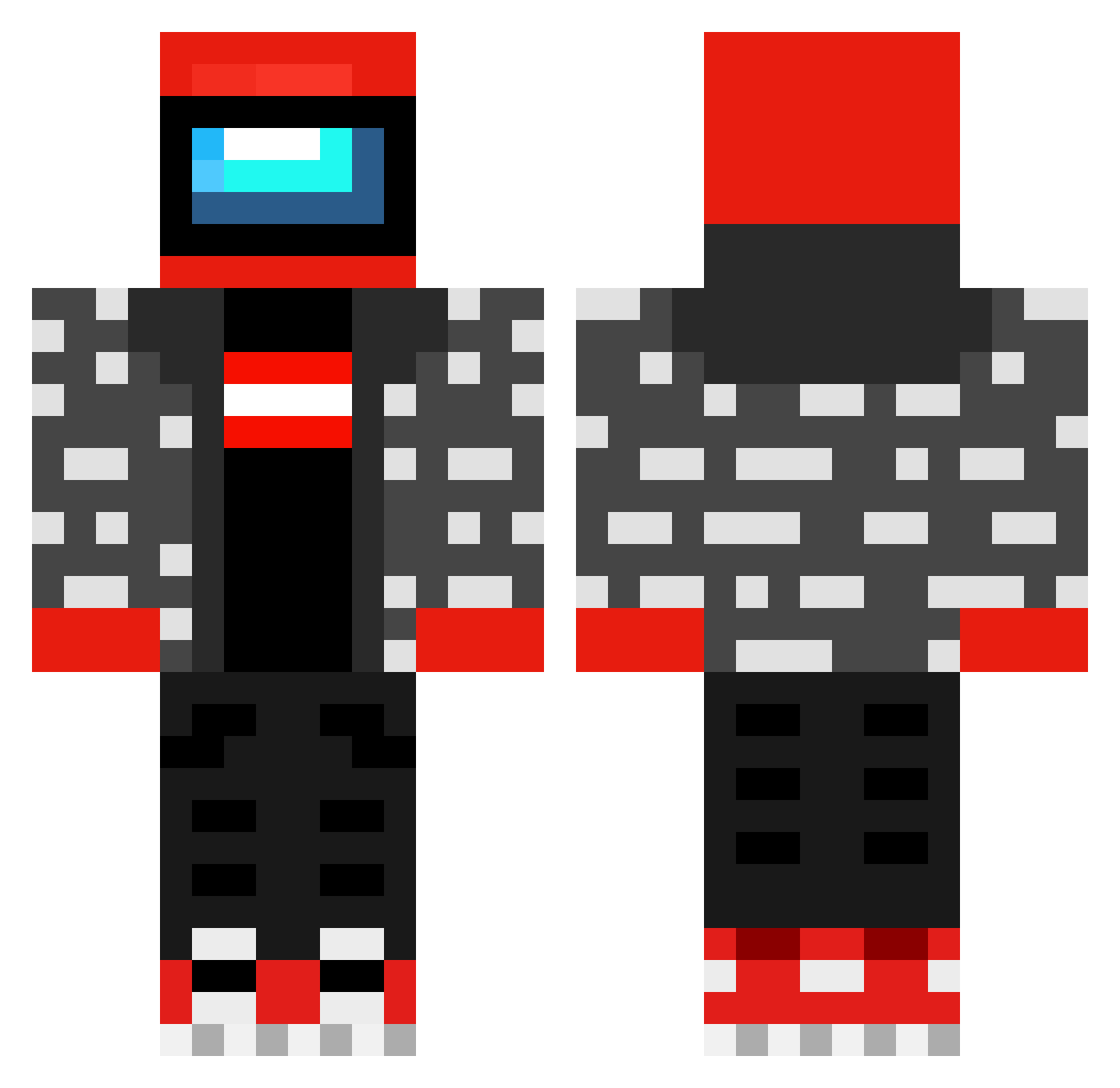
Current Minecraft skin of the player Marcelo696969, loaded from the official Mojang API. Rotate the 3D model with your mouse or finger, then download the skin as a PNG file and use it in Minecraft: Bedrock Edition or Java Edition for free. When Marcelo696969 changes their skin, this page updates automatically and the old skin stays in the history below.
Other players with this skin (605)
Marcelo696969 was the 505th player we have seen with this skin, first spotted on 05.11.2026. The same skin was seen on these players. Open a nickname to see their current skin and skin history.
 KittenPasta tauricko Genis_Puzzler VmaxVibes MetaUser GrumPlyy Nanalord64 Zelmonight ParksAndWreck DelfinPasta Strafo_ STEFAN0123 Hyper_pX tingerrr wick7725 dieselhanks Bamood keiishima HJefff LTO_ShammyShake tornado_olo XpluggcafetaoX p0rgu PrzemczaKK Wulfiend Toasty_737 sjorsieporsie Gepland LeoLeoReal MihaitGiumbusluc Zomlon1 atahan2361 the0kk Vaughnstrosity VietNinja220 Vinny_zuul kaisar40 3lorens joshpimpson JAQUESSE420 Jawel07 Mariageau Dejanstano12 Kultainto AndrasX ReallyGoodice Cats088 Nitai777 Troller222255 xxzzxzx IDontFeelZoGood typicalreysi SussyImpostor__ eddonalds YOYO_VQ R0_0KA Will_Reality Witak777 Ildaron Mazzaronee
More Drip Minecraft skins
How to install the Marcelo696969 skin
- Press the Download button above to save the skin as a PNG file.
- Minecraft: Bedrock Edition (PE): open the Dressing Room from the main menu (or tap your character → Edit Character), go to Classic Skins → Owned, press the + (new skin) button, choose the downloaded PNG and pick the Classic (Steve) model. Works on PC and mobile; consoles cannot import custom skins.
- Minecraft: Java Edition: open the Minecraft Launcher, go to the Skins tab, click New Skin, load the PNG, pick the Classic (Steve) model and press Save & Use. You can also upload it at minecraft.net → Profile → Change Skin.
The skin does not show up after import - what should I do?
Restart Minecraft and open the Dressing Room again - imported skins sometimes appear only after a restart. Also make sure you selected the imported skin and picked the Classic (Steve) model.
Which model should I choose, Classic or Slim?
This skin is designed for the Classic (Steve) model. If you pick the wrong model, the arms of the skin will look stretched or squeezed.
Is the skin of Marcelo696969 free to download?
Yes. Press Download, save the PNG file and use it in Minecraft: Bedrock Edition or Java Edition - no payment or registration needed. The skin also works on multiplayer servers and Realms.
More skins
Looking for more? Go back to all Minecraft skins and check the top skins of the week, month and all time, or find any player's skin by nickname.