
Mapvalentim2021 - Minecraft Skins & Skin History
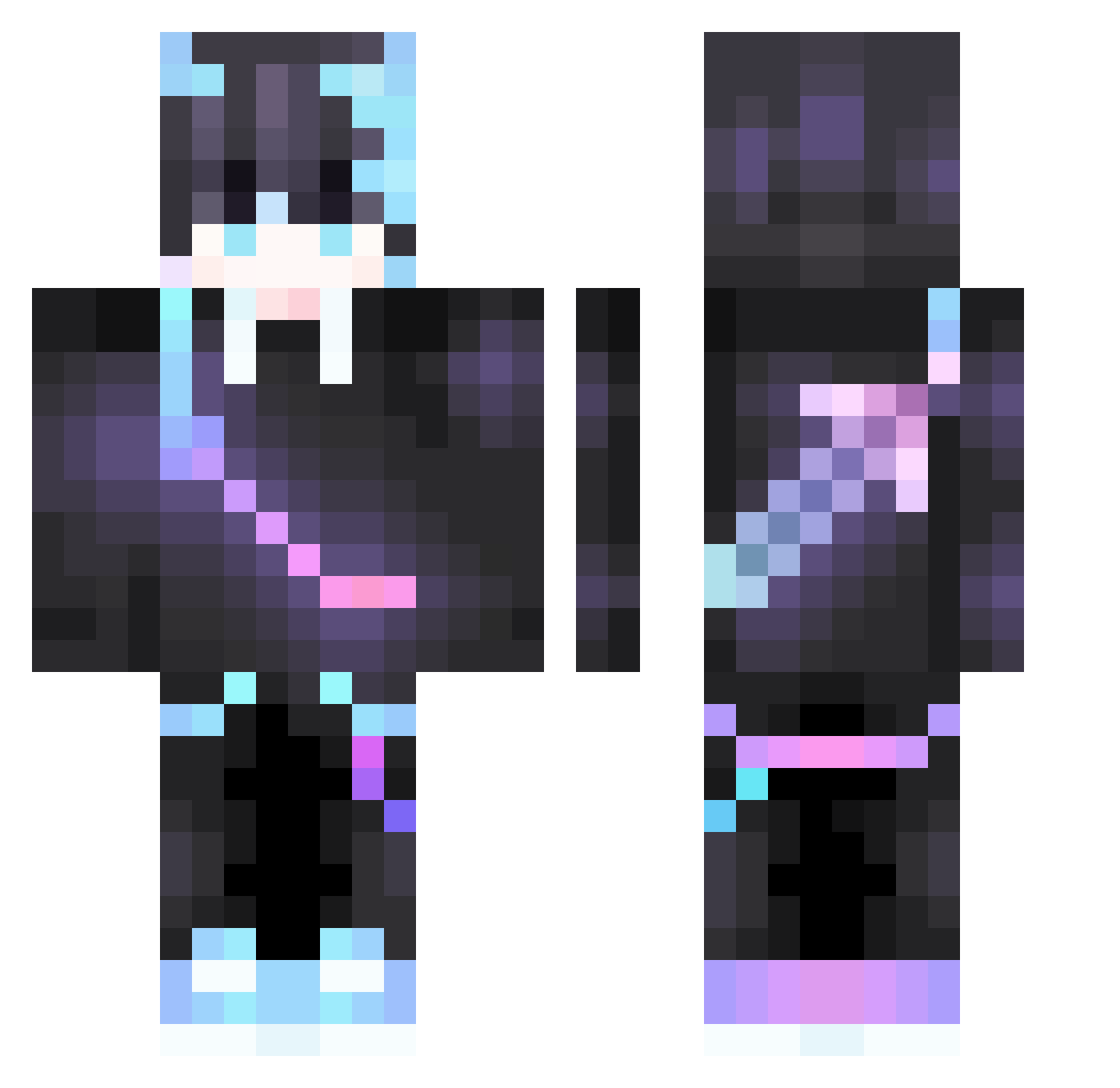
Current Minecraft skin of the player Mapvalentim2021, loaded from the official Mojang API. Rotate the 3D model with your mouse or finger, then download the skin as a PNG file and use it in Minecraft: Bedrock Edition or Java Edition for free. When Mapvalentim2021 changes their skin, this page updates automatically and the old skin stays in the history below.
Other players with this skin (376)
Mapvalentim2021 was the 197th player we have seen with this skin, first spotted on 11.09.2026. The same skin was seen on these players. Open a nickname to see their current skin and skin history.
 xcyw M_VER1X CLARETHEGUY alances L_mixi XKaisaX Koiry1337 DogbarksPrincess 7Anonio7 Parzizou_Mc Killeralexio nen22 NightFaze25 ran__qi Han_mao AAAAABaBa Tian070322 Sentinel_Flo CrystalJul Vindicator64 whatpua NianHen Tuloren22 blank668 alej4ndro752 irjgfkrmmf09865 dragon_king512 SuperGogo66 vknicolas7 warslov Locatr BUZEGJasp3r TaJinY jiajiajia8023 AzKuro Kwezin DARKNE55_ TGD_LegendG PandaFatty Karimopolis Rev1veF znrm _MajdGamesAR_ RareUsagi not_grim tuitin _Vlad_Game_228 JayJaze Liuliu0707 SimplyRituals xZeaDy_DryZe Ghost1917 Magixrs BM3 mark_97123 NebulaGrey SinThesizeC0metX Cheechuu_13 MandayGamer Dank_Kat93
More Sword On Back Minecraft skins
See all 238 Sword On Back skins
How to install the Mapvalentim2021 skin
- Press the Download button above to save the skin as a PNG file.
- Minecraft: Bedrock Edition (PE): open the Dressing Room from the main menu (or tap your character → Edit Character), go to Classic Skins → Owned, press the + (new skin) button, choose the downloaded PNG and pick the Classic (Steve) model. Works on PC and mobile; consoles cannot import custom skins.
- Minecraft: Java Edition: open the Minecraft Launcher, go to the Skins tab, click New Skin, load the PNG, pick the Classic (Steve) model and press Save & Use. You can also upload it at minecraft.net → Profile → Change Skin.
The skin does not show up after import - what should I do?
Restart Minecraft and open the Dressing Room again - imported skins sometimes appear only after a restart. Also make sure you selected the imported skin and picked the Classic (Steve) model.
Which model should I choose, Classic or Slim?
This skin is designed for the Classic (Steve) model. If you pick the wrong model, the arms of the skin will look stretched or squeezed.
Is the skin of Mapvalentim2021 free to download?
Yes. Press Download, save the PNG file and use it in Minecraft: Bedrock Edition or Java Edition - no payment or registration needed. The skin also works on multiplayer servers and Realms.
More skins
Looking for more? Go back to all Minecraft skins and check the top skins of the week, month and all time, or find any player's skin by nickname.